30
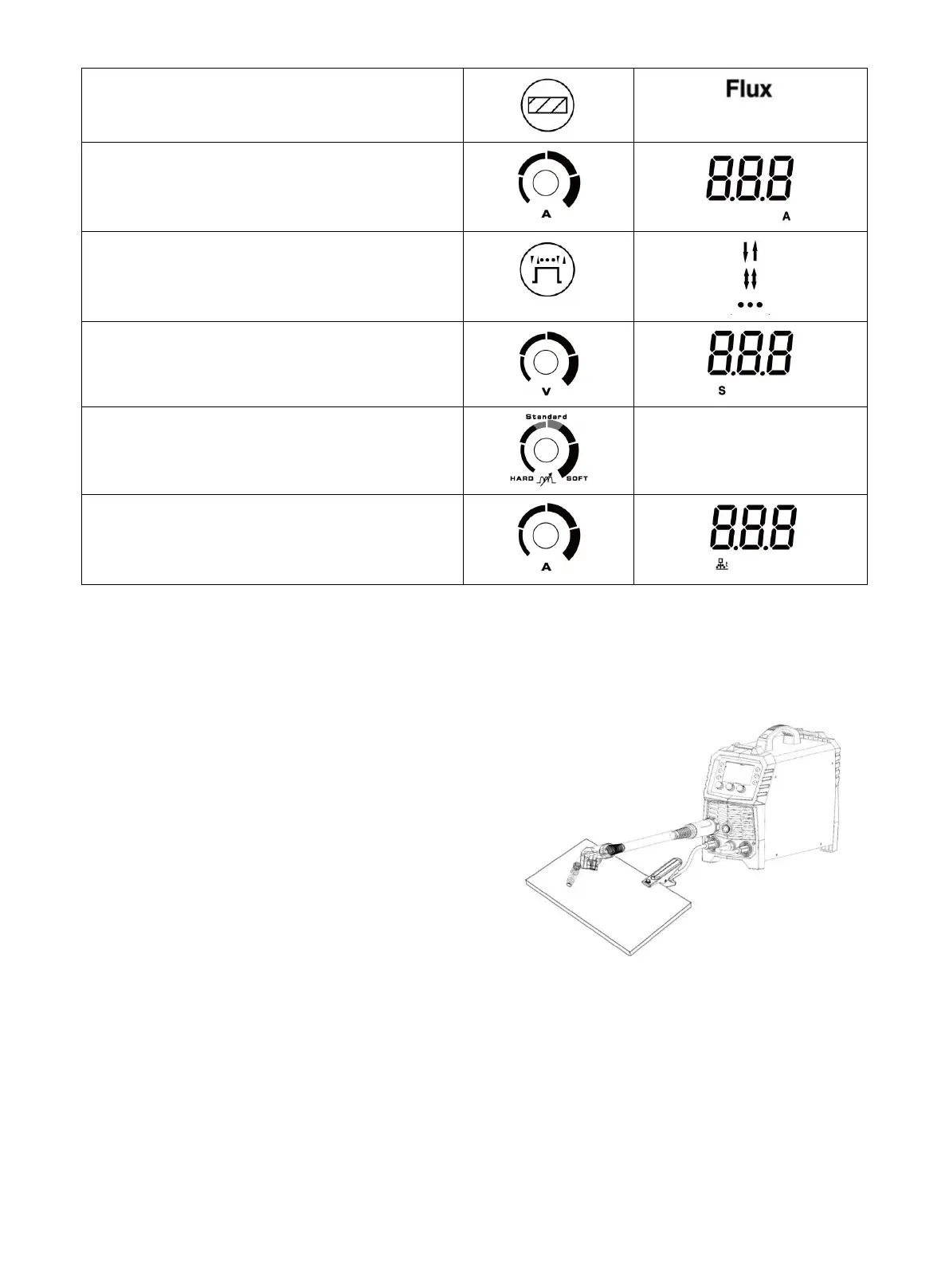
Select Flux-Cored
Turn the knob to find the required current
Select 2T / 4T / Spot
If you select spot mode
Please adjust the spot time
Select inductance level
/
Select Bum-back time
You can also choose to use the default Settings
Clamp the Ground clamp onto the workpiece, The Ground clamp must be securely connected to the
workpiece.
NOTICE:
• Always weld clean, dry and well-prepared material.
•
Hold gun at a 45° angle to the workpiece
with nozzle about 1/2” from the surface.
• Move the gun smoothly and steadily as
you weld.
•
On thin gauge material, move quickly and
only weld 1/4” stitch-welds at a time to
avoid melt-through.
• Avoid welding in very drafty areas. A weak,
pitted and porous weld will result due to
drafts blowing away the
•
Keep wire and liner clean. Do not use rusty wire.
• Sharp bends or kinks in the welding cable should be avoided
•
ONLY use Flux Cored MIG welding wire.
•
Flux core MIG Welding parameters table
(
for reference only
)
Figure 43
https://www.arccaptain.com/



 To Next Page