19
4.Turn off the machine after the wire stick out. Then install the
nozzle and contact tip.
NOTE:
Cut the wire 3/8” to 5/8” from the end of the tip.
5.Turn on the machine. The machine is now ready to weld.
6.Close the Door Latch. Make sure. Door is securely latched.
5.4 Operation
! WARINING BEWARE OF ELECTRIC SHOCK!
Turn on the power switch of the machine, and the power indicator illuminates.
Select proper working mode and proper function according your welding situation.
Clamp the Ground clamp onto the workpiece, The Ground clamp must be securely connected to the
workpiece.
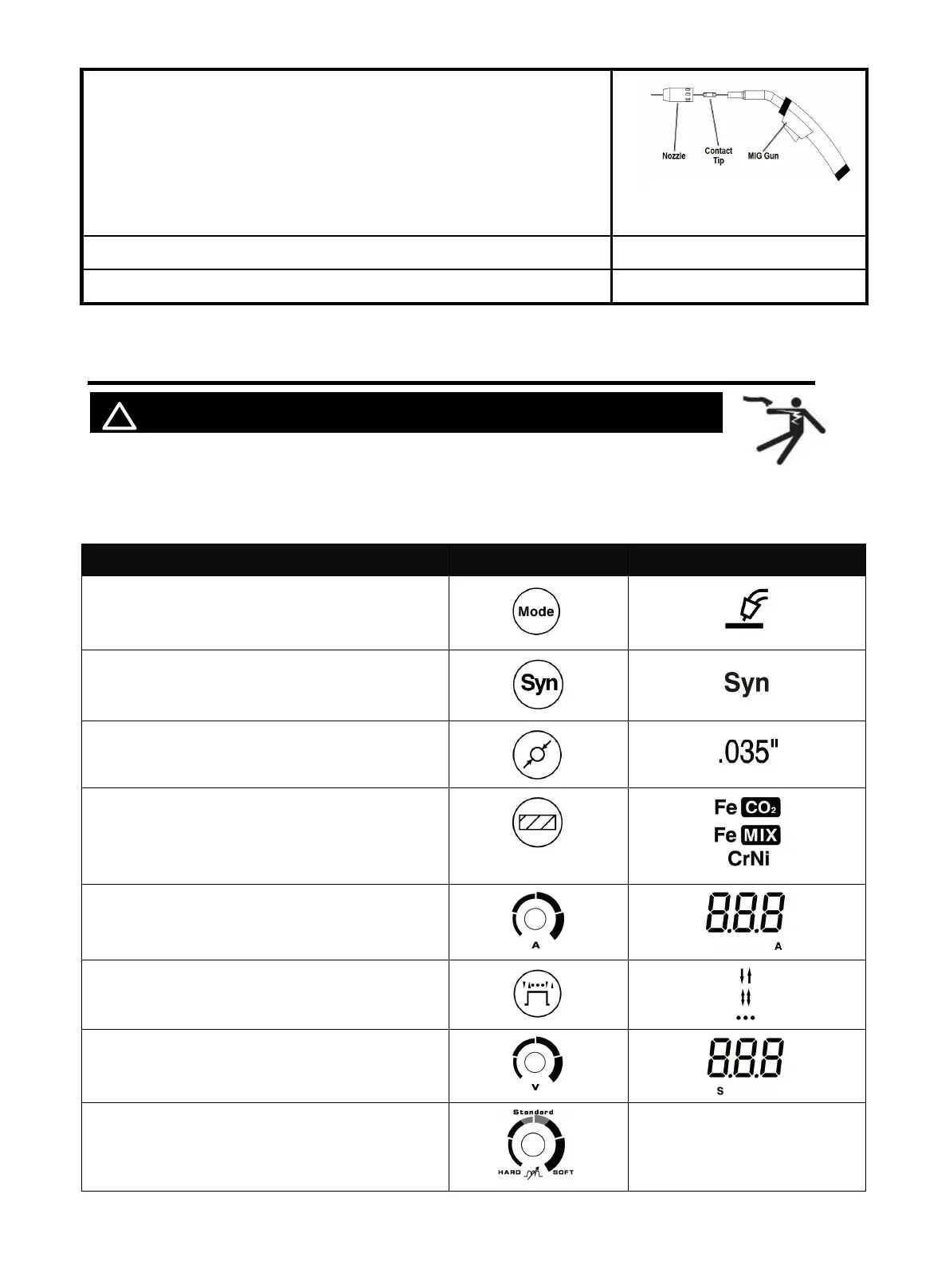
Function with synergic Part Select
Select MIG
Open SYN
Select wire
diameter
Select MIG material
according to the workpiece and inlet gas, For
details, see 3.2 Multi-function digital
operation panel
Turn the knob to find the required current
Select 2T / 4T / Spot
If you select spot mode
Please adjust the spot time
Select inductance level
/
Figure 25
https://www.arccaptain.com/



 To Next Page