25
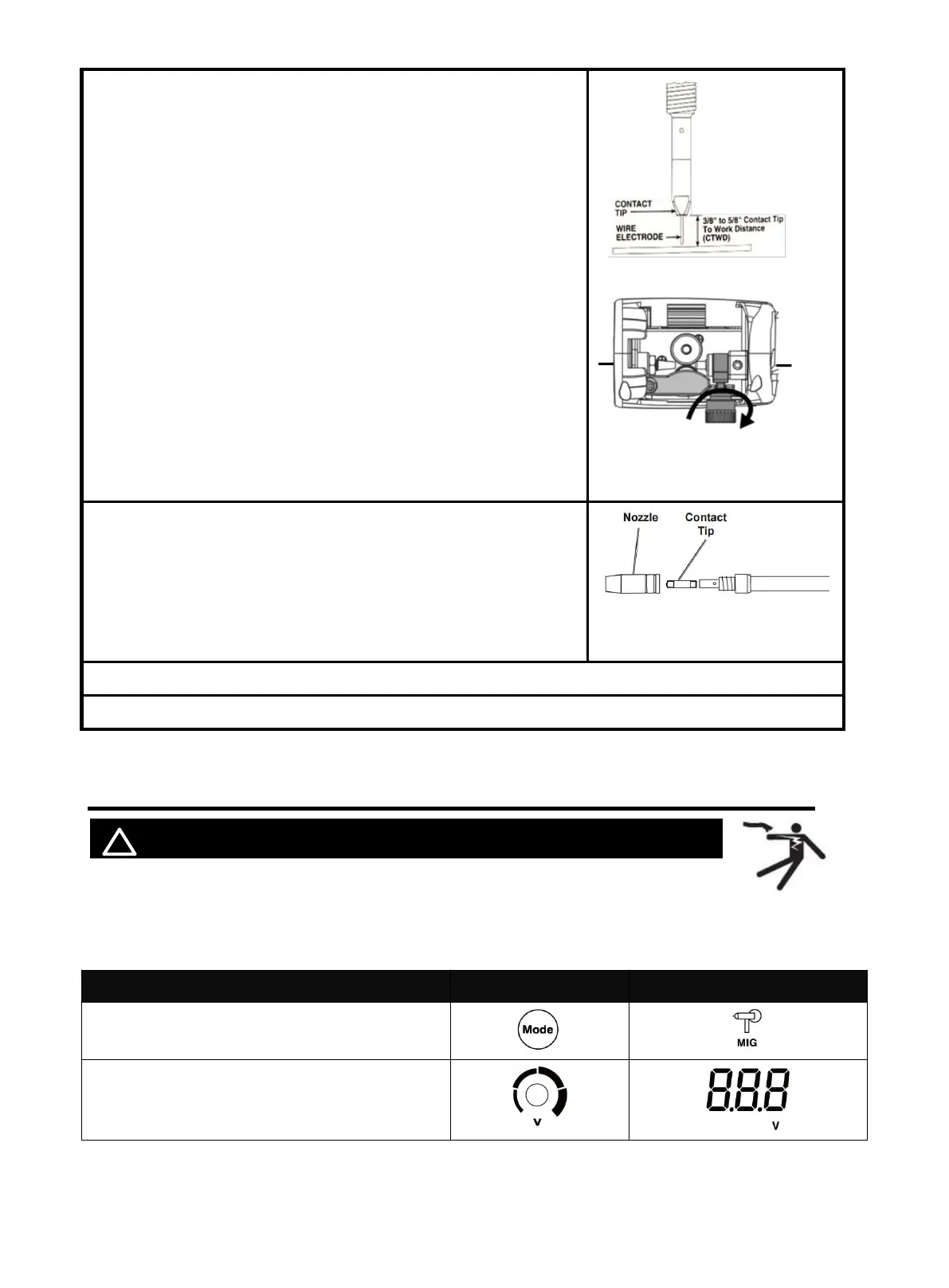
3. Press and hold the gun trigger to load the wire through the gun,
until the wire feeds through the end of the Gun.
NOTE:
Before feeding, Remove the nozzle and contact tip before
feeding the wire to ensure smooth wire feeding.
If the wire does not feed properly and the Spool is stationary,
turn OFF and unplug the Welder and slightly tighten the Feed
Tensioner clockwise before retrying.
If the wire stops instead of bending, disconnect the Welder,
tighten the Feed Tensioner slightly clockwise, and try again. If
the wire bends due to feed pressure, the tension is set
correctly.
Point the Gun away from all objects.
The welding wire should match the Feed Roller and contact
tips.
4.Turn off the machine after the wire stick out. Then install the
nozzle and contact tip.
NOTE:
Cut the wire 3/8” to 5/8” from the end of the tip.
5.Turn on the machine. The machine is now ready to weld.
6.Close the Door Latch. Make sure. Door is securely latched.
6.5 Operation
! WARINING BEWARE OF ELECTRIC SHOCK!
Turn on the power switch of the machine, and the power indicator illuminates.
Select proper working mode and proper function according your welding situation.
Clamp the Ground clamp onto the workpiece, The Ground clamp must be securely connected to the
workpiece.
Function with separated Part Select
Select MIG
Turn the knob to find the required voltage
Figure 36
Figure 37
https://www.arccaptain.com/



 To Next Page