Getting to know your set-top box
You’ll be up and running in no time
Getting to know your set-top box
14
If you require any technical guidance or find that your TV is not operating as intended, a simple solution can often be found in the Troubleshooting section of these instructions,
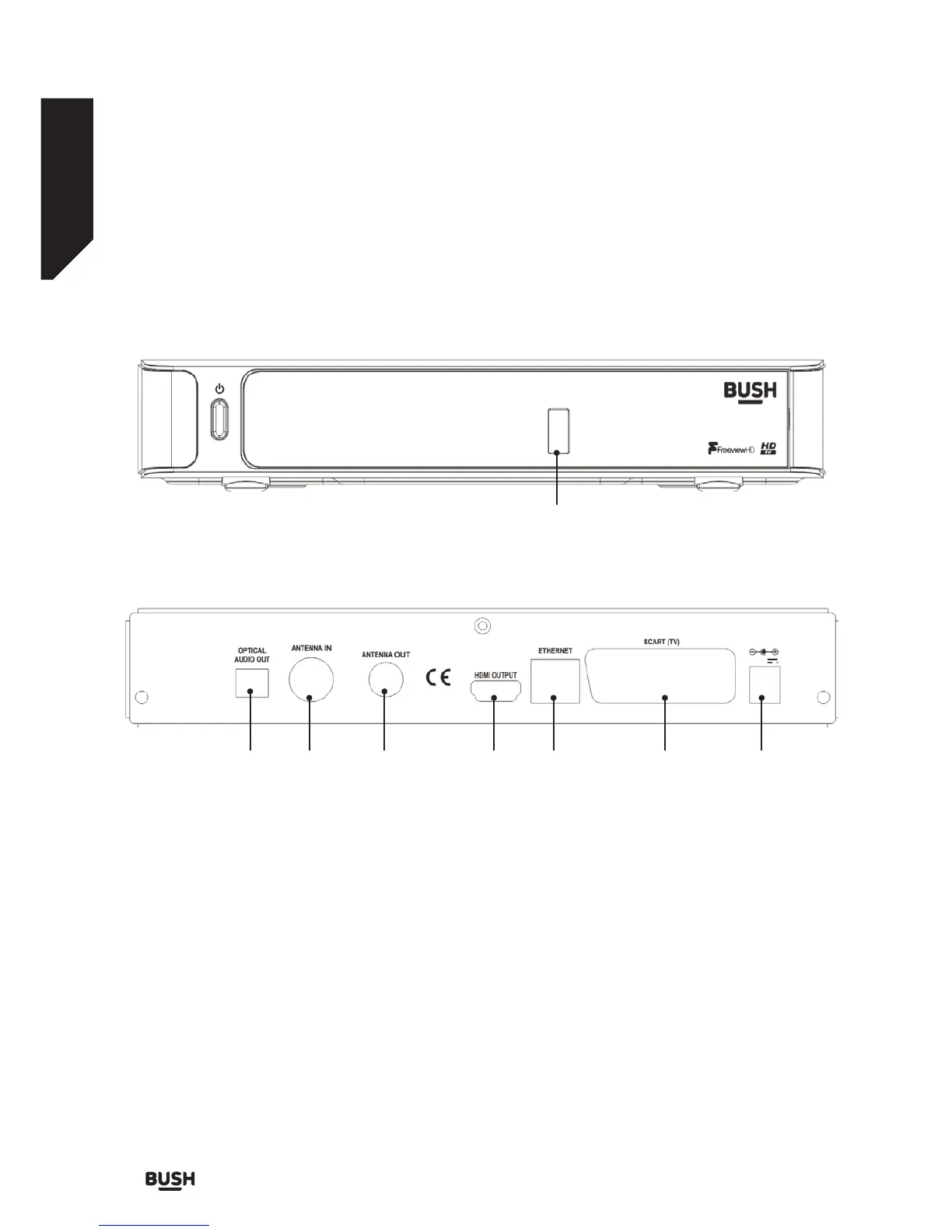
Overview of the Set-Top Box
Front view
Rear view
1
1. USB INPUT: To connect external USB storage
devices.
2. OPTICAL AUDIO OUT: You can use this connector
to output the digital audio to an external device.
See your audio system instruction book for further
information.
3. ANTENNA IN: Aerial input.
4. ANTENNA OUT: To watch channels on the TV.
5. HDMI IN: HDMI connection.
6. LAN: Ethernet Input.
7. SCART OUT: If your TV has a scart connector, you
can connect the box to your TV using a scart cable.
8. POWER CABLE: DC IN (12V).
823 4 56 7
Make sure that you connect all cables and connections before you plug the unit into the mains supply. After you
connect the unit to the mains supply, the LED light located on the front panel will be red (Standby mode).
Fig 3.
Fig 4.



 To Next Page