Connections
Bringing it all together
Connections 19
or online at www.argos-support.co.uk If you still require further assistance, call one of our experts on 0345 604 0105.
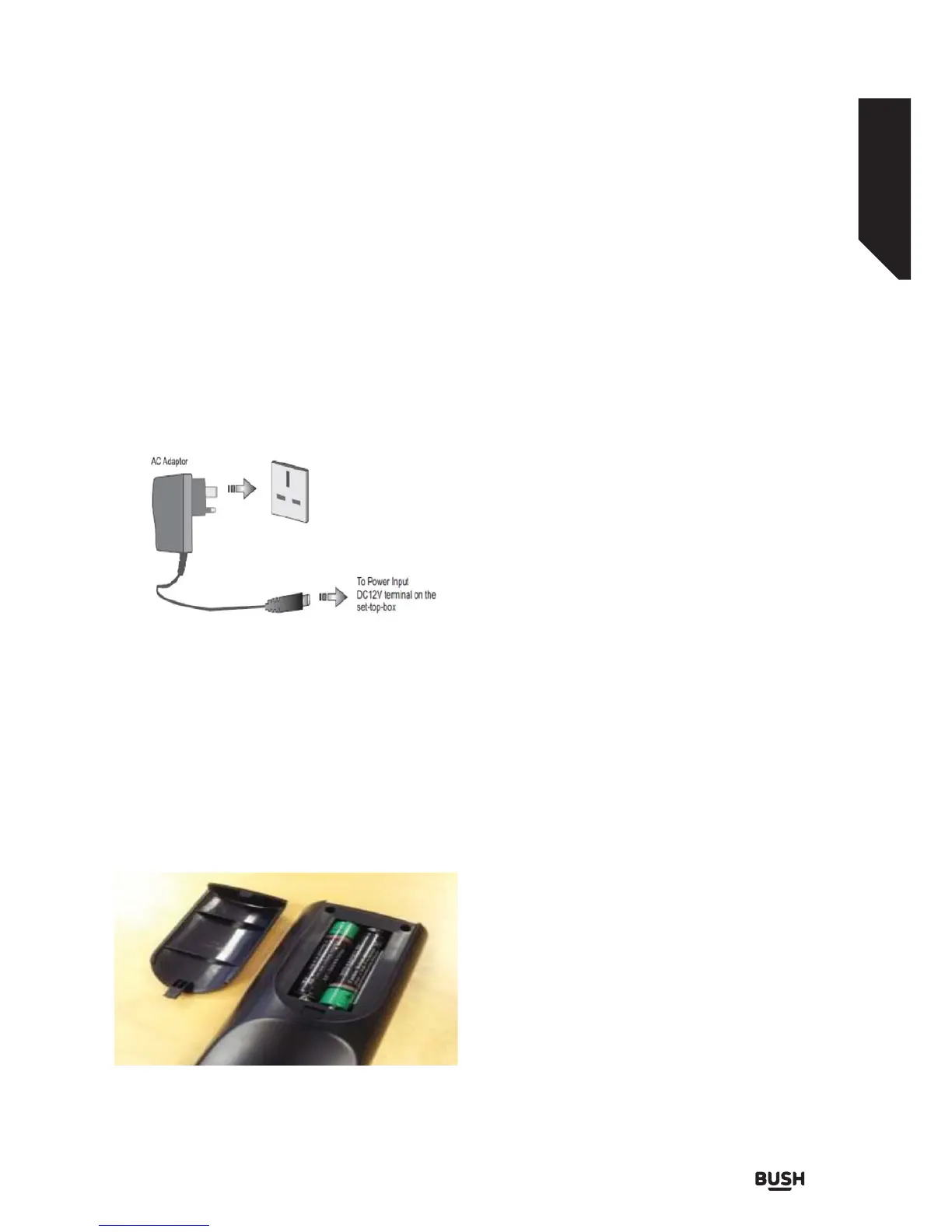
Power Connection
IMPORTANT: The set-top box is designed to operate
on 12 V DC. For this, an adaptor is used which gives
12 V voltage. Connect this adaptor to a system that
supplies 220-240V AC,50Hz.
After unpacking, allow the set-top box to reach the
ambient room temperature before you connect the set
to the mains.
Inserting Batteries in the Remote Control
1. Remove the battery cover located on the back of
the remote control by gently pulling backwards
from the indicated part.
2. Insert two AAA/R3 (2 X 1.5Volt) or equivalent type
batteries inside. Place the batteries in the correct
direction observing the polarity symbols (+/-) and
replace the battery cover..
While using the remote control, you should direct it
towards the front panel of the receiver. Remote range is
approximately 7m/23ft.
If your receiver no longer responds to the remote
control. it is probable that the batteries are exhausted.
If so you can still use the local buttons of the receiver.
You can replace batteries after they are exhausted.
Note : Remove the batteries from the remote control
when it is not to be used for a long period. Otherwise it
can be damaged due to batteries leaking.
Power On-O
Connect all cables before plugging into the mains.
After plugging in the AC adaptor for the set top box to
the mains supply, a red light will be seen on the front
panel (Standby mode).
When the set top box is first powered up please wait
until the box is initialized before activating the receiver
as booting of software will take some time. Please wait
until unit is initialized. This may take almost a minute.
This product conforms with the latest European Union
Power Consumption Regulations and features a low
power standby mode. The product enters into the low
power standby mode approximately 30 seconds after
the standby button is pressed to turn off the unit.
Until low power mode is activated, a clock will be
displayed at the display and light will be OFF. When the
low power mode is activated, the display will be shut
down and light will be red.
When you press the standby button during low
power mode, it may take a minute until the product
is initialised. However, if you press the standby button
before the low power mode is activated, the unit will
be initialized in a couple of seconds (Active standby
mode).
When the box is on mode, a channel number will be
displayed on the display and light will be OFF.
Although it is not recommended for enviromental
reasons, you may disable low power mode in your
product using the setup –configuration menu. If low
power mode is disabled, only the clock is displayed in
standby mode.
Fig 7.
Fig 8.



 To Next Page