Advanced features
Getting the most from your TV
Advanced features 31
or online at www.argos-support.co.uk If you still require further assistance, call one of our experts on 0345 604 0105.
To cancel an already set series recording, highlight that
programme and press the OK button and select the
option Delete Series. The recordings will be cancelled.
Note: Series programme information should be
broadcasted by the broadcaster.
Split Record
When you select a programme to be recorded, if there
is another part of the programme available, it will also
be set to record automatically. The programme’s
following episode is also underlined in the picture. To
do this, you have to press only the RECORD button
once. The programme you selected will be framed red.
Note: Split programme information should be
broadcasted by the broadcaster.
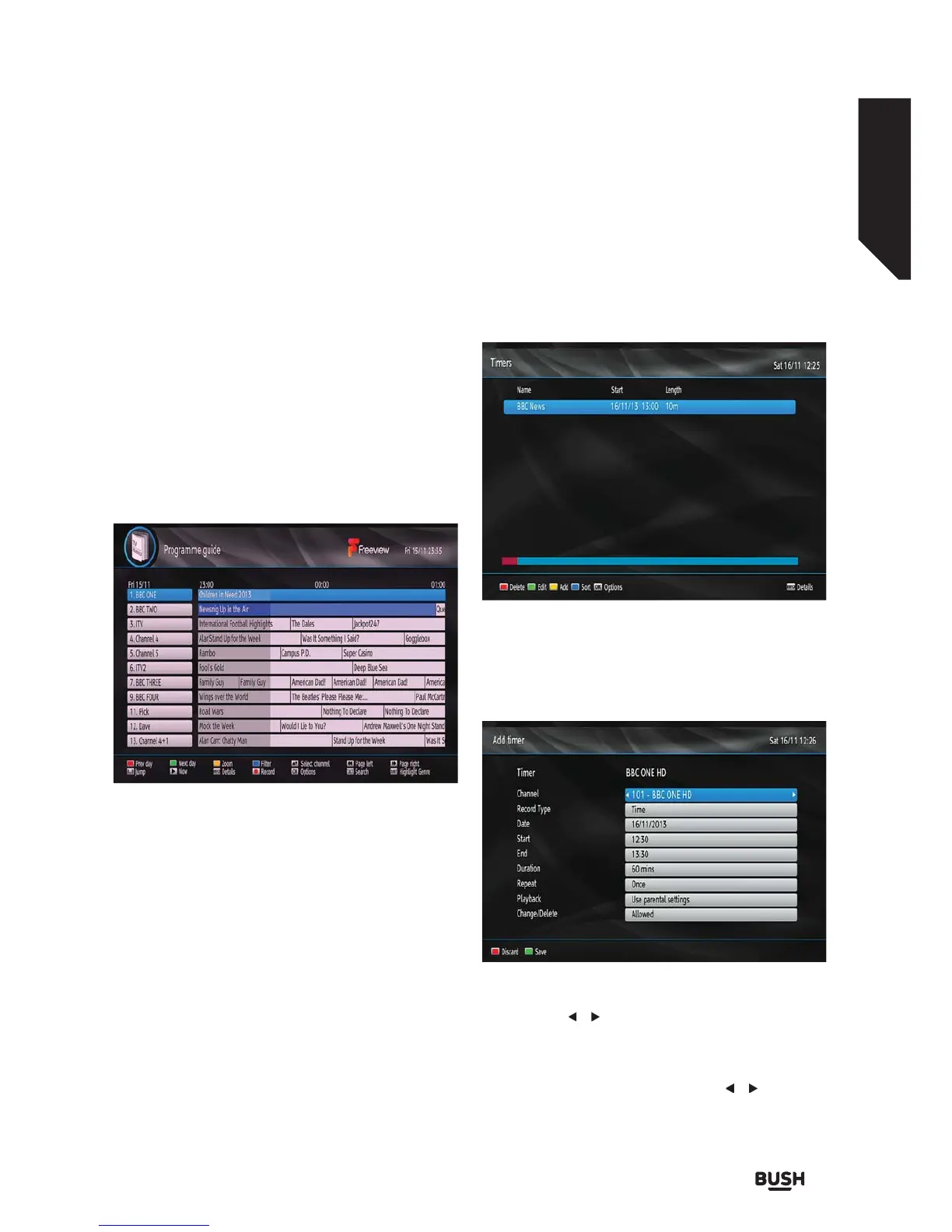
Confi guring Timers
Select Timers from the main menu and press the OK
button.
To add a timer, press the YELLOW button on the
remote control. The Add Timer window appears.
Channel: the
/ buttons will navigate the user
through the TV or Radio list.
Record Type: Displays recording type.
Date: Starting date is entered using the
/ buttons
or the numeric buttons.
Fig 23.
Fig 24.
Fig 25.



 To Next Page