Advanced features
Getting the most from your TV
Advanced features 37
or online at www.argos-support.co.uk If you still require further assistance, call one of our experts on 0345 604 0105.
Settings
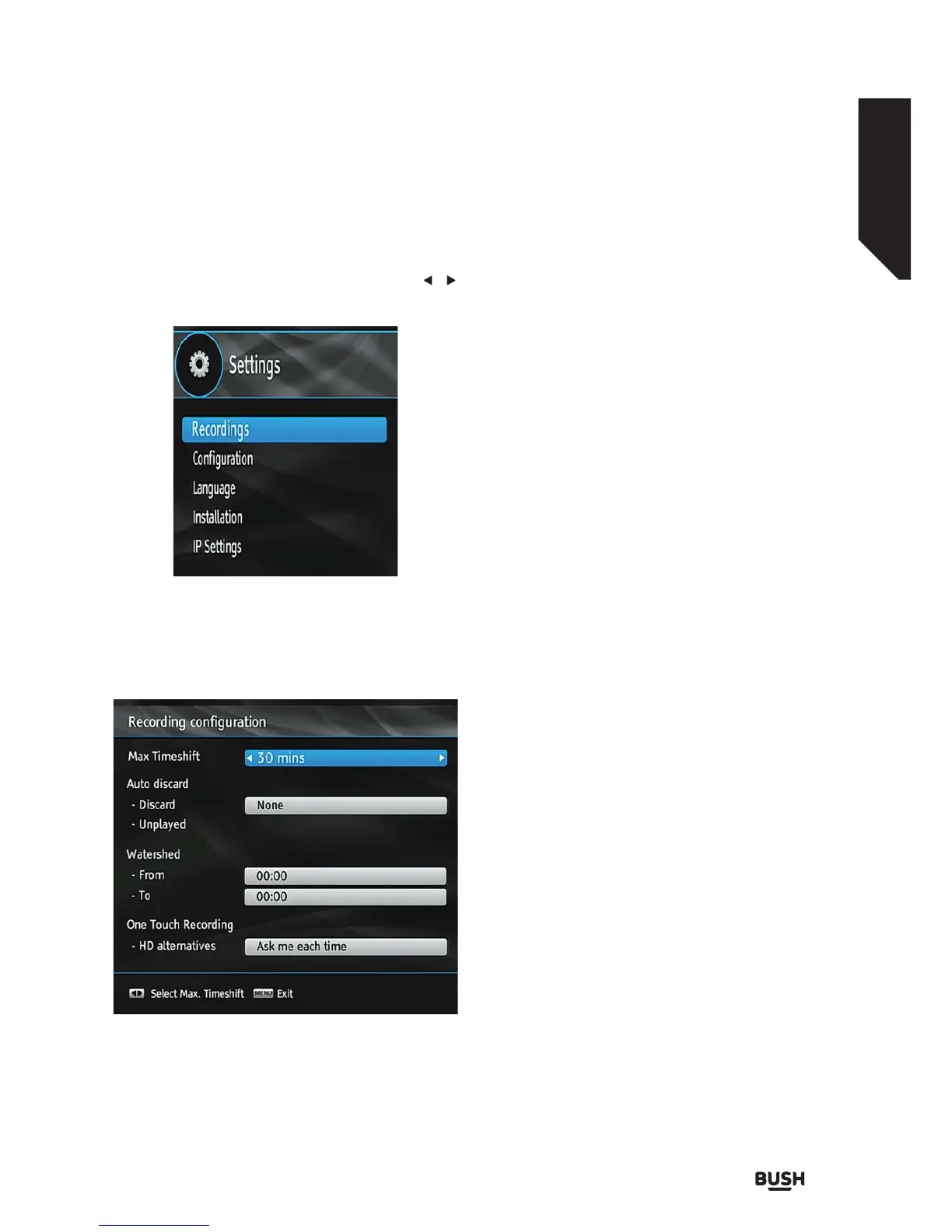
Select Settings from the main menu by using the /
buttons and press the OK button to display.
Recordings
To configure the playback/recording options select the
Recordings option from the configuration menu.
Max Time Shift
Select the maximum time allowed for timeshifting.
See Time Shifting section for more information on
timeshifting
Auto Discard
Discard: When the HDD is full and a timer is set to
record, the unit will automatically discard previous
recordings based on this setting. The options are as
follows:
• None: The unit will not discard any recordings and
the timer will not record the requested programme.
• Oldest: Starting with the oldest, recordings will be
deleted to make space for the requested timer.
• Longest: Starting with the longest, recordings will
be deleted to make space for the requested timer.
• Shortest: Starting with the shortest, recordings will
be deleted to make space for the requested timer.
• Unplayed: If this option is set to EXCLUDED any
unplayed recordings will NOT be deleted. If this
option is set to INCLUDED, unplayed recordings
WILL be deleted.
• Watershed: Use these settings to change the
watershed time period. Press MENU button to exit.
Any recording which is made during the watershed
period will have Playback set to Disallowed when it
appears in the library. You can only play the recording if
you enter the PIN.
One Touch Recording :
HD alternatives :You can adjust this setting to suit your
preference.
Fig 38.
Fig 39.



 To Next Page