Advanced features
Getting the most from your TV
Advanced features40
If you require any technical guidance or find that your TV is not operating as intended, a simple solution can often be found in the Troubleshooting section of these instructions,
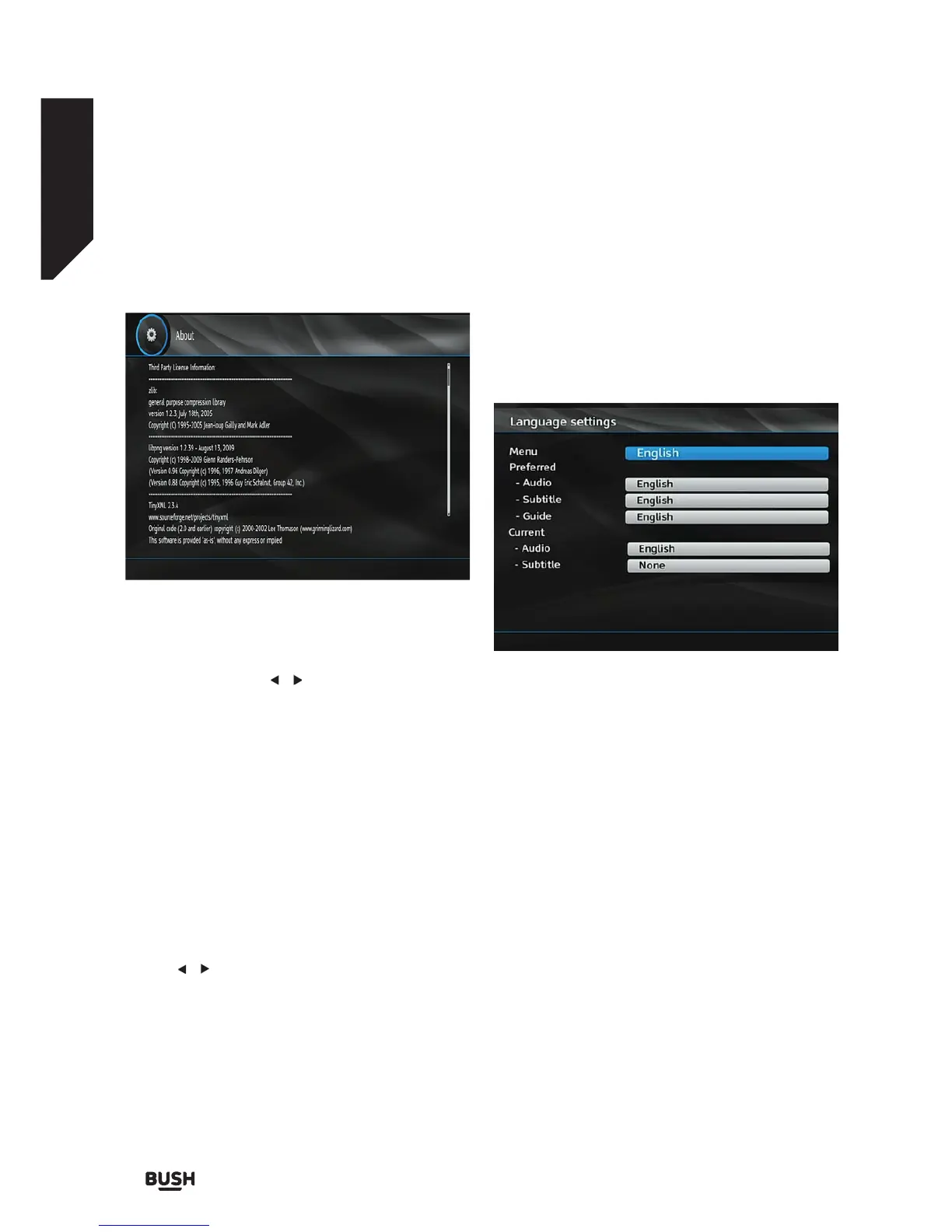
About
Select About and press the OK button to display
system information.
Audio Description
This function enables or disables the audio description
feature by pressing the / buttons. Audio description
refers to an additional narration track for blind and
visually impaired viewers of visual media, including
television and movies. The description narrator talks
through the presentation, describing what is happening
on the screen during the natural pauses in the audio
(and sometimes during dialogue, if deemed necessary).
You can use this feature only if the broadcaster
supports this feature.
Available Langs.
You can see available languages in this section.
Preferred Language (Optional)
Use the / buttons to change the preferred audio
description language.
This setting can be used, only if it is available.
Relative Volume (Optional)
Using this option, the Audio Description volume level
can be increased or decreased relatively, according to
the general volume.
Language
• You can operate the TV’s language settings using
this menu.
• Select Language from the Setup menu and press
OK to continue.
Menu: shows the language of the system.
Preferred
These settings will be used if available. Otherwise
current settings will be used.
• Audio: Sets the preferred audio language.
• Subtitle: Sets the subtitle language. Selected
language will be seen in subtitles.
• Guide: Sets guide language.
Current (*)
(*) These settings can be changed if only the
broadcaster supports it. Otherwise, the settings will not
be available to be changed.
• Audio: Changes the audio language for the current
channel.
• Subtitle: Sets the subtitle language for the current
channel.
Fig 44.
Fig 45.



 To Next Page