Advanced features
Getting the most from your TV
Advanced features32
If you require any technical guidance or find that your TV is not operating as intended, a simple solution can often be found in the Troubleshooting section of these instructions,
Start: Starting time is entered using the / buttons
or the numeric buttons.
End: Ending time is entered using the / buttons or
the numeric buttons.
Duration: Duration between Start and End time.
Repeat: Sets the repeating preference.
Playback: Sets playback control.
Change/Delete: permits or prohibits any modifications
for other users.
You can save the adjustments by pressing the GREEN
button or cancel the process by pressing the RED
button.
You can edit the timers list using the GREEN button
and delete with the RED button. You can sort recorded
programme by pressing the BLUE button. You can also
press the OK button to display other options.
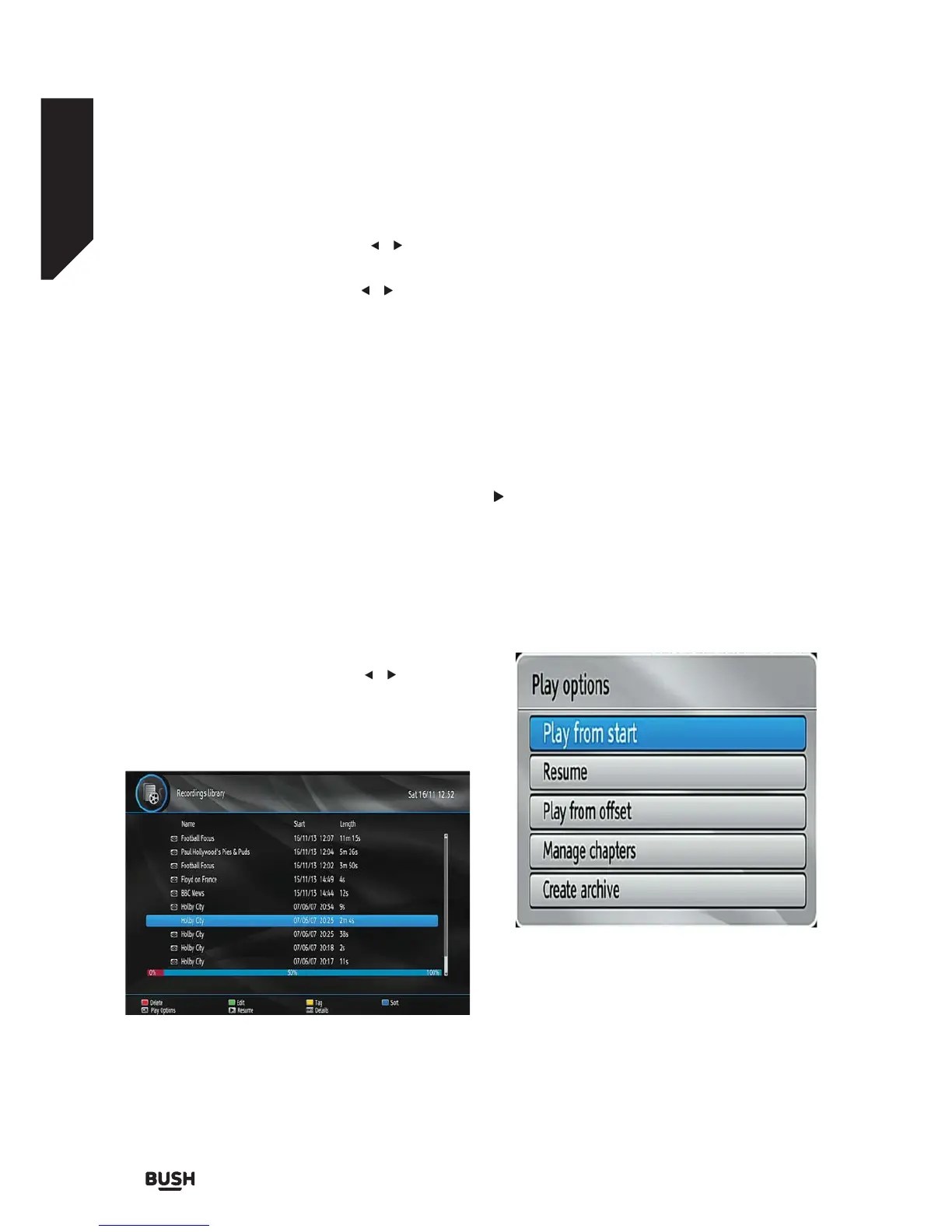
Recordings Library
To view the list of recordings, press the MENU button
to display the main menu and use the / buttons to
highlight the Recordings Library and press the OK
button. The recordings Library will then be displayed
with available recordings which are kept in a list.
Red bar: Indicates the used space of the recordings on
the hard disk.
Green bar: Displays the approximate capacity required
for the timers currently set.
RED button (Delete) :Erases the selected recording.
GREEN button (Edit): Makes changes on the selected
recording.
YELLOW button (Tag): Tag/untag a recorded
programme.
BLUE button (Sort): Changes the order of the
recordings. You can select from a wide range of sorting
options.
OK button: Displays playing options:
(Resume): Resumes the playback.
Note: Viewing main menu and menu items will not be
available during the playback.
INFO (Details): Displays the short extended
programmes in detail.
Play Options
Play from start: Plays the recording from the
beginning.
Resume: Begins playing from the last stopped position.
Resume: Resumes the recording.
Play from offset: Begins playing,from the time which is
entered.
Fig 26.
Fig 27.



 To Next Page