Advanced features
Getting the most from your TV
Advanced features28
If you require any technical guidance or find that your TV is not operating as intended, a simple solution can often be found in the Troubleshooting section of these instructions,
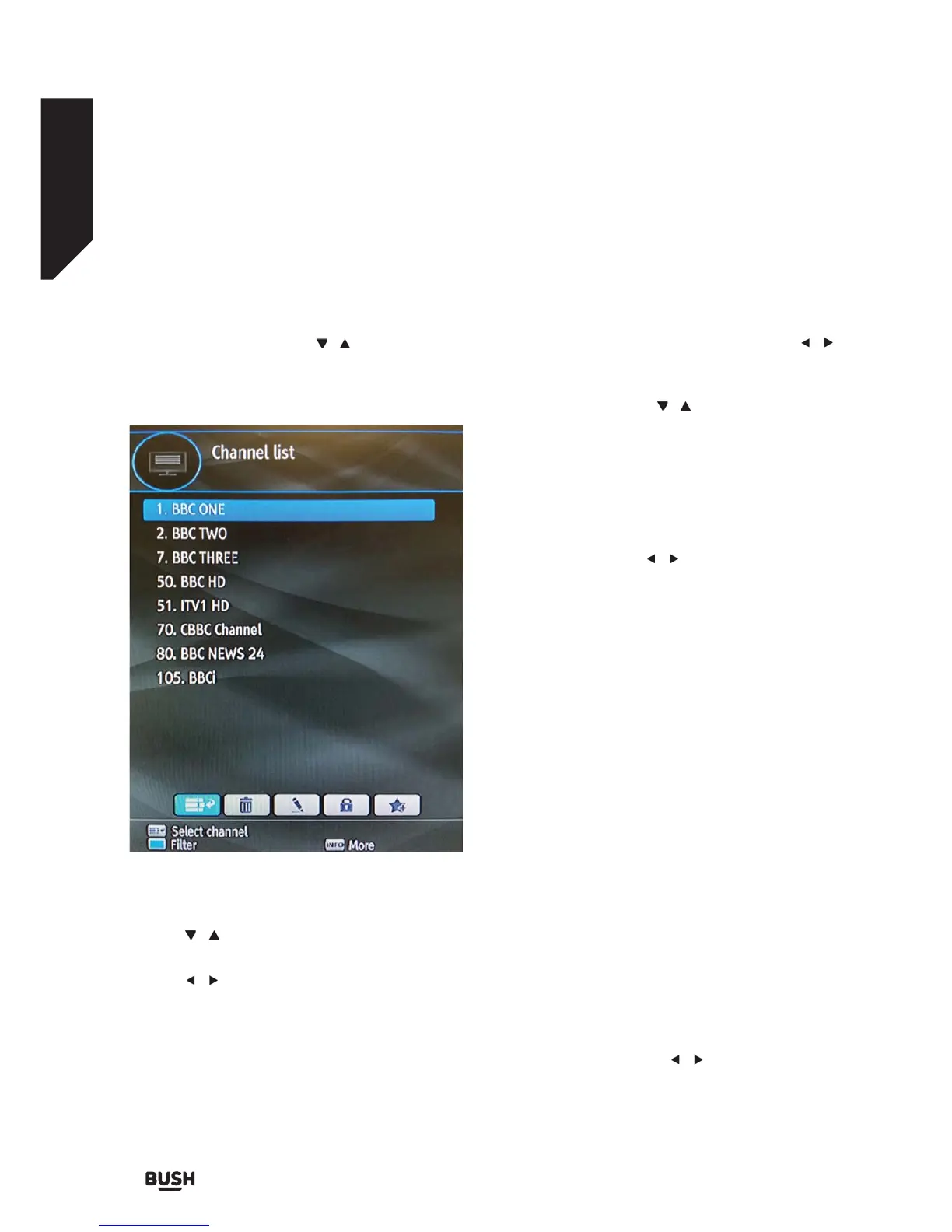
Managing Stations: Channel List
The set top box keeps all stored stations in the Channel
List.
Press the MENU button to view main menu. Select the
Channel List item by using the
/ buttons. Press OK
to view the menu contents.
Note: You can also press the OK button to view
channel list.
Operating the Channel List
Press the / buttons to select the channel that will
be processed.
Press the
/ buttons to select a function on Channel
List menu.
Press the P +/ P - buttons to page up or down.
Press the BLUE button to view filtering options.
Press the YELLOW button to tag/untag a channel.
Press the GREEN button to tag all channels.
Press the INFO button to view more information.
Press the MENU button to exit.
Selecting a Specifi c Channel
Select option should be highlighted by using the /
buttons.
To watch a specific channel, you should highlight the
desired channel using the
/ buttons and press the
OK button. The selected channel will be displayed.
If the selected channel is password protected, the
parental lock password will be required.
Deleting Channels
Select the channel that you want to delete and select
Delete option using the / buttons. Press the OK
button to continue.
A message will be displayed to confirm your decision.
Select YES to delete the selected channel or select NO
to cancel. Press the OK button to continue.
Deleting Multiple Channels:
1. Select Delete and highlight the channel you want
to delete.
2. Press the YELLOW key. The channel will be marked.
Move to the next channel you want to delete.
3. Mark the other channels you want to delete like the
same way and press OK.
4. You will see a confirmation menu. Select YES in the
menu. The selected channels will be deleted.
To mark all the channels in the channel list at once you
can use the GREEN key.
Note: A channel currently being watched cannot be
deleted.
Renaming Channels
Select the channel that you want to rename and select
Edit Name option using the
/ buttons. Press the
OK button to continue.
Fig 19.



 To Next Page