Advanced features
Getting the most from your TV
Advanced features30
If you require any technical guidance or find that your TV is not operating as intended, a simple solution can often be found in the Troubleshooting section of these instructions,
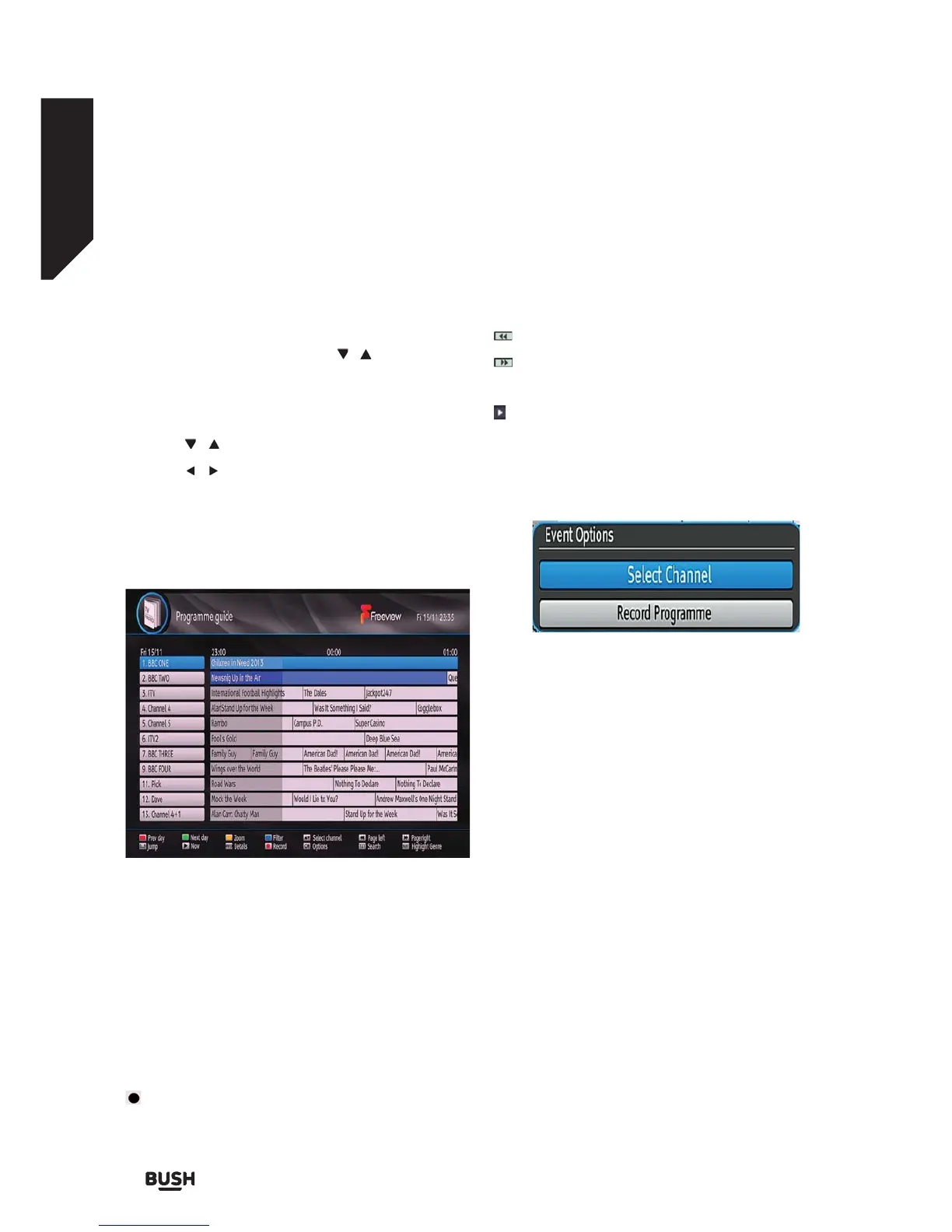
Electronic Programme Guide (EPG)
You can view the electronic programme guide (EPG) to
view information about available programmes. The set-
top box gets channel & programme information weekly
by means of 8 day EPG. Select Programme Guide
from the main menu by using the
/ buttons. Press
OK to continue.
HINT: You can also press the GUIDE button to view the
EPG menu.
Press the
/ buttons to navigate through channels.
Press the / buttons to navigate through the
programme list.
Please note that event information is updated
automatically. If there are no event information data
available for channels, EPG will be displayed with
blanks.
Red button (Prev Day): Displays the programmes of
previous day.
Green button (Next day): Displays the programmes of
the next day.
Yellow button (Zoom): Expands programme
information.
Blue button (Filter): Views filtering options.
INFO (Details): Displays the programmes in detail.
: Records the selected programme.
Numeric buttons (Jump): Jumps to the preferred
channel directly via numeric buttons.
OK (Options): Displays programme options including
Select Channel option.
: Scrolls page left.
: Scrolls page right.
Text (Search): Displays “Guide Search” menu.
(Now): Shows the current programme.
Event Options
In EPG menu, press the OK button to enter the Event
Options menu.
Select Channel
Highlight it and press the OK to switch to the selected
programme.
Record Programme
Highlight it and press the OK button to set the
programme to recording.
Record Series/Delete Series
In the EPG menu, after you have selected a
programme, press the OK button and select the
Record Series option and press the OK button again.
The selected programme will then be set for series
recording.
With this feature, you can record a programme and
all of its following parts within 8 days. The information
belonging to the selected programme will be saved
from the software and following parts of the selected
programme which are not included in the period of 8
days, will be automatically added day by day. The letter
“s” denotes that these recordings are series records.
Fig 21.
Fig 22.



 To Next Page