Advanced features
Getting the most from your TV
Advanced features 39
or online at www.argos-support.co.uk If you still require further assistance, call one of our experts on 0345 604 0105.
To ensure that your set-top box always has the most
up to date information, you can use this setting. For the
proper operation, please ensure that the box is set to
standby mode.
The set-top box automatically powers up at 3.00 A.M.
every day and searches for any new software that may
be broadcast. If found, the box will download new
software automatically. This operation will normally
take approximately 30 minutes.
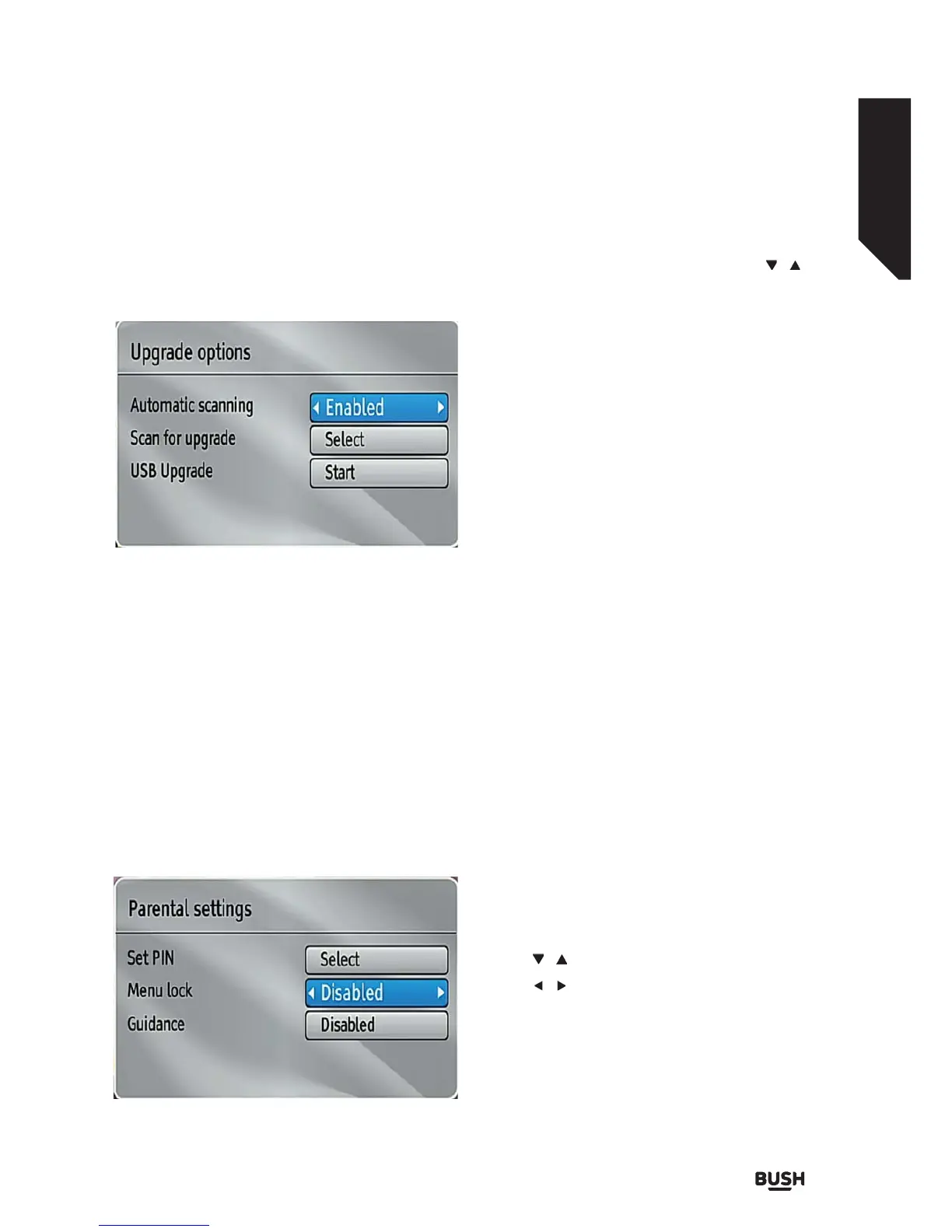
You can enable or disable automatic upgrade by
setting Automatic Scanning option.
You can manually search for new software by selecting
Scan for upgrade.
You can also update your set-top box by using the USB
upgrade option.
Parental Settings
This setting configures menu locking.
Select the Menu Locking option by using the /
buttons.
Press OK button to enter the menu.
To display parental lock menu options, PIN number
should be entered. Factory default PIN number is
0000. After coding the correct PIN number, parental
settings menu will be displayed:
Set Pin
Press OK to display the “Set PIN” window. Use numeric
buttons to enter the new pin number. You will need
to input your new pin a second time for verification
purposes.
The factory default pin number is 0000. If you change
the pin number make sure you write it down and keep
it safe.
Menu Lock
Menu lock setting enables or disables the menu access.
You can disable access to the installation menu or the
whole menu system.
Guidance
Guidance setting enables or disables the menu access.
Low Power
If you enable low power option, low power mode
will be activated. In low power mode the power
consumption is less then 0.5W (in standby). If you
disable low power option the power consumption will
be high in standby mode .However the opening time
will be shorter and aerial RF loop_through is operative
in stand-by when the Low Power is set to NO.
Auto Standby
Use the / buttons to select Auto Sleep.
Use the
/ buttons to set the Auto Sleep to
Disabled, 2 Hours, 3 Hours, 4 Hours, 6 Hours or
8 Hours.
After the timeout value is reached, the box will switch
off.
Fig 42.
Fig 43.



 To Next Page