14 Quick Start Guide: 7500N Series Modular Switches
7504N and 7508N Rack Mounting Chapter 3: Rack Mounting the Switch
• 7504N - Requires six M6 screws and cage nuts.
• 7508N - Requires eight M6 screws and cage nuts.
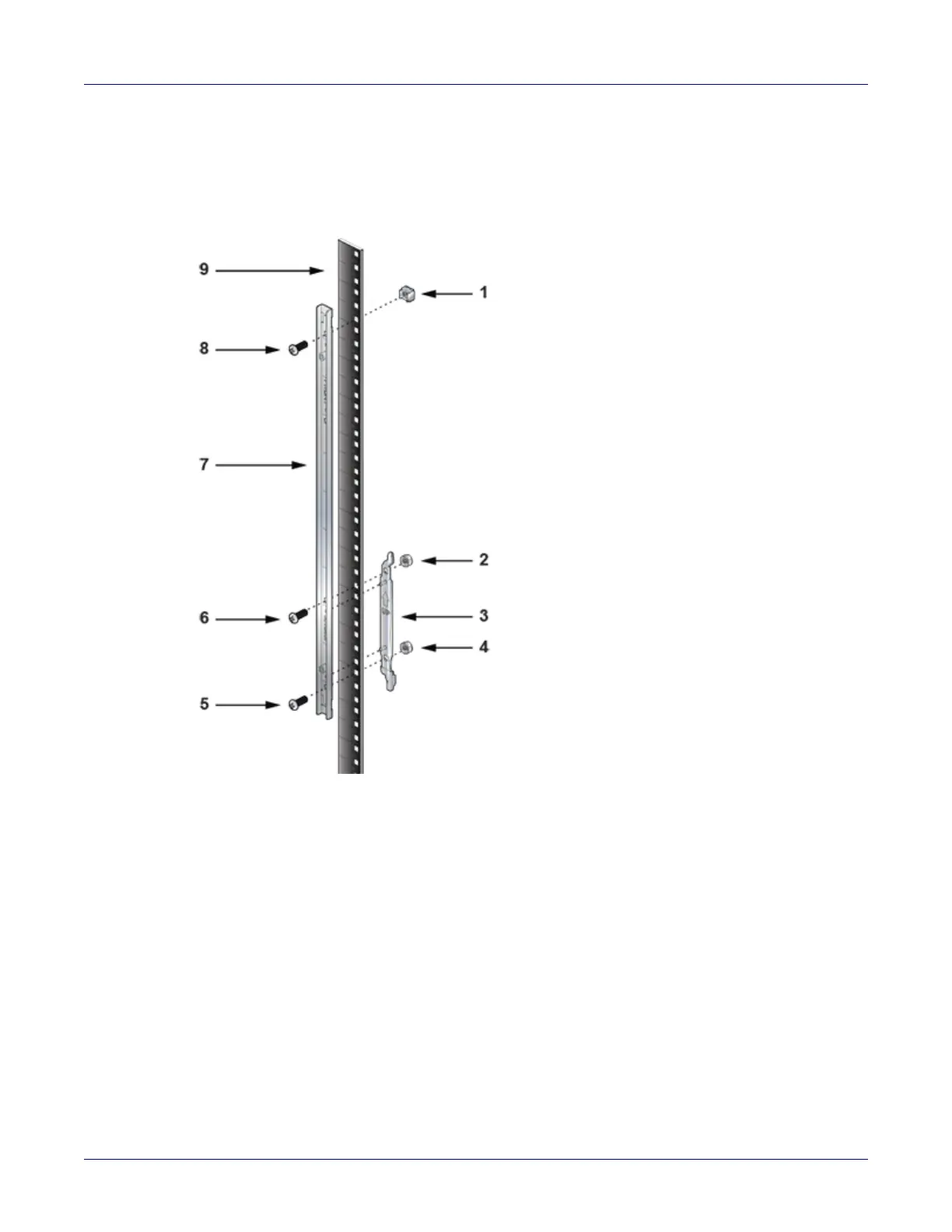
Figure 3-4: Left front post assembly: Four post rack mount
Step 3 Repeat step 1 on the right front rack post, assembling the parts at the same vertical level as
those on the left rack post.
Step 4 Attach the shelf support and back bracket to the left rear post (Figure 3-5-left). The shelf
support must be assembled at the same vertical level on the front and rear posts. An up arrow
is printed on the shelf support to indicate its proper orientation.
Unthreaded rack holes: Attach the parts as displayed in Figure 3-5-left.
Threaded rack holes: Attach the shelf support to the post with screws that thread into the rack
post. The back bracket is not required on threaded racks.
1 M6 cage nut 4 M6 nut 7 Front bracket
2 M6 nut 5 M6 screw 8 M6 screw
3 Shelf support 6 M6 screw 9 Front rack post






 To Next Page