30 Quick Start Guide: 7500N Series Modular Switches
DC Power Adapter Installation for PWR-2700-DC-R Chapter 4: Cabling the Modular Switch
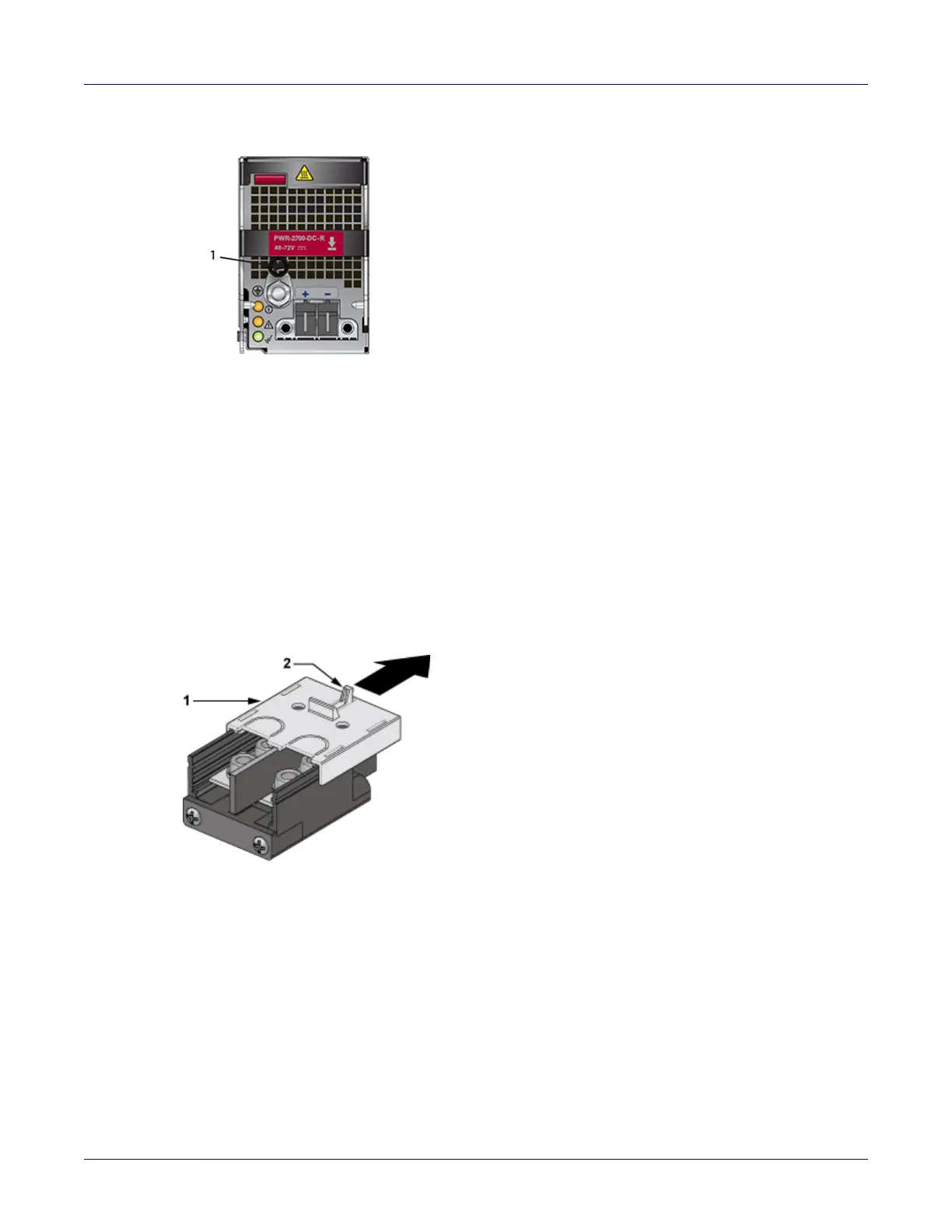
Figure 4-5: DC power supply
Step 1 Prepare the stranded wiring, see Section 4.4.2.
Step 2 Attach the ground cable to the ground stud.
Step 3 Tightening Torque: 2.7 N-m (24 in.-lbs.)
4.5.3 Connecting the Power Cable Lug to the Terminal Studs
Step 1 Prepare the stranded wiring, see Section 4.4.2.
Step 2 Remove the clear plastic cover protecting the terminal studs on the adapter by lifting the small
center tab while sliding the cover off the adapter.
1 Ground
1 Plastic lid 2 Center tab






 To Next Page