Chapter 4: Cabling the Modular Switch Connecting Supervisor Cables
Quick Start Guide: 7500N Series Modular Switches 35
Important! This unit requires over-current protection.
Cet appareil nécessite de protection contre les surintensités.
Important! Unused slots must be occupied or covered with a blank to ensure proper airflow through the chassis.
Les emplacements inutilisés doivent être occupés ou recouvert d'un blanc pour assurer la bonne
circulation d'air dans le châssis.
4.9 Connecting Supervisor Cables
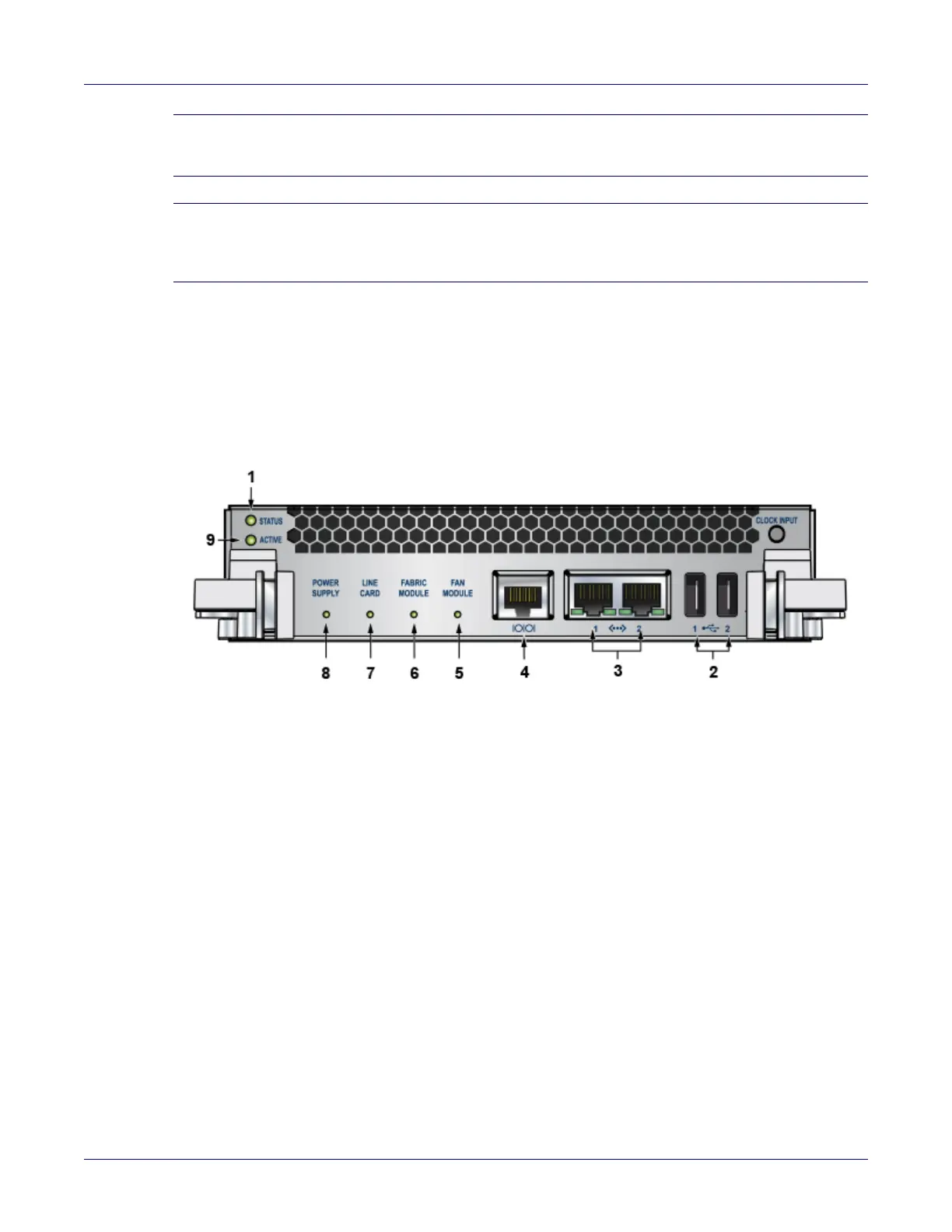
Supervisor modules contain console, management, and USB ports. Figure 4-6 and Figure 4-7 displays
port locations on the supervisors. Refer to the chassis specification in Table 4-3 for additional
information.
Figure 4-6: Supervisor DCS-7500E-SUP
1 Status LED 5 Fan module status LED 9 Active LED
2 USB ports 6 Fabric module status LED
3 Ethernet management
ports
7 Linecard status LED
4 Serial console port 8 Power supply status LED






 To Next Page