22 Quick Start Guide: 7500N Series Modular Switches
7512N and 7516N Shelf Rack Mount Installation Chapter 3: Rack Mounting the Switch
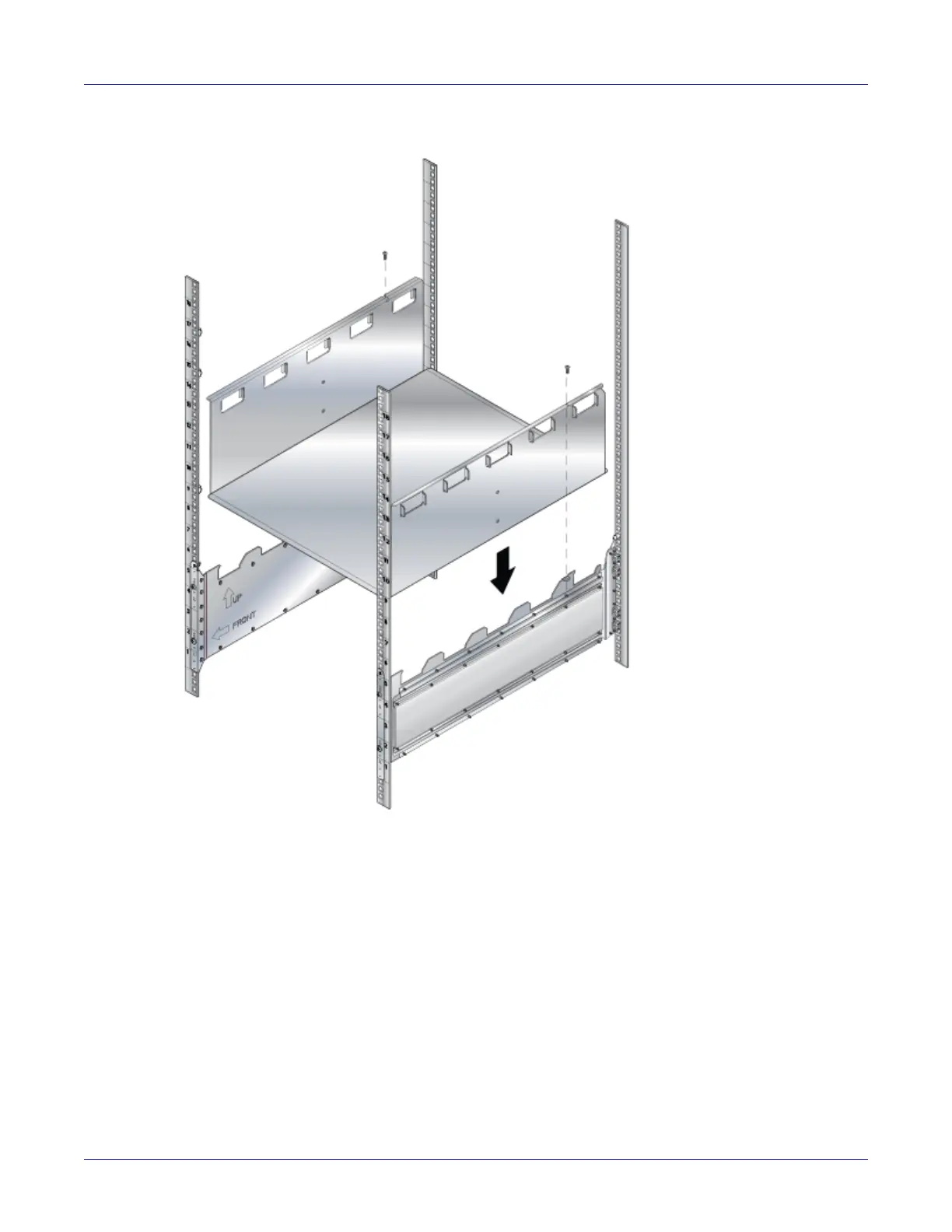
Figure 3-14: Lower the shelf into the bracket stubs
Step 8 Press down firmly on the shelf to ensure it is seated securely on the rack posts.
3.2.2 Inserting the Switch into the Rack
The rack mounting assembly is identical for all 7500N Series switches. Illustrations in this chapter
depict the mounting of an unpopulated 12- or 16-slot chassis.
Step 1 Move the chassis to the rack using a mechanical lift (Figure 3-15 on page 23 shows the
12-slot).
If modules are inserted in the chassis, use the lift carefully to avoid damaging any components.






 To Next Page