Chapter 3: Rack Mounting the Switch 7512N and 7516N Shelf Rack Mount Installation
Quick Start Guide: 7500N Series Modular Switches 21
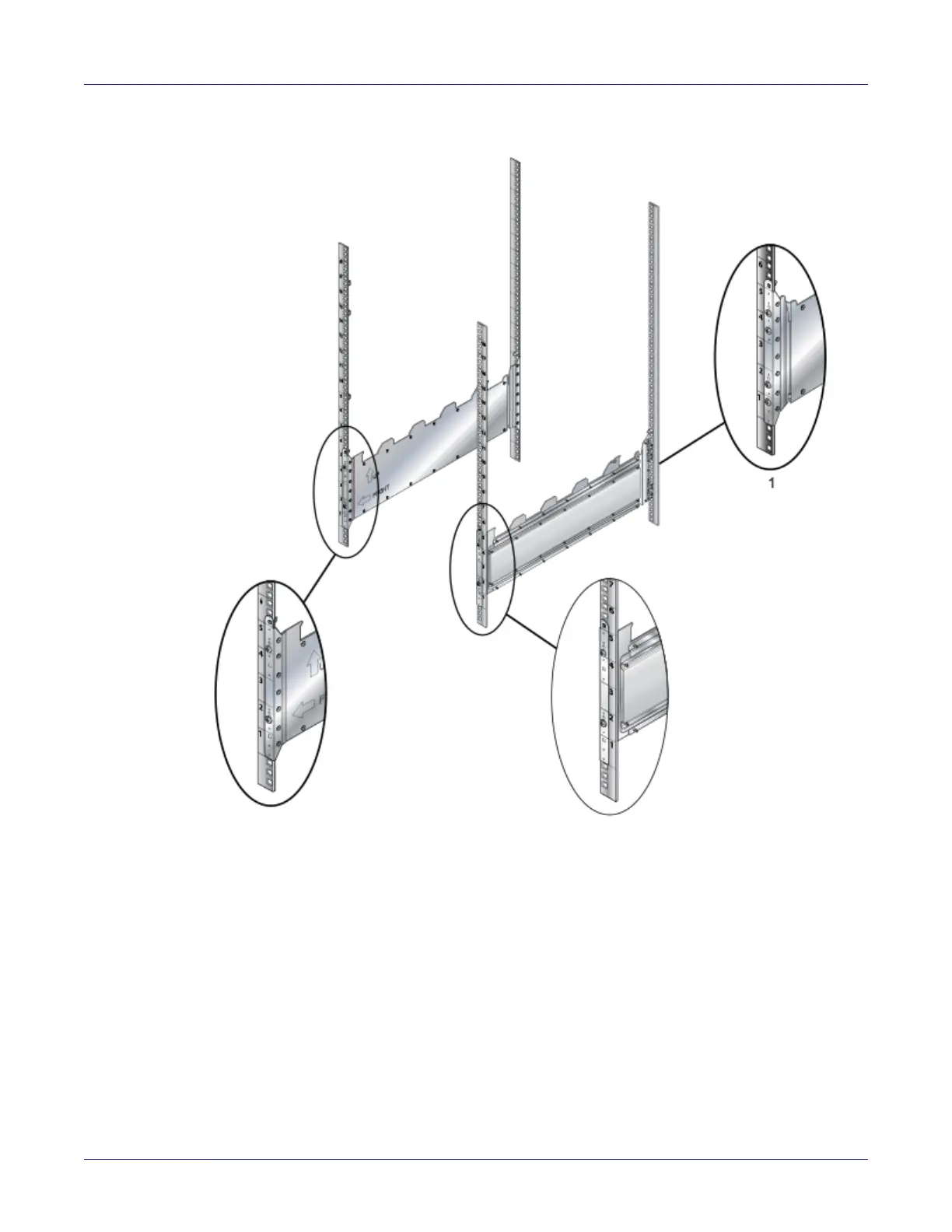
Figure 3-13: Left rear post assembly and shelf support orientation
Step 6 Lift the shelf above the shelf supports installed on the left and right rack posts (step 2 and
step 3). Align the holes and hook with the stubs on the brackets. Lower the shelf such that the
shelf-support-bracket stubs are inserted into the shelf holes and hook (Figure 3-14 on page
22).
Step 7 Rear: Fasten screws to all holes
• Front: Fasten screws only where indicated with arrows (2x).
• Rear: Fasten screws to all holes.
1 Install all four screws in the back






 To Next Page