20 Quick Start Guide: 7500N Series Modular Switches
7512N and 7516N Shelf Rack Mount Installation Chapter 3: Rack Mounting the Switch
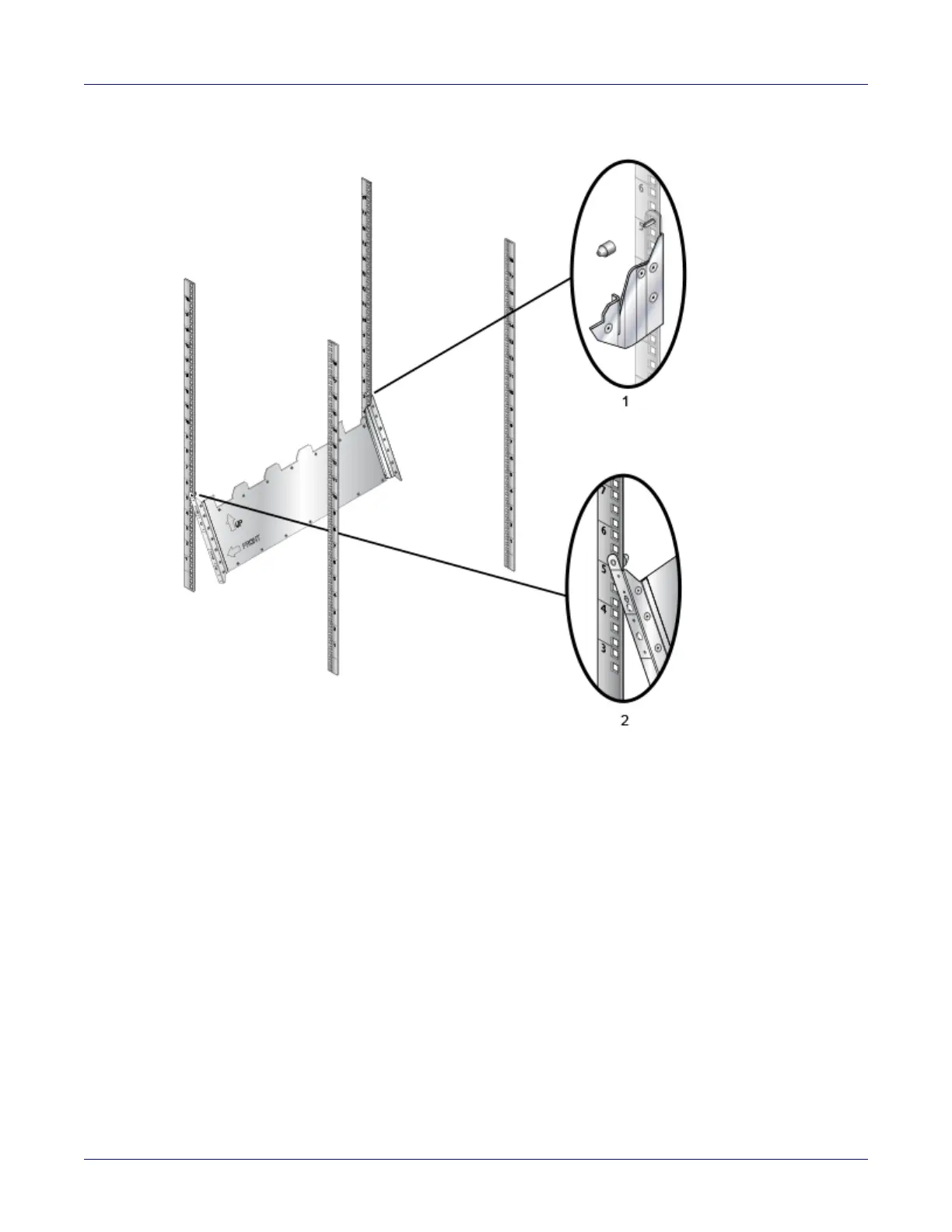
Figure 3-12: Left front post assembly
Step 4 Repeat step 1 and 3 on the right front rack post, assembling the parts at the same vertical
level as those on the left rack post.
Step 5 Attach the shelf support and back bracket to the left rear post (Figure 3-13 on page 21). The
shelf support must be assembled at the same vertical level on the front and rear posts. An up
arrow is printed on the shelf support to indicate its proper orientation.
Unthreaded rack holes: Use the M6 screws and cage nuts supplied in the accessory kit.
Threaded rack holes: Attach the shelf support to the post with screws that thread into the rack
post.
1 For threaded rack, remove the plastic alignment spacer and use 3 mm diameter alignment
pin as shown
2 Hook the alignment pin to the bottom hole of the 6th U from the bottom






 To Next Page