www.arkrayusa.com 35
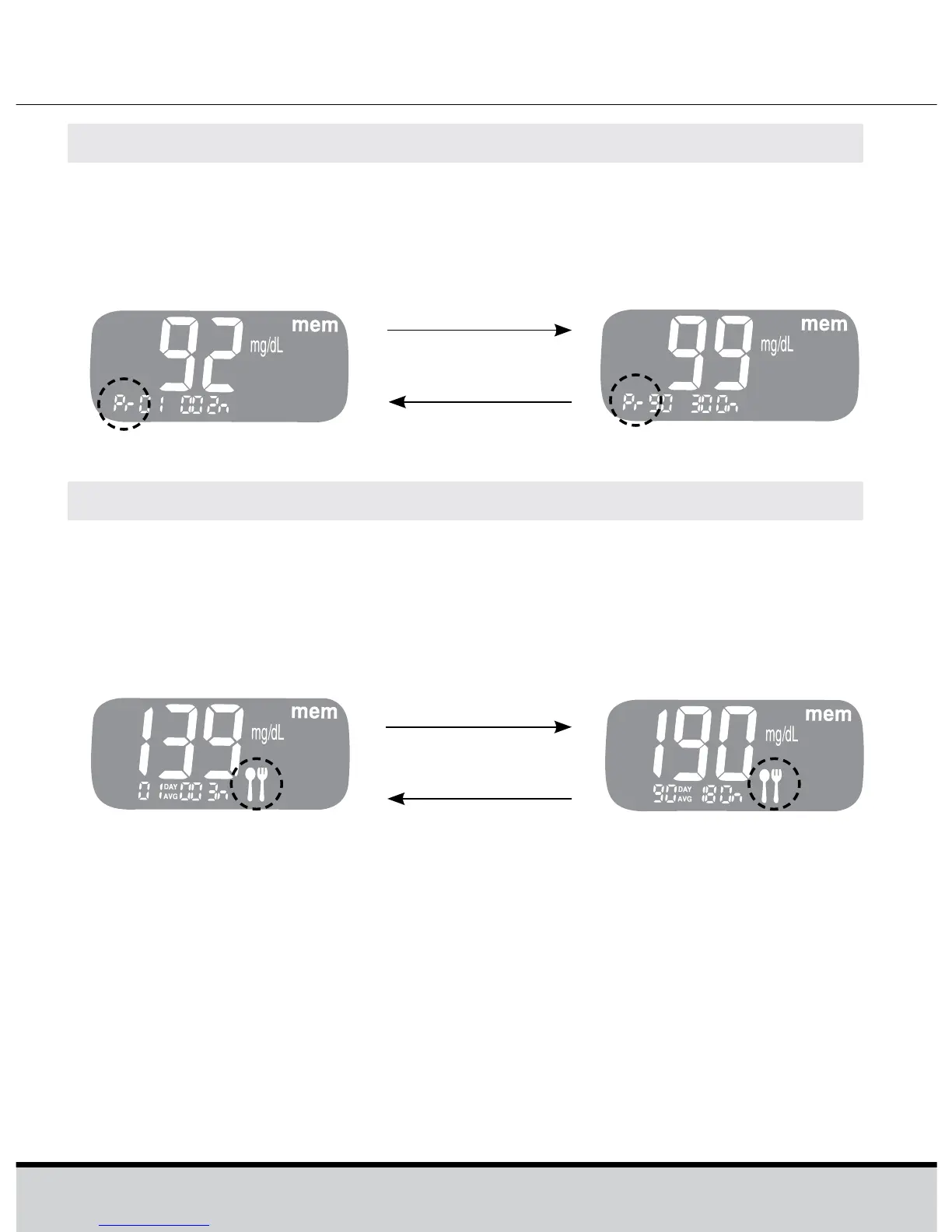
Step3ViewingPre-mealAverages
Repeatedly press the << to view 1-, 7-, 14-, 30- and 90-day
average value and the number of tests performed pre-meals
with the ‘Pr’ symbol for the last test period.
Step4ViewingPost-mealAverages
On pressing the << again, 1-, 7-, 14-, 30- and 90-day average
value and the number of tests performed post-meals for the
last test period will appear on the screen.
Hold the >> button to turn off the meter.
Use the >> button to scroll back through the averages seen
previously.
<< button
>> button
Pre-meal average
(1, 7, 14, 30, 90 days)
<< button
>> button
Post-meal average
(1, 7, 14, 30, 90 days)







 To Next Page