Power Supply 27
NOTICE
Always keep the BAT connector accessible so that the cable can be unplugged quickly in case of
emergency. Do not use power cables longer than 4m.
Operate the system using only the type of power source indicated in the manual. Unplug the
power cable by gripping the power plug, not the cable.
Do not supply power outside the specified voltage range.
Switching On and Off
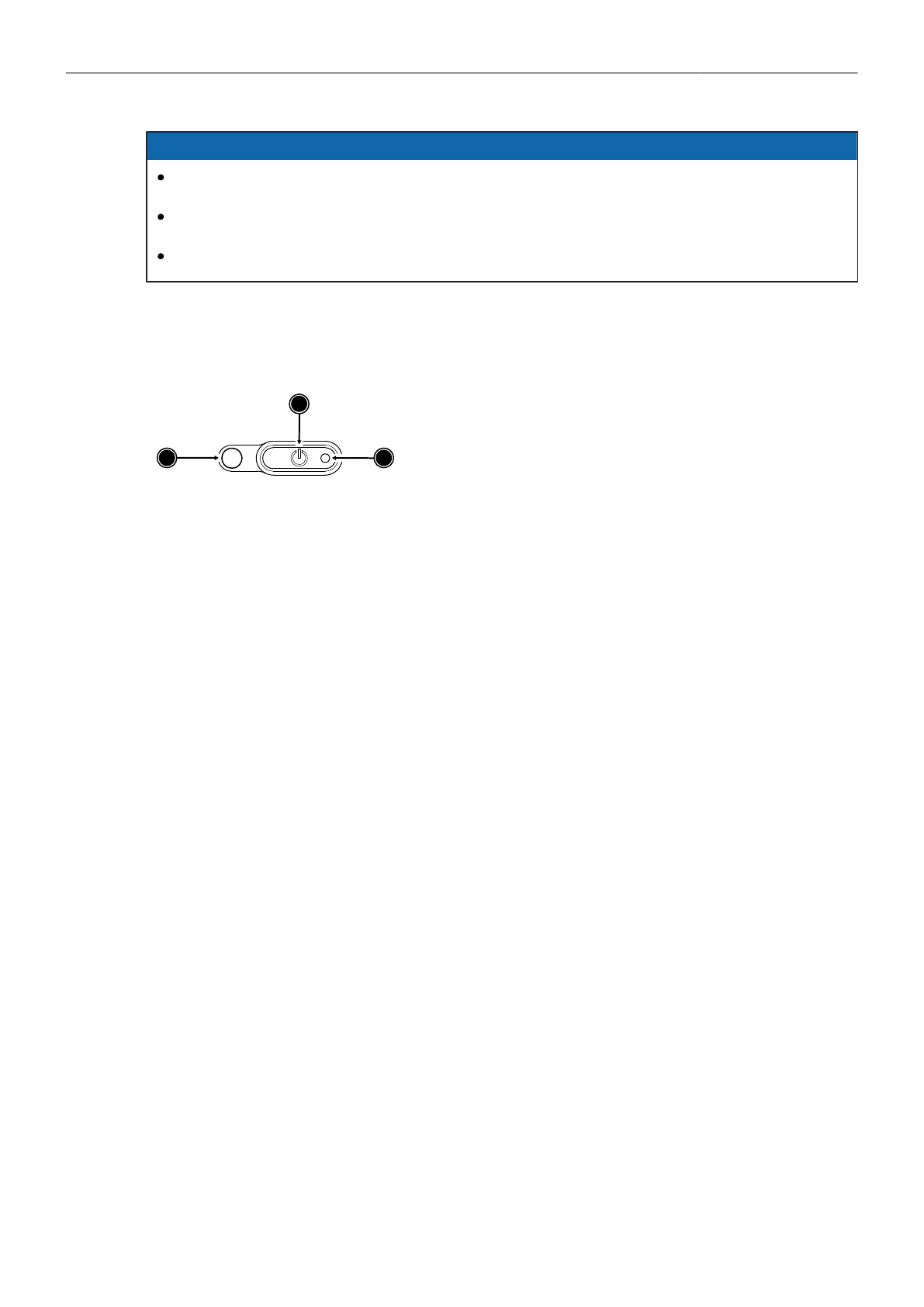
The POWER button is located at the lower left on the back of the camera. The power button's
background light is illuminated when the power on the BAT connector is in the valid range.
1
POWER Button with background illumination
2
Boot Status LED
3
Camera Status LED
Switching On the Camera
The background illumination indicates if a supply with sufficient power is connected.
► Press the POWER button (1).
The camera starts booting. While the camera is booting up, the boot status LED (2) is flashing
blue. As soon as the camera has finished the boot process, the boot status LED turns to solid blue.
During the boot process, the ARRI logo is shown in the flip-out monitor of the MVF-2 (if connected).
Switching Off the Camera
► Press and hold the POWER button (1) until the camera has switched off and the boot status LED
(2) turns off.
On the flip-out monitor of the MVF-2 as well as in the viewfinder and the SDI outputs, a countdown
appears while you press and hold the power button. On reaching zero, the camera switches off.
Automatic Boot-up on Power
If the power supply is interrupted with the camera switched on, the camera will automatically repower
and boot-up on reconnection.



 To Next Page