Menu Operation 44
13.3 Working with Lists and Import of Files
For certain parameters, the camera menu operates with lists that come with a default content and that
can be adjusted to the user's preference. You can ADD values to and DELETE values from these lists,
so that only project relevant values are displayed. Some lists contain values that can be edited directly
in the camera (value-based lists) while other lists consist of files that can be imported from or exported
to the USB medium (file-based lists).
Following parameters work with value-based lists:
HOME > FPS
HOME > SHUTTER
HOME > WB
Following parameters work with file-based lists:
MENU > Look > Look
MENU > Monitoring > Frame Lines > Frame Line
MENU > Setups > User Setups Installed
MENU > ECS > Lens Data > Lens Tables Installed
Adding Entries to Value-based Lists
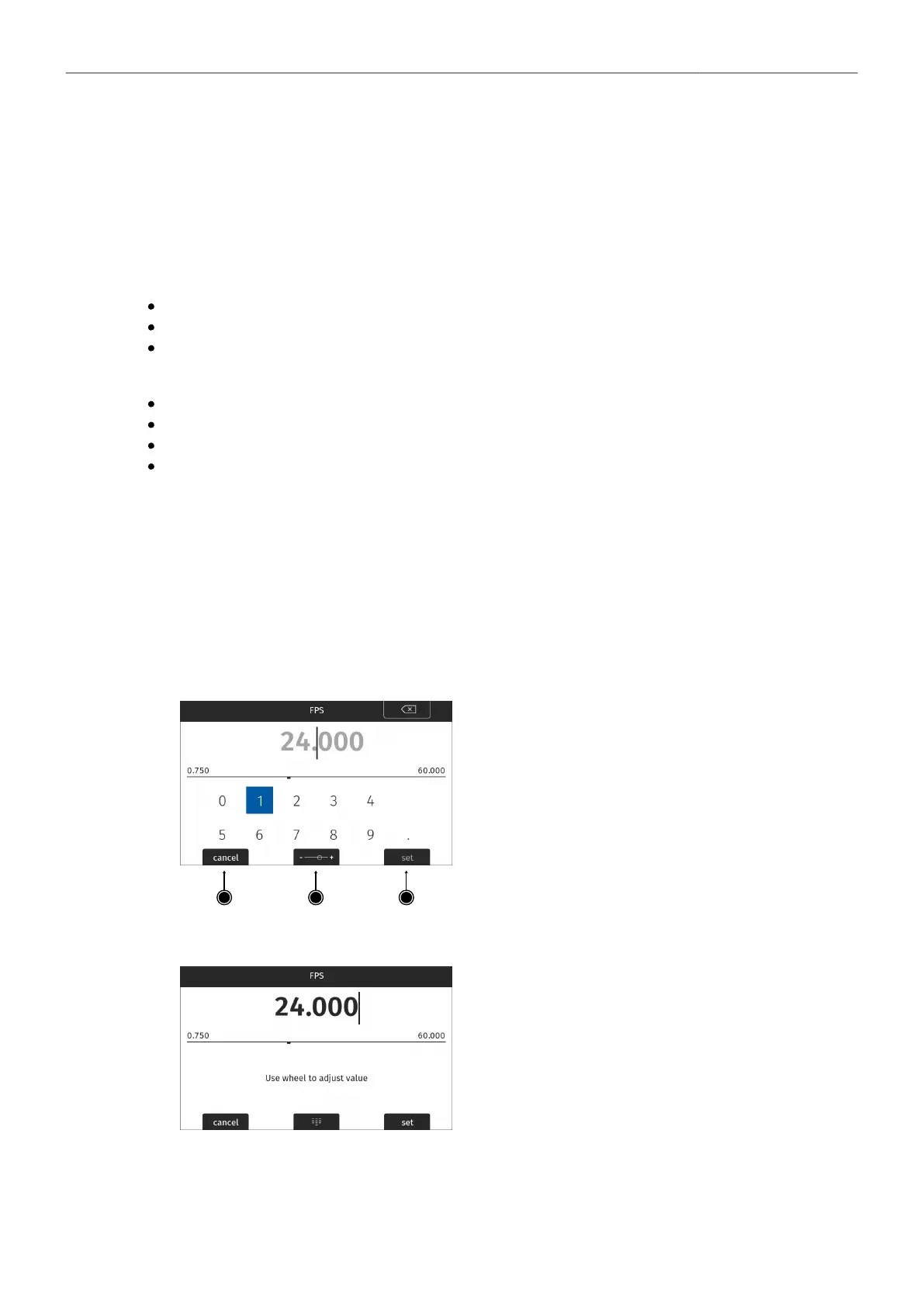
The camera offers two methods of input when adding entries to a list. The numeric keyboard is
intended to be used for direct input of a value while the dial mode is intended to be used for fine tuning
a value (for example to fine adjust the shutter when filming monitors). The minimum and maximum
possible values are shown in the middle of the screen above the horizontal line.
1. Select HOME > FPS > ADD.
2. Use the numeric keyboard to directly enter a value. As a guide, the currently set value is displayed
in the background:
► Use the JOGWHEEL to select and confirm digits.
The CLEAR button (top right) deletes the digit to
the left of the cursor. Pushing the button longer
clears the entire value.
3. For fine adjustment of values press the MODE button (2) to use the dial mode:
► Rotate the JOGWHEEL to fine tune the current
value.
Press the MODE button (2) again if you want to
switch back to the numeric keyboard.
4. Press the SET button (3) to add the new value to the list, or the CANCEL button (1) to exit.
Note: the SET button will be grayed out and the value displayed in red if the entered value is out of
range.



 To Next Page