Playback 73
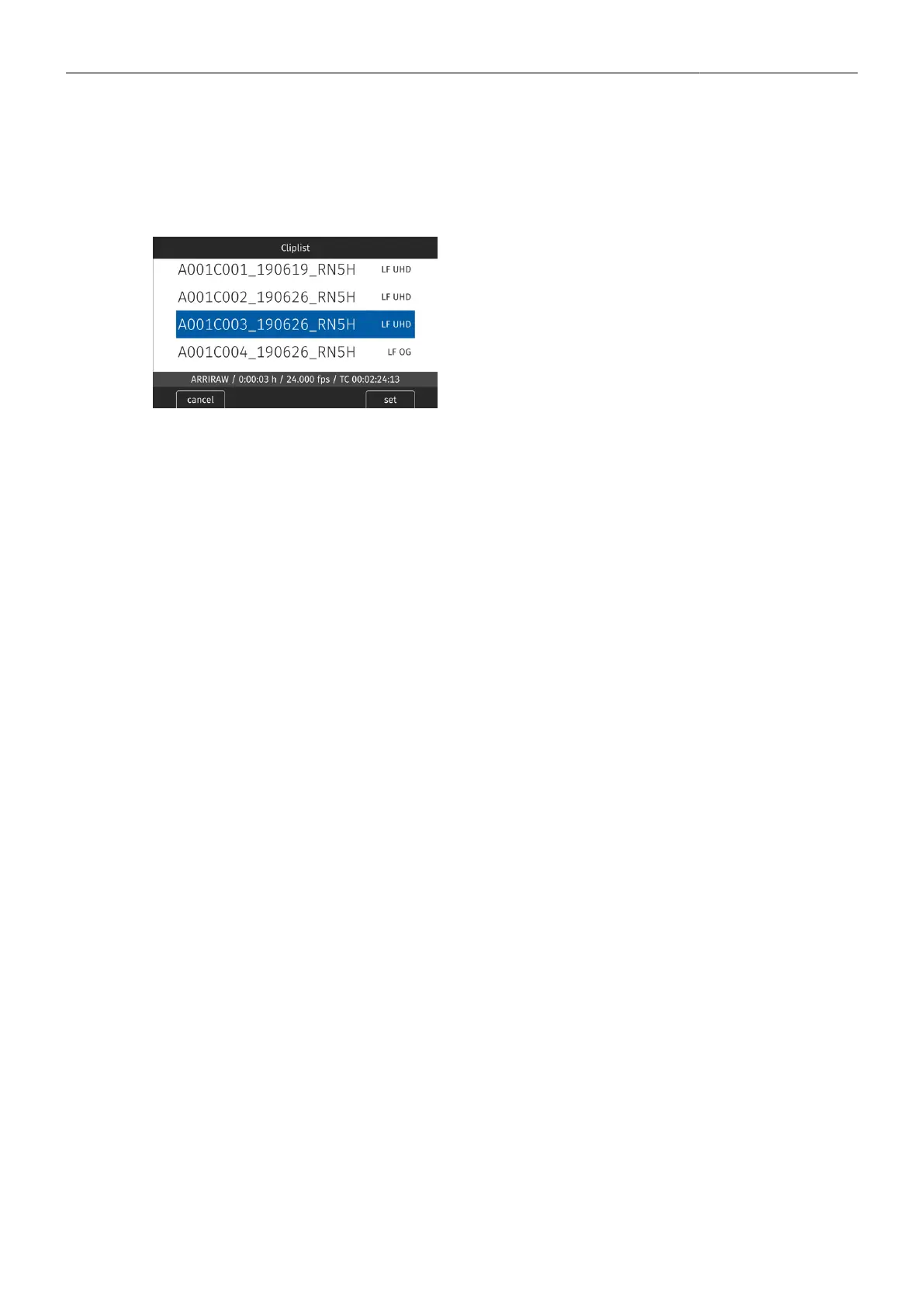
Cliplist
The cliplist lists all clip on the recording medium. For the selected clip, details like resolution, codec,
duration and timecode are displayed. When browsing through the cliplist, the first frame of the selected
clip is shown on EVF/Monitor and the SDI outputs.
1. Select PLAY > Cliplist.
2. Select a clip.
3. Press SET or the JOGWHEEL to load the clip for
playback.
4. Press CLOSE to leave the cliplist.
Note: Clips may be grayed out if they can not be played back because their recording resolution is not
compatible with the currently set recording resolution.
Playback Options
1. Select PLAY > Options.
The Play End Mode defines the behavior when playback reaches the end of a clip and offers the
following options:
Pause on end
Pause on start
Loop
Play next clip
Exit playback
Playback pauses at the end of the clip.
Playback pauses at the beginning of the clip.
Playback continues from the beginning of the same clip again.
Playback continues with the next clip in the cliplist.
Camera exits playback.
2. Set the desired play end mode.



 To Next Page