Product Overview
Set-Top Entertainment Hub DCX3600-M • User Guide 4
365-095-25659 x.1
Product Overview
Front Panel
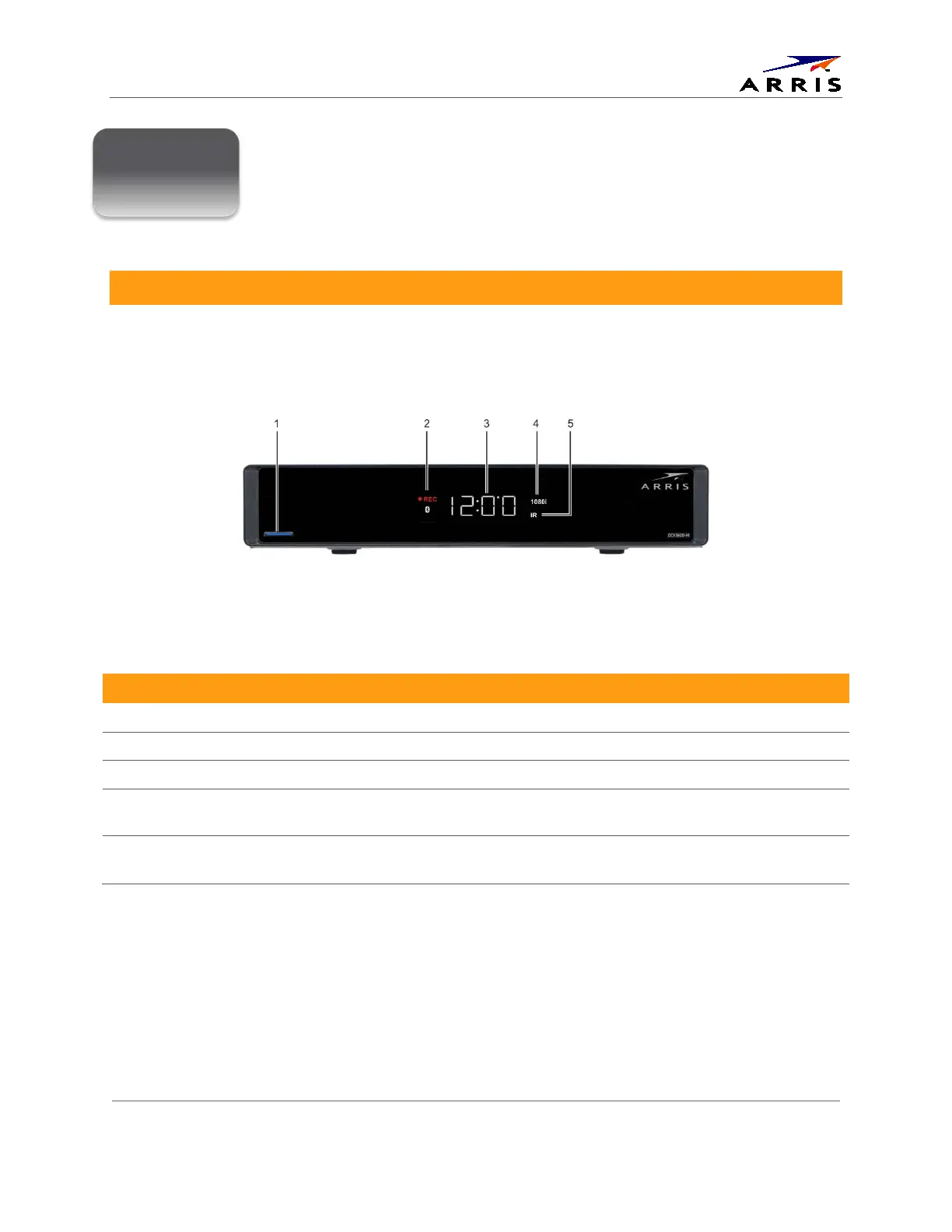
The DCX3600-M includes a backlit, mechanical Power/Standby button and a Clock/Channel display with
integrated status LEDS.
Figure 2 – DCX3600-M Front View
Table 1 – Top & Front Panel Controls
Feature Description
1 Power Button Turns ON/OFF power to the DCX3600-M.
2 Display LEDs Record, Home LAN, Bluetooth*, Message
3 Display Shows the time or channel number
4 Video Format Indicators Shows the current video output resolution that is displayed
on the television connected to the DCX3600-M.
5 Remote Activity LED Blinks to indicate that the DCX3600-M has received a
command from the remote control.
* Bluetooth not available on all models.













 To Next Page