Installation
Set-Top Entertainment Hub DCX3600-M • User Guide 26
365-095-25659 x.1
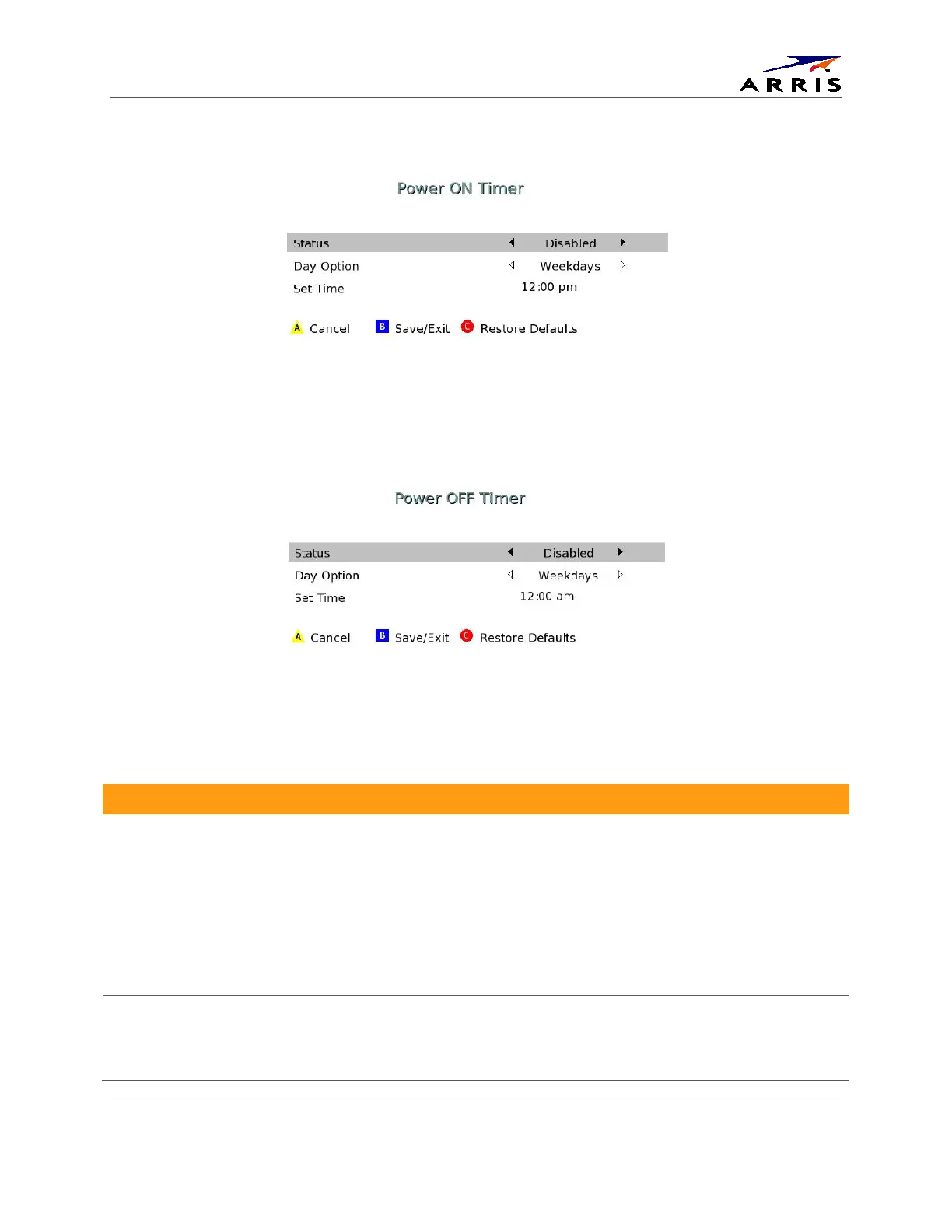
Figure 14 - Power ON Timer Menu
Figure 15 - Power OFF Timer Menu
Table 7 - User Settings Menu Fields
Setting Description
Format
Selects the audio coding format on the digital output (HDMI and SPDIF) when tuned to a
channel carrying compressed audio. The following formats are supported:
• PCM/Stereo – Send decoded audio in PCM format over the digital outputs.
• Dolby Digital – Send Dolby Digital audio over the digital outputs.
• HDMI – Send appropriate audio format, as per auto negotiation between STB and TV,
when connected over HDMI. If the negotiation indicates:
o PCM – send decoded audio in PCM format over the digital outputs
o Dolby Digital – send Dolby Digital audio over the digital outputs
• Dolby Digital Plus – send Dolby Digital Plus over HDMI and Dolby Digital over SPDIF.
Range
Sets the preferred audio dynamic range when the input audio is decoded by the STB.
Three options are allowed
• Narrow (default) – Enables minimum dynamic range and is most appropriate when the
TV is connected to the STB over the RF output.













 To Next Page