Chapter 5: Operate the Data Gateway
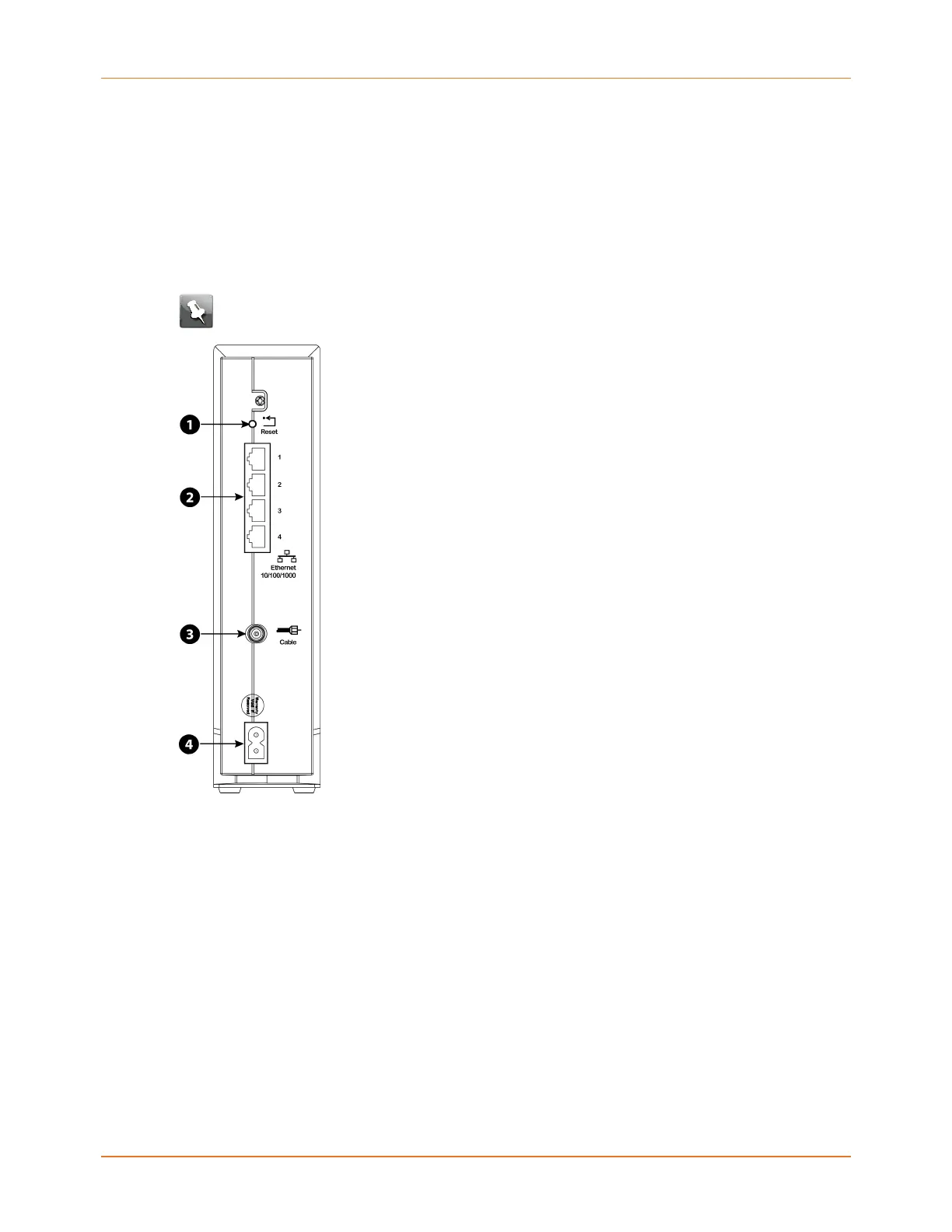
Use the Reset button
Use the Reset button on the back of the Data Gateway to reset and initialize the modem as
if you had power cycled the unit. You may need to reset the Data Gateway if you are having
problems connecting to the Internet. You will not use this button often.
Use a pointed non-metallic object to press this button. The Reset button is recessed to
prevent accidental resets.
Note: The rear panel power switch can also be used to power cycle the unit.
1. Reset button: Resets the Data Gateway as if you power cycled the device. Use a pointed
non-metallic object to press this button.
2. Ethernet (1 - 4): Connectors for use with a computer LAN port.
3. Cable: Connector for the coaxial cable.
4. Power: Connector for the power cord.
Reset the Data Gateway to factory defaults
To reset the Data Gateway to factory defaults, press and hold the reset button on the back of
the Data Gateway for more than 15 seconds. This restores the configuration parameters to
the factory defaults. You may need to do this if a misconfiguration has locked out all access.
Touchstone DG3270 Data Gateway User Guide STANDARD Revision 1.1 29















 To Next Page