MAX1000 User Guide www.arrow.com
Page | 22 July 2017
Software and Driver Installation
Firstly it is required to create your myAltera Account if you don’t own one already. It is required
to download the software. Below are guides for installing the software and drivers for Windows
and Linux operating systems.
4.1 Installing Quartus Prime Software (Windows)
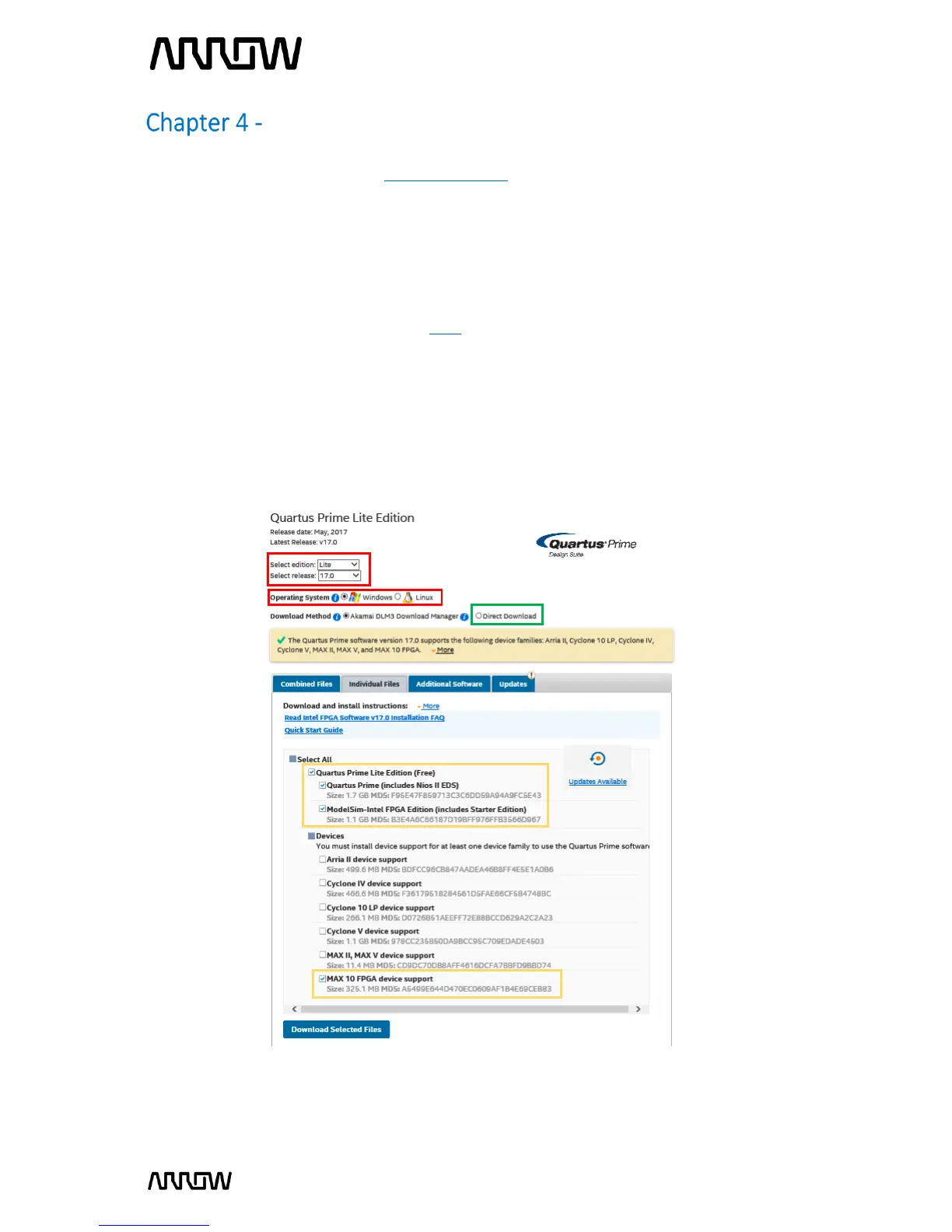
4.1.1 Go to the Intel Download Centre: Link.
4.1.2 Select Windows as the operating system (highlighted in red).
4.1.3 Select Release 17.0, or your preferred version (highlighted in red).
4.1.4 Select the following files from the “Individual Files” tab to be downloaded (highlighted in
yellow):
- Quartus Prime Lite Edition (Free)
- ModelSim-Altera Edition (includes Starter Edition)
- MAX10 FPGA device support
4.1.5 Click “Download Selected Files” to begin the download and save them in the same
folder.



 To Next Page