MAX1000 User Guide www.arrow.com
Page | 25 July 2017
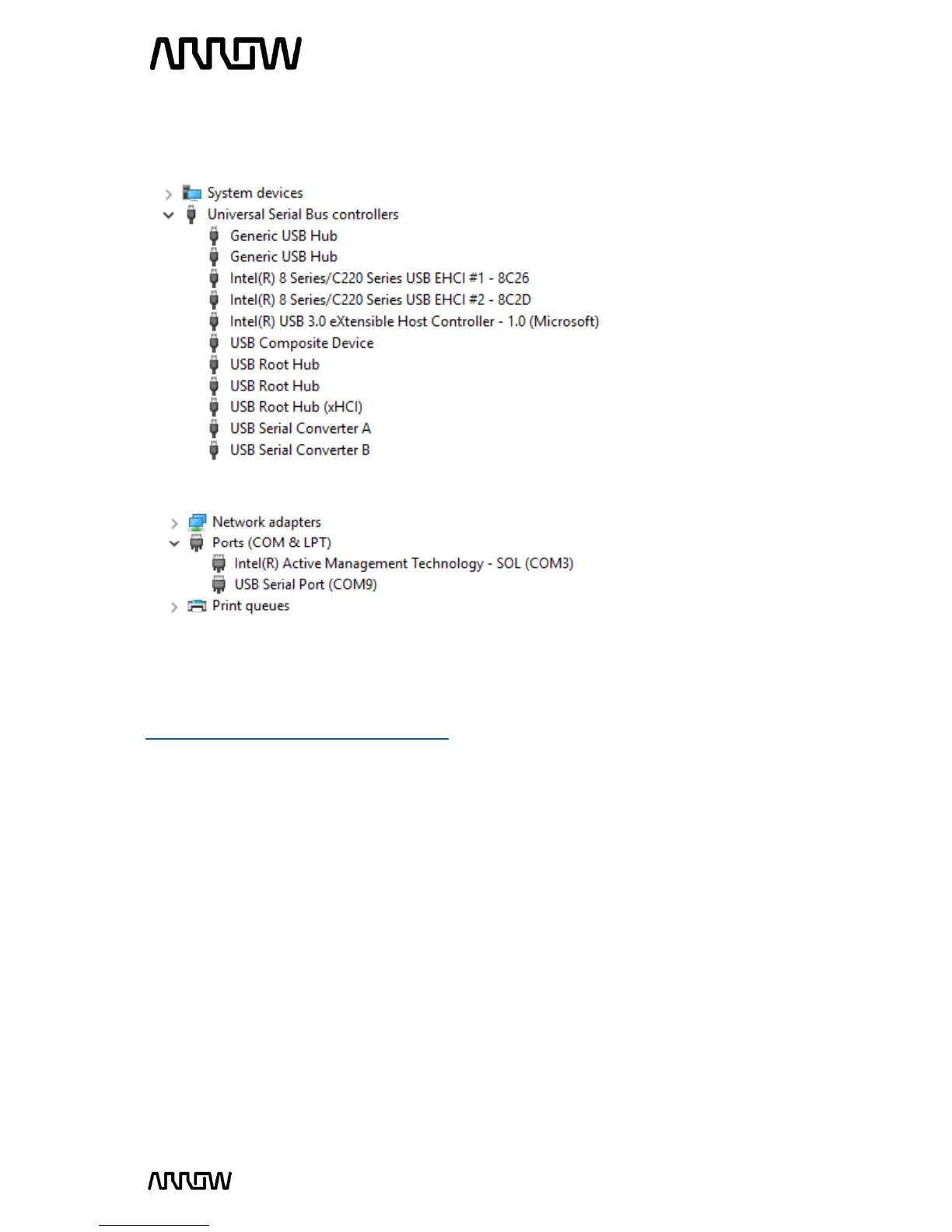
Windows usually automatically finds the appropriate drivers for these devices. After some time,
the “Other devices” section should be empty. Instead, two USB Serial Converters should be listed
in the section “USB Serial Bus controllers”:
Furthermore, a USB Serial Port should be listed in the “Ports (COM & LPT)” section.
Note: The number of the port will most probably be different from the one shown here.
In case Windows does not automatically find the appropriate drivers go to
http://www.ftdichip.com/Drivers/D2XX.htm to download the setup executable to install the
required drivers.



 To Next Page