MAX1000 User Guide www.arrow.com
Page | 61 July 2017
5.2.12 Compiling the Design
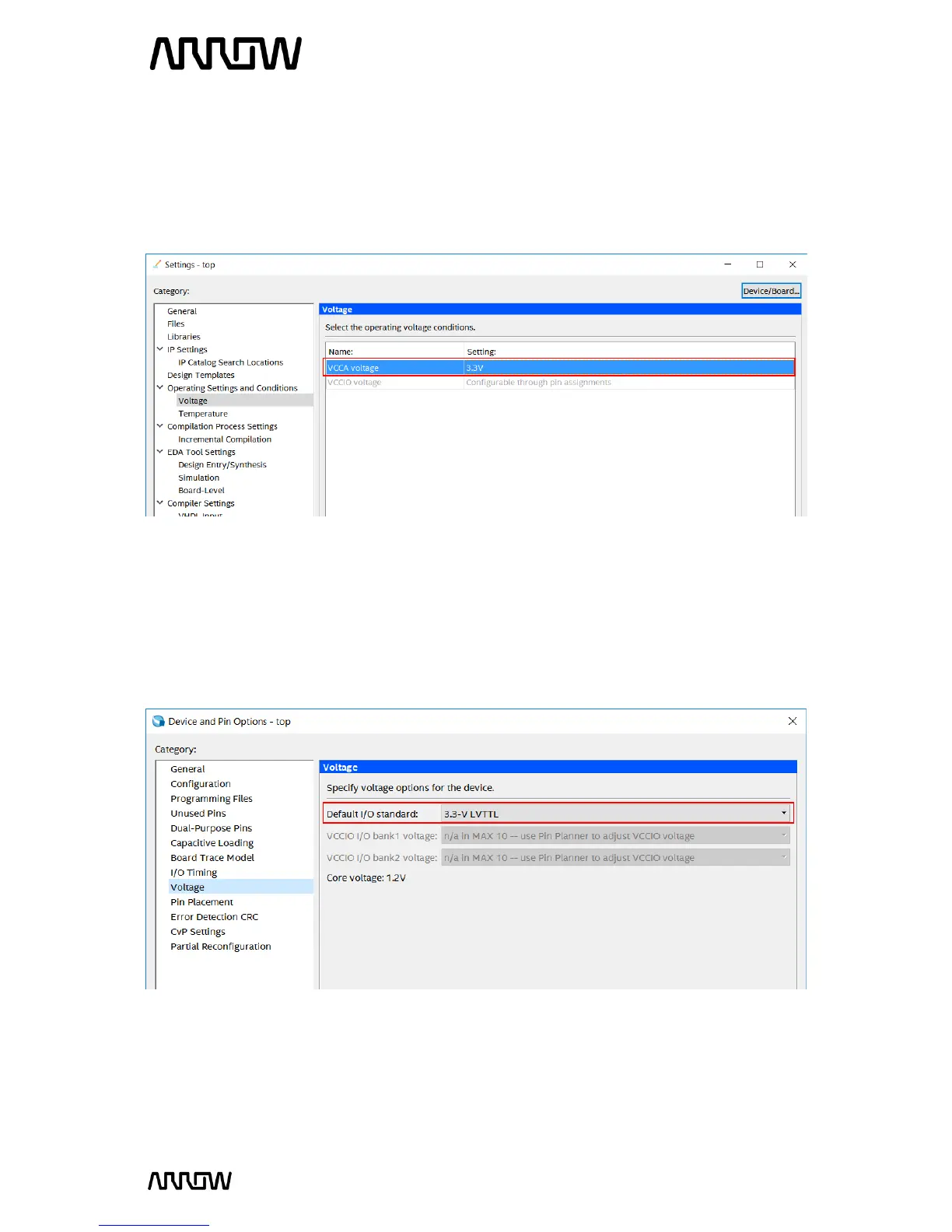
5.2.12.1 First, make sure that the operating conditions of the device are set correctly.
Open Settings Operating Settings and Conditions Voltage and set VCCA voltage to “3.3V”
and press “Apply” and “OK”.
5.2.12.2 You can also set the default I/O Standard which can eliminate some design warning
and save you time from setting the standard for some pins manually.
Open Assignments Device Device and Pin Options Voltage and set Default I/O Standard
to “3.3-V LVTTL” and press “OK” to all the windows.



 To Next Page