MAX1000 User Guide www.arrow.com
Page | 41 July 2017
5.2.4.10 Click “Finish”.
The PLL (1
st
component) will now be created.
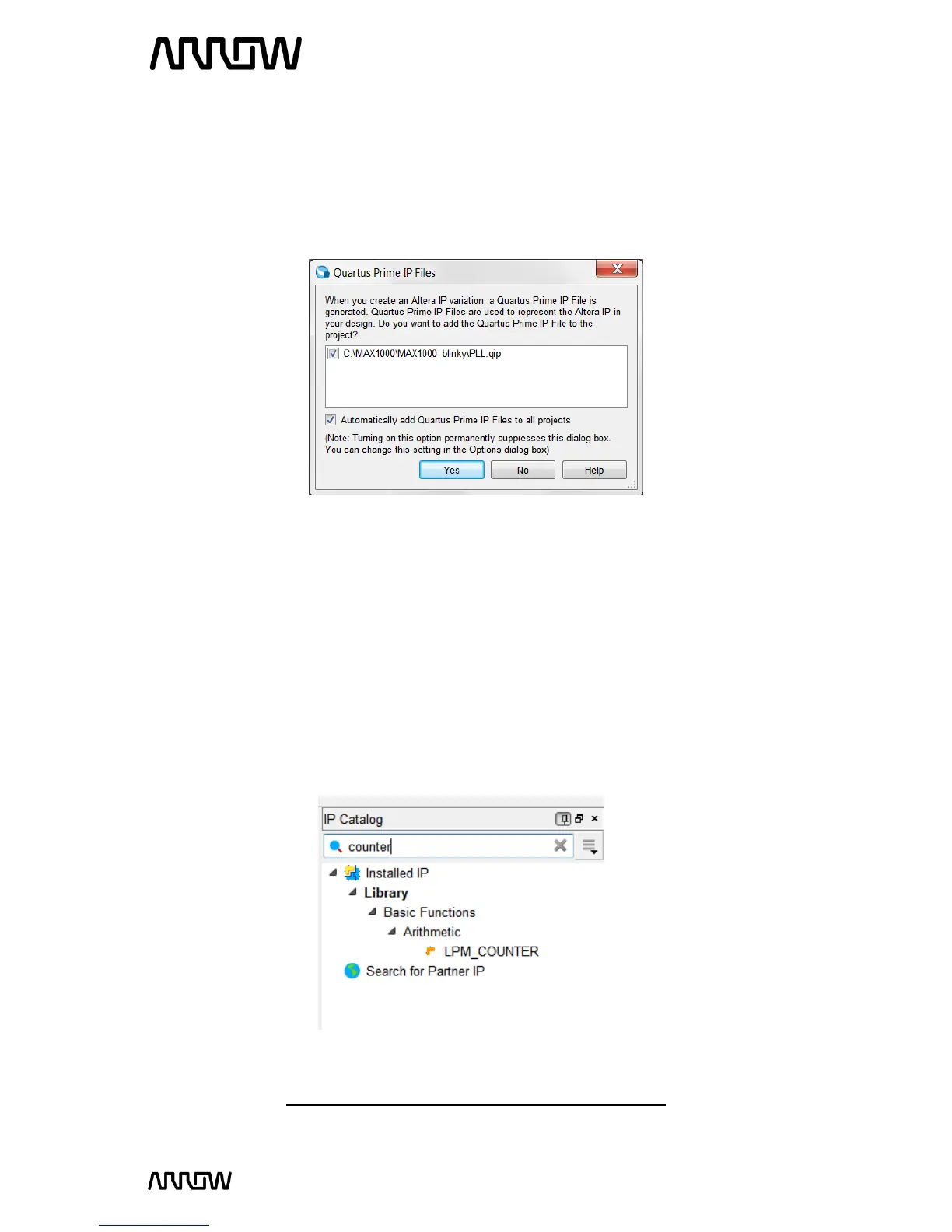
5.2.4.11 If this is the first time that you are using this version of Quartus Prime, you might see a
pop-up Window for Quartus Prime IP Files, that asks if the tool should add IP files
automatically after generating them.
5.2.4.12 Select “Automatically add Quartus Prime IP Files to all projects.
5.2.4.13 Click “Yes” to allow all of the IP to automatically be added to the project, and so that
this message will not be seen for other designs.
5.2.5 Create and Configure the Counter
The next step is to create the counter which will drive the LEDs on the MAX1000 board.
5.2.5.1 To create this counter, select the IP Catalog and expand the Basics Arithmetic and
select the LPM_COUNTER or type “counter” in the search field.
Note: LPM stands for Library of Parameterized Modules



 To Next Page