MAX1000 User Guide www.arrow.com
Page | 55 July 2017
5.2.9 Analysis and Synthesis
The next step is to run Analysis and Synthesis to ensure that there is no errors in the design.
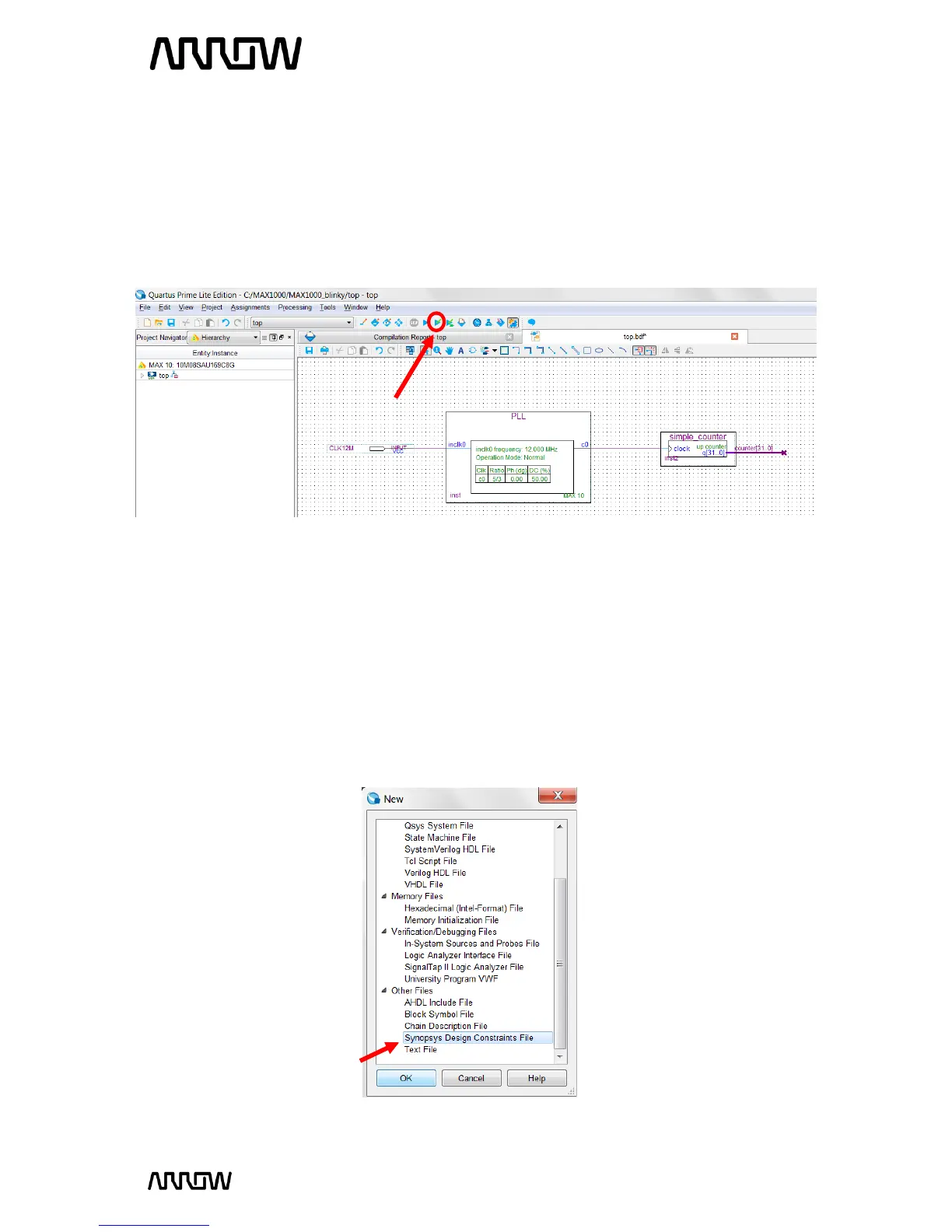
To run Analysis and synthesis open Processing Start Analysis and Synthesis
or from clicking the button on the top toolbar as seen below:
There should be no errors. If there are errors, they should be fixed before continuing and Analysis
and Synthesis run again.
5.2.10 Adding Timing Constraints
Timing Constraints tell the Quartus what are the timing requirements for this design. Timing
Constraints are required in every CPLD/FPGA design.
To add the timing constraints, select File New and under the “Other File” section, select
“Synopsys Design Constraints File” and select “OK”.



 To Next Page