MAX1000 User Guide www.arrow.com
Page | 60 July 2017
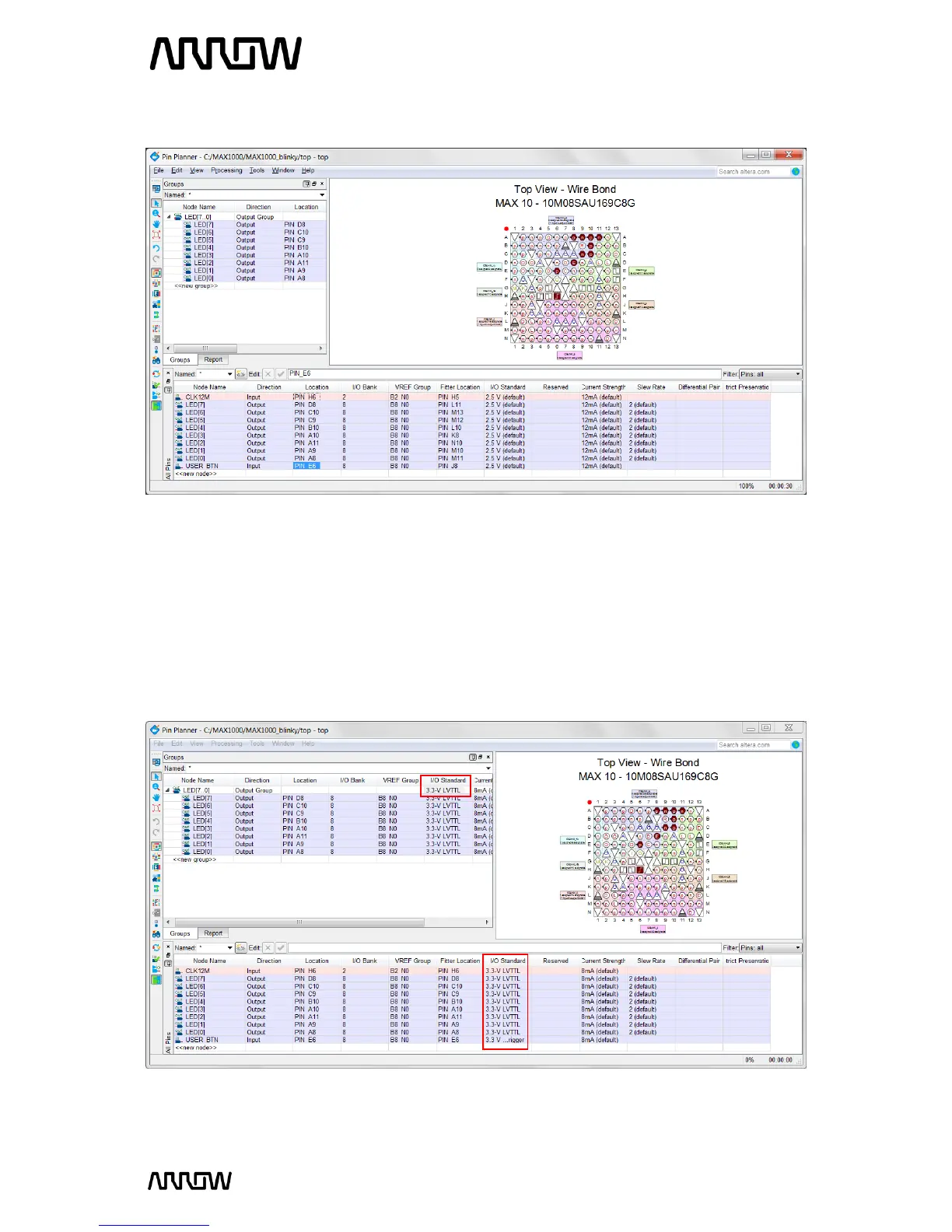
5.2.11.4 Now the Pin Planner should look like this after assigning all the pin locations.
The specific pins are now selected, but the I/O standards now need to be set as well. The button,
LEDS, and clock pins are the same I/O standard for MAX1000 since all banks and peripherals are
powered by 3.3V. The USER_BTN is a 3.3 V Schmitt Trigger, the LEDs and clock pins are 3.3-V
LVTTL. These I/O standards can be set in the Pin Planner, by selecting the I/O Standard. Select
the I/O standard either from the “All Pins” tab or the “Groups” tab, and change the 2.5V (default)
to the specific I/O standard.
5.2.11.5 The Pin Planner should now look like this:
5.2.11.6 Close the Pin Planner. The settings are automatically saved.



 To Next Page