MAX1000 User Guide www.arrow.com
Page | 27 July 2017
4.3.5 Download the selected files and store them into the same folder.
For example, the Downloads folder under the home of the current user ~/Downloads:
Quartus Prime Lite edition: ~/Downloads/QuartusLiteSetup-17.0.0.595-linux.run
ModelSim-Intel FPGA Edition: ~/Downloads/ModelSimSetup-17.0.0.595-linux.run
MAX10 device support package for Quartus: ~/Downloads/max10-17.0.0.595.qdz
Run Intel Quartus installer. Open a terminal and navigate through the folder where the
installers are downloaded:
$ cd ~/Downloads
Make sure the installer has execution permissions. If you have a different version of
Quartus Software, please match the name of the file:
$ chmod +x QuartusLiteSetup-17.0.0.595-linux.run
Run the installer:
$ ./QuartusLiteSetup-17.0.0.595-linux.run
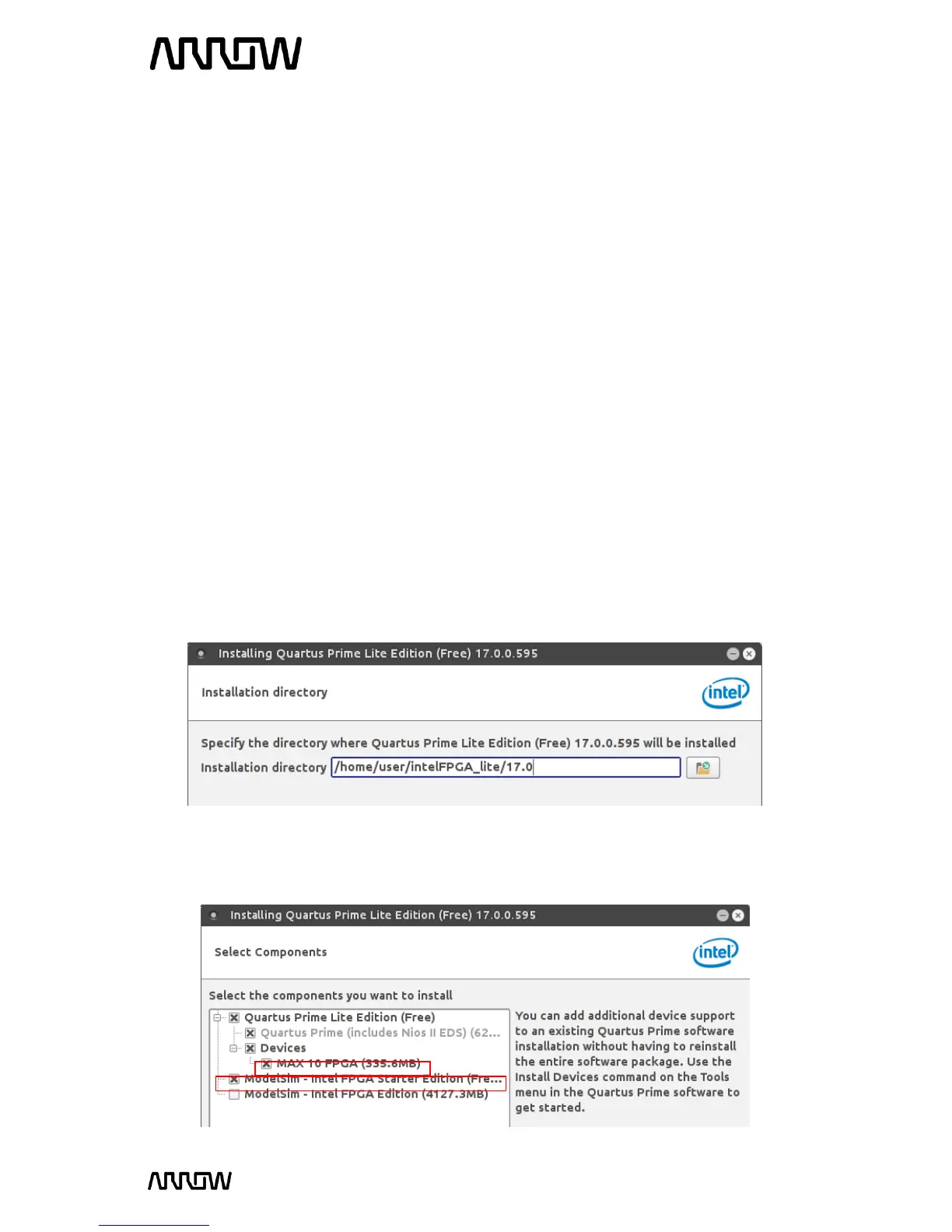
4.3.6 Follow the steps through the installation assistant. When prompted the destination
folder, you can choose a path within your home directory, so you don’t need additional
permissions:
4.3.7 The installer will detect automatically the MAX10 device support and ModelSim
packages when they are located in the same folder. Make sure these components are
selected:



 To Next Page