MAX1000 User Guide www.arrow.com
Page | 48 July 2017
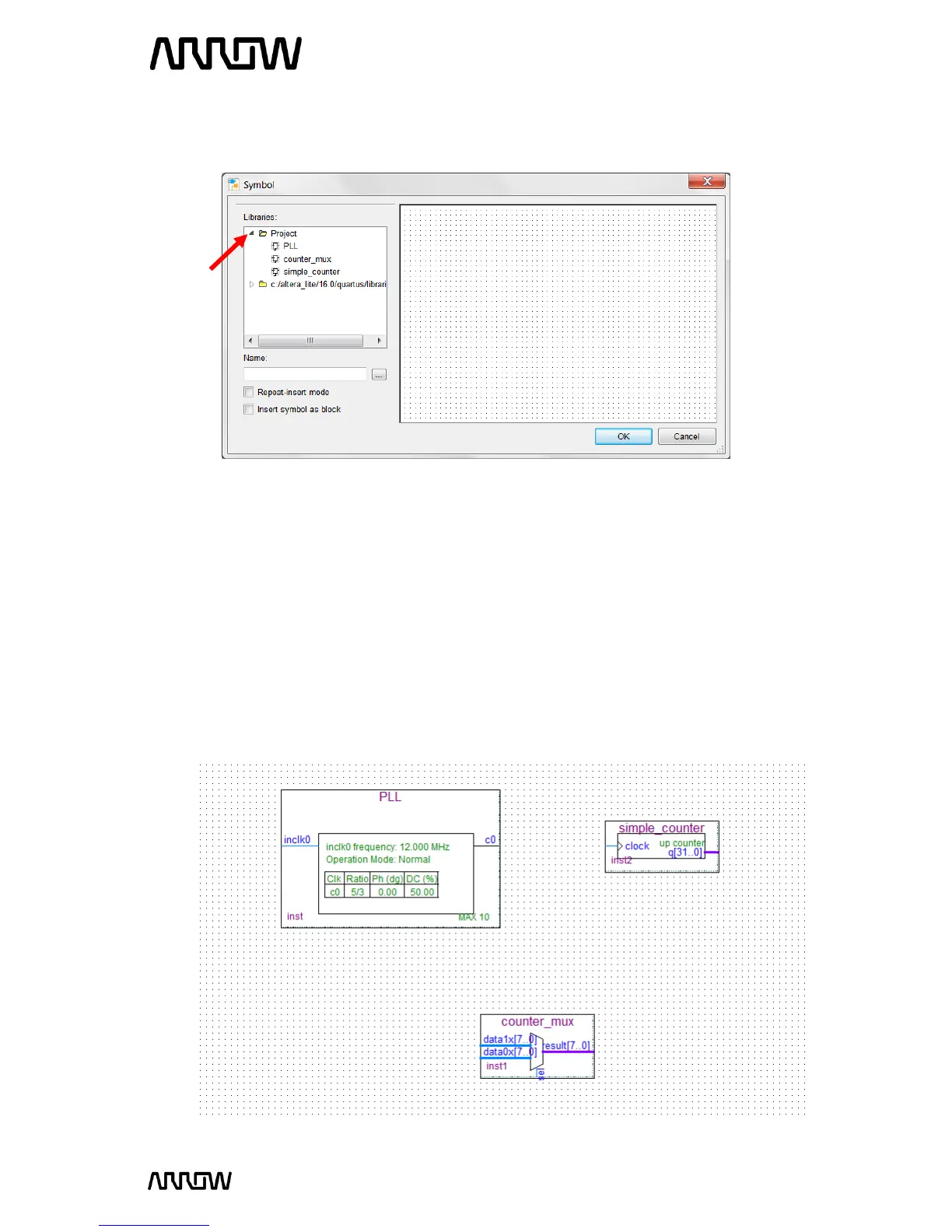
5.2.7.4 In the new window, expand “Project” and the three components that were created can
now be seen.
5.2.7.5 Select “PLL”.
5.2.7.6 Click “OK”.
The PLL component can be added now by left clicking on the schematic page.
5.2.7.7 Just like in the steps from 5.7.2.3 to 5.2.7.6, do the same for counter_mux and
simple_counter to add them to the schematic page. The order of adding the components
does not matter, as the connections between them will happen in the following steps.
5.2.7.8 After adding three components, your schematic should look similar to the following. To
place them similarly, simply drag the components to the appropriate locations.



 To Next Page