MAX1000 User Guide www.arrow.com
Page | 66 July 2017
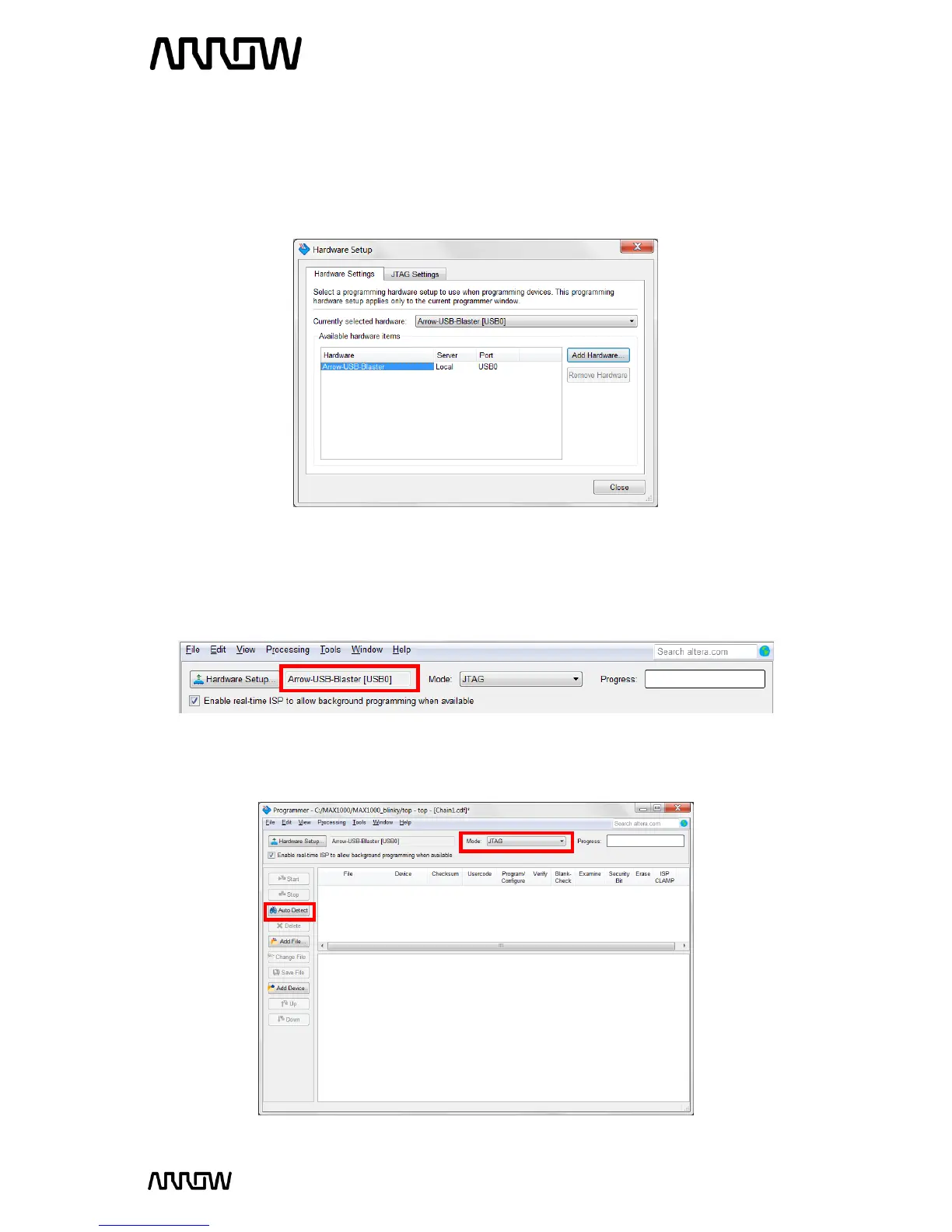
6.1.4 In the Programmer window, click Hardware Setup and double-click the ARROW-USB-
PROGRAMMER2 entry in the Hardware Settings tab (you should only be able to see this
Arrow USB Programmer2 if MAX1000 is connected to the PC). The “Currently selected
hardware” drop-down should now show ARROW-USB-PROGRAMMER2 [USB-0].
Depending on your PC, the USB port number may vary.
6.1.5 Click “Close”.
6.1.6 The Programmer window should now have a Hardware Setup such as:
6.1.7 Click “Auto Detect” on the left side of the Programme window and make sure the Mode
is JTAG.



 To Next Page