MAX1000 User Guide www.arrow.com
Page | 68 July 2017
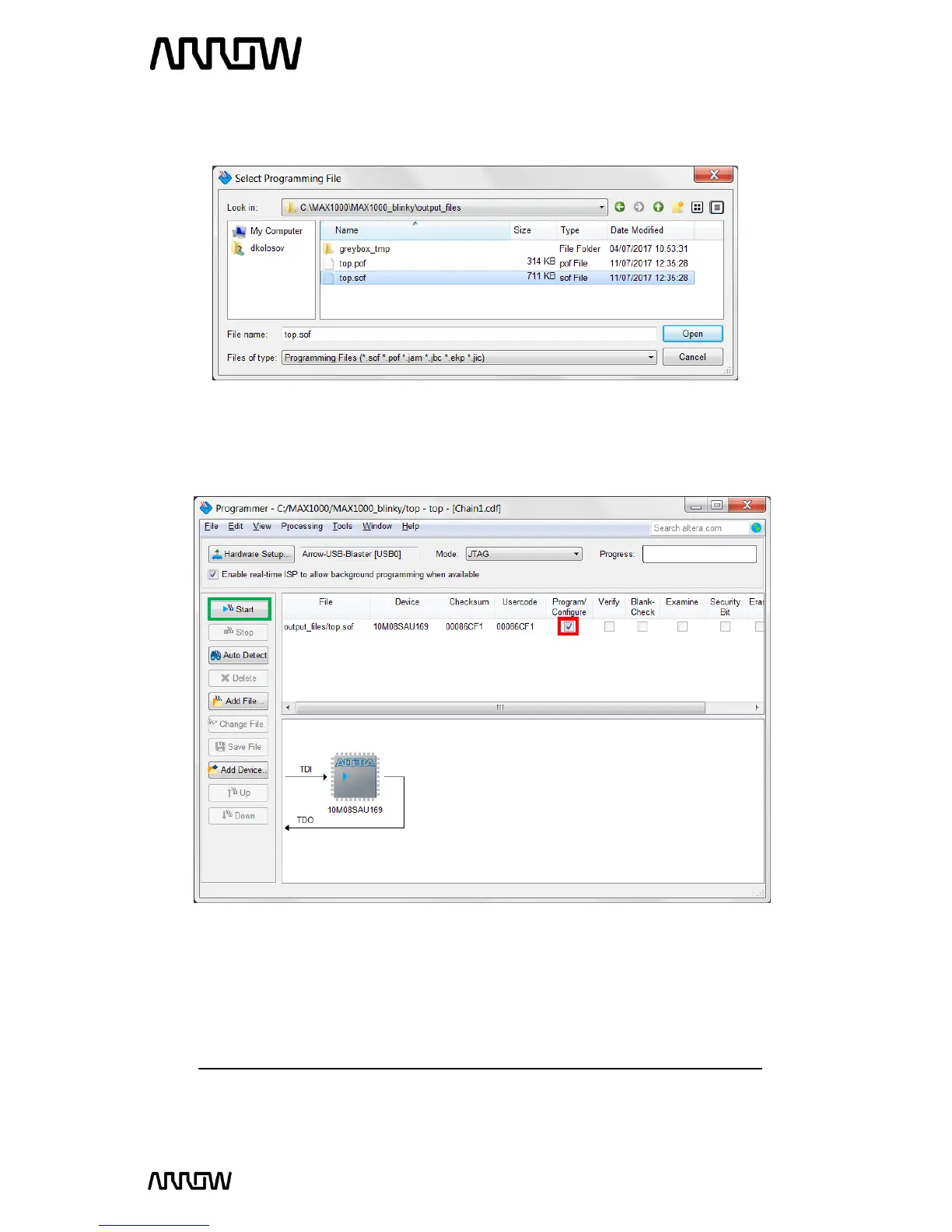
6.1.10 In either case, navigate to: <project_directory>/output_files/ in your compilation
directory. Select and open the top.sof file.
6.1.11 Click “Open”.
6.1.12 The Programmer window should look like this now:
6.1.13 Make sure the Program/Configure checkbox is checked (highlighted in red above) and
click “Start” (highlighted in green above) to program the MAX1000. You should see the
CONF_DONE LED toggle briefly to indicate that the configuration is complete and the
Progress bar should reach 100% (Successful). The design is now programmed to the FPGA.
Note: that turning off and then on the FPGA will result into losing its configuration.



 To Next Page