ITS101 Installation Manual
See Figure 3 for a detailed PCB picture of this LAN connector. Also visible is the sticker with the
MAC-address for this specific unit.
2.6. ANPR Digital Interface
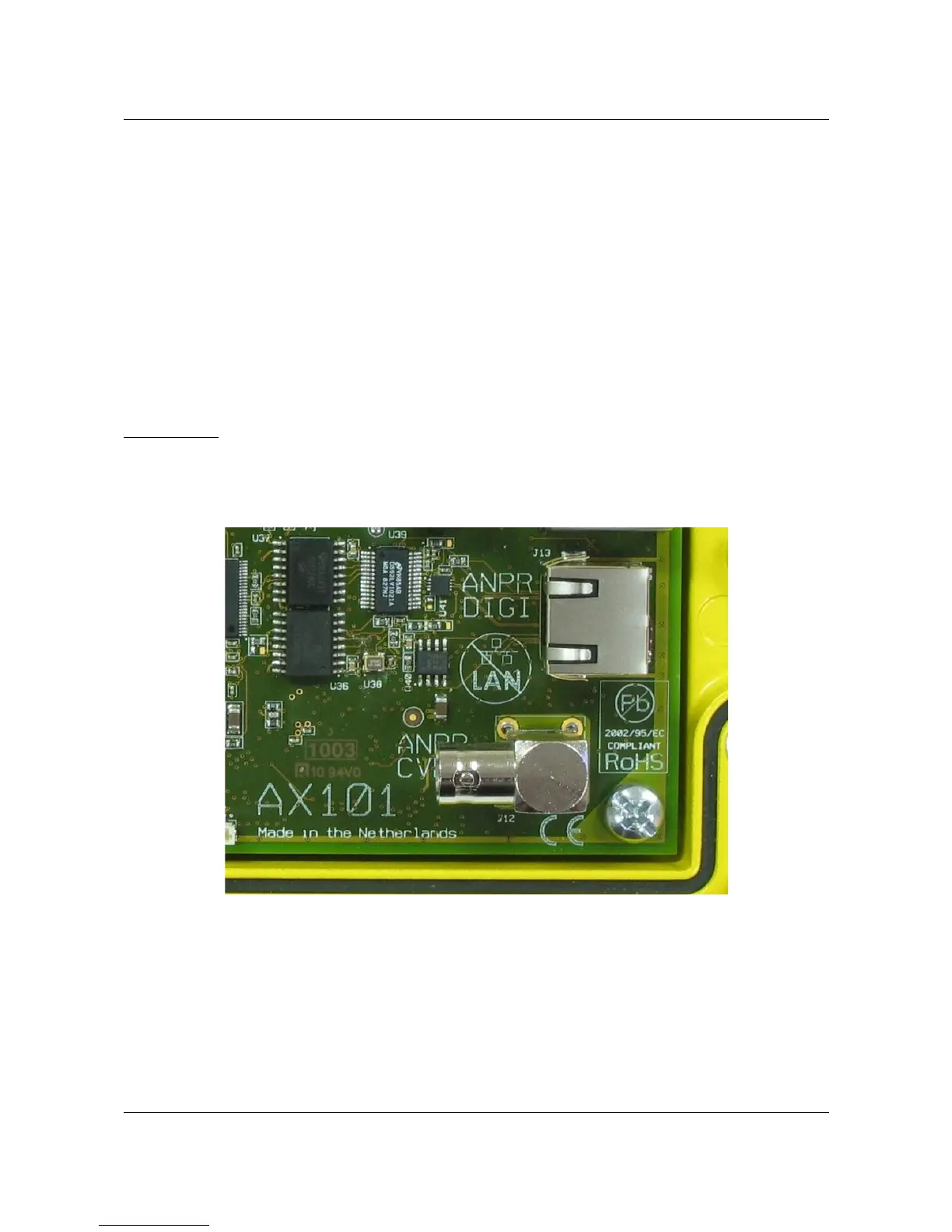
The ITS101 is provided with an ARVOO proprietary ANPR Digital Interface, for a direct
connection to the ARVOO ITS101-CAM digital camera. The default cable length with this
camera is 10 meters, this is also the maximum cable distance. Power for the camera is
supplied by the ITS101.
When you select the ANPR Digital Interface the ANPR CVBS interface (Analog video input, PAL/
NTSC) is not in use. The ANPR Digital Interface can be selected by selecting the proper
firmware. See chapter 5. for more information regarding firmware installation.
This interface makes also use of an RJ-45 connector.
Precaution: This interface is not compatible with any Ethernet standard. Connecting a patch
cable to an Ethernet switch will destroy the switch or the ITS101. Before connecting
the ITS101-CAM make sure the power to the ITS101 is turned off. The ITS101-CAM is not
hot pluggable.
2.7. ANPR CVBS Input
The ANPR CVBS input is a female BNC connector. This analog video input can accept any
standard PAL/NTSC camera. You can select the use of the ANPR CVBS input by activating the
proper firmware. The ANPR Digital Interface is turned off in this case. See chapter 5. for more
information regarding firmware installation.
ARVOO Imaging Products B.V. page 10 of 33
Figure 5: Detail of ANPR Digital and CVBS inputs.


 To Next Page