ITS101 Installation Manual
2.4.1. I/O settings
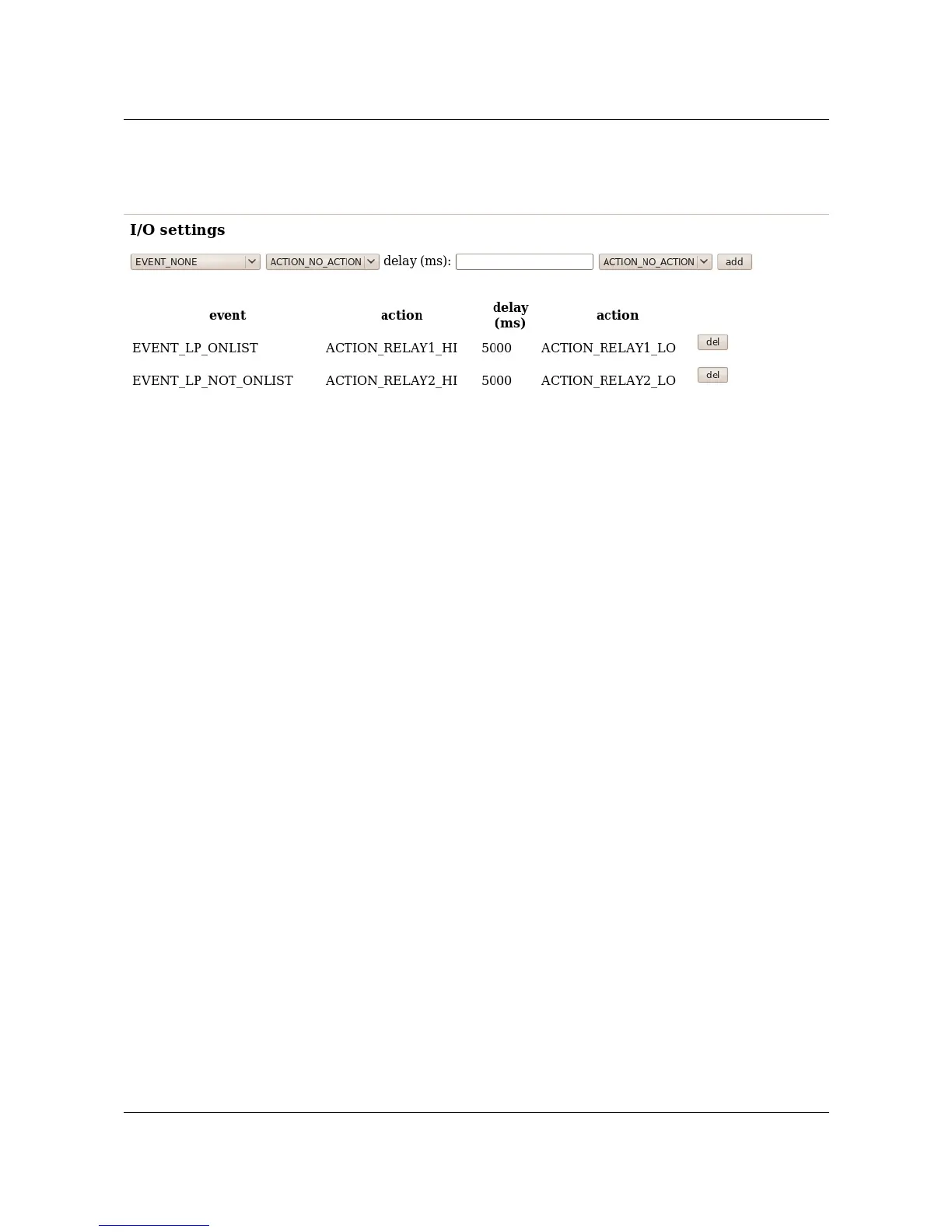
Navigate to the I/O settings page of the web service for configuring the I/O behavior.
Explanation:
• The upper line can be used to add actions to events. For a list of possible events and
actions see below.
• Lines below the bold header are actions which are currently active. When the “del “
button is pushed the action line is removed.
Note: Actions are performed independent from each other. This means that when an output is
set high on one line, but set low on another line, the behavior is unknown.
Events:
• EVENT_LP: a license plate is recognized, either on list or not on list
• EVENT_LP_ONLIST: a license plate is recognized, with a hit on the black/white list
• EVENT_LP_NOT_ONLIST: a license plate is recognized, with no hit on the black/white
list
Actions:
• ACTION_OUT1_HI: set output 1 high
• ACTION_OUT1_LO: set output 1 lo
• ACTION_OUT2_HI: set output 2 high
• ACTION_OUT2_LO: set output 2 lo
• ACTION_RELAY1_HI: set relay 1 high
• ACTION_RELAY1_LO: set relay 1 lo
• ACTION_RELAY2_HI: set relay 2 high
• ACTION_RELAY2_LO: set relay 2 lo
See section 5.1 for on how to use GP input 0 or 1 for triggering the recognition
algorithm.
2.5. Ethernet
The ITS101 is provided with an RJ-45 connector. A standard Cat5e patch cable will be
adequate for connection of the unit to a stand-alone computer or to a local area network.
ARVOO Imaging Products B.V. page 9 of 33
Figure 4: Screenshot I/O settings page.


 To Next Page