ITS101 Installation Manual
3. Network configuration
Note: The name AX101 appears on the configuration pages and log messages. It can be seen
as an equivalent for ITS101.
The ITS101 has Ethernet as general communication interface. This gives LAN (local area
network) access to the unit. If required, access to the unit can be secured via a VPN (virtual
private network) layer running on top of the LAN. For this, correct time settings are required.
As the network is configured via a web browser, a factory network setting is required. The unit
has a factory set static IP address of 192.168.0.240. If this conflicts with the network via
which the web browser tries to access the unit, connect to the unit directly via a crossover
cable.
The web service entrance page can be retrieved via a standard web browser using the address
HTTP://192.168.0.240. The pages 'lan settings', 'openvpn settings' and 'ntp/time settings' are
for configuring the network. These settings are explained in this chapter. The pages 'System
information', 'System log', 'Appl log', 'Dsp log' are for support purposes. These are explained in
section 7.4.1.
The username to use is 'admin', the default password consists of the last 4 digits of the unit's
MAC address in capital letters. This password can be changed via the 'change password' page.
When setting are unknown and you are unable to connect to the ITS101, default factory
settings can be restored by the procedure described in section 3.1.
Precaution: the network is configured via the web service that uses the network. Be aware
not to switch off the Ethernet communication.
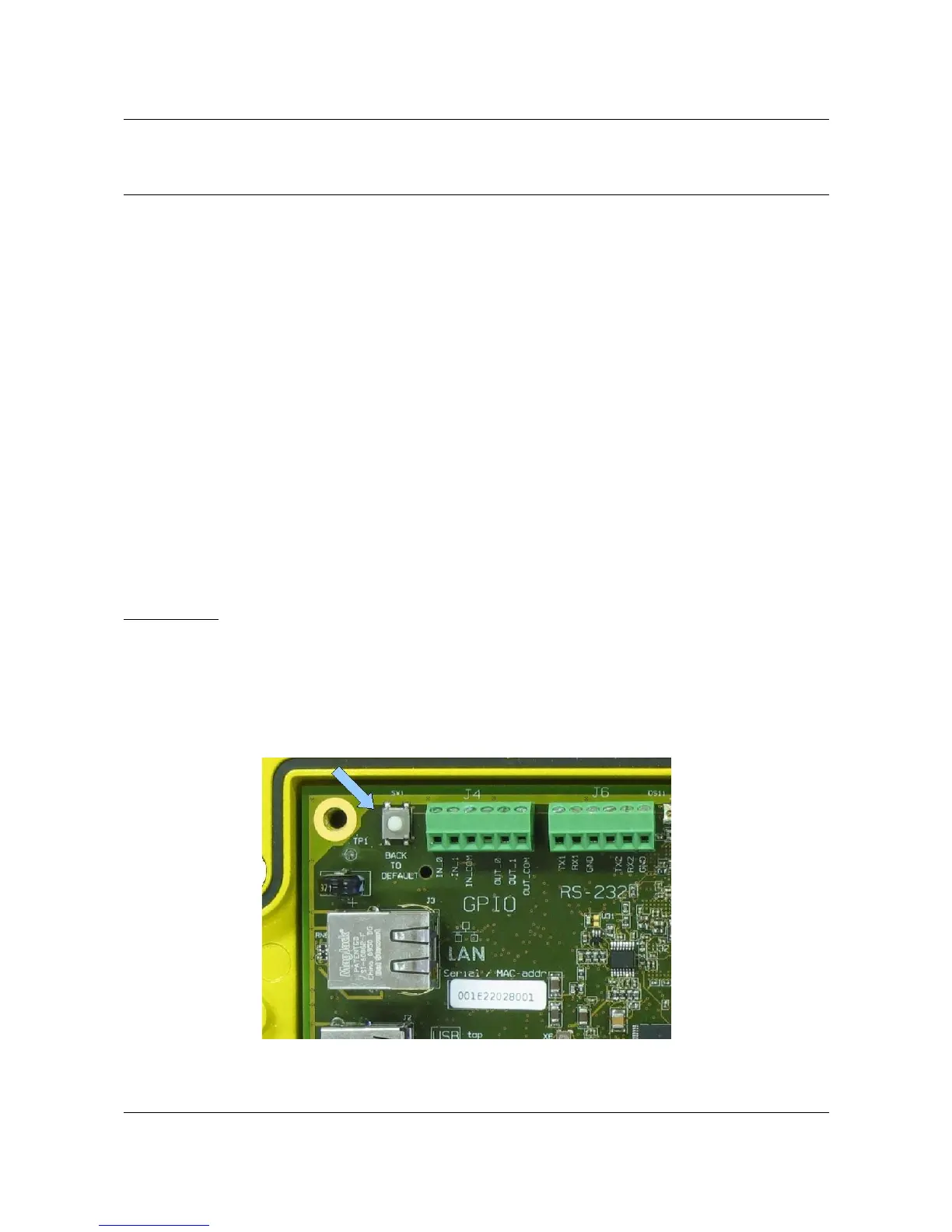
3.1. Back to default factory settings
When default network settings need to be restored, because you are not able to access the
unit anymore, the following procedure needs to be followed.
ARVOO Imaging Products B.V. page 12 of 33
Figure 7: Back to Default switch.


 To Next Page