17
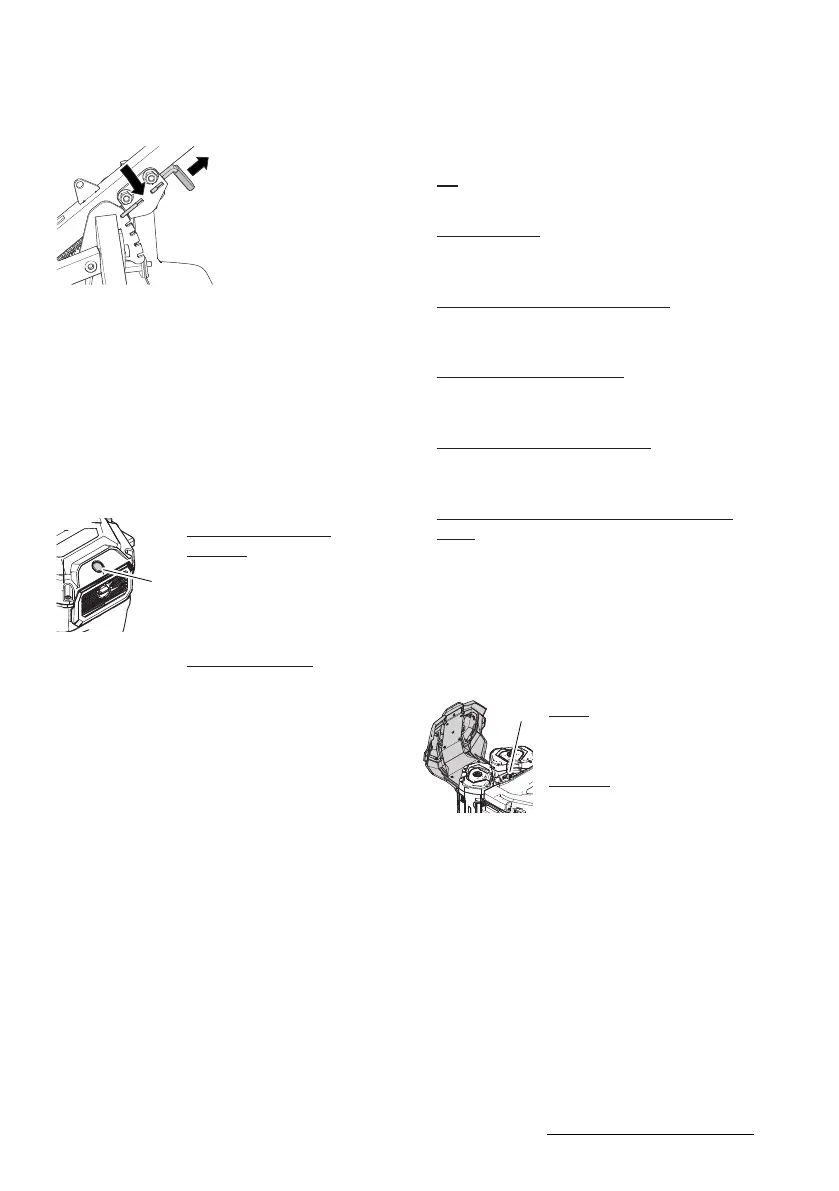
Lever for height adjustment of
handlebar(15)
The height of the handlebar can be set to 5 po-
sitions.
1. Pull the lever out of the notch.
2. Move the handlebar to the desired position.
3. Let the lever engage in one of the 5
notches.
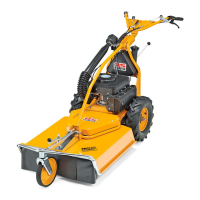
On/off switch(3) with engine status light
Use the on/off switch to switch the engine to
operational readiness.
Switch the engine to
standby:
Press the on/off switch.
The engine status light
lights up and indicates the
status of the engine.
Switch off engine:
Press the on/off switch un-
til the engine status light
goes out.
Engine status light on the on/off switch(3)
The on/off switch is equipped with an engine
status light. When the engine is ready for oper-
ation, the engine status light lights up and in-
dicates the status of the engine.
– Off:
The engine is not ready for operation.
– Glowing green:
The engine is ready for operation or is turn-
ing.
– Orange illuminated, engine stops:
The engine is overheated. Let the engine
cool down.
– Flashing red, engine stops:
The batteries are empty. Replace or charge
the batteries.
– Flashing orange, engine stops:
The engine is overloaded. Reduce the work
load.
– Alternately flashing red and green, engine
stops:
Communication failure. Have an authorised
service centre check the device.
Selector engine speed (4)
You can set the engine speed with the selector
switch.
ECO:
Reduced engine speed,
longer battery life.
TURBO:
High engine speed, shorter
battery life





 To Next Page