TD 92679GB
12 April 2011 Ver. D
Installation Guide
Elise3
13
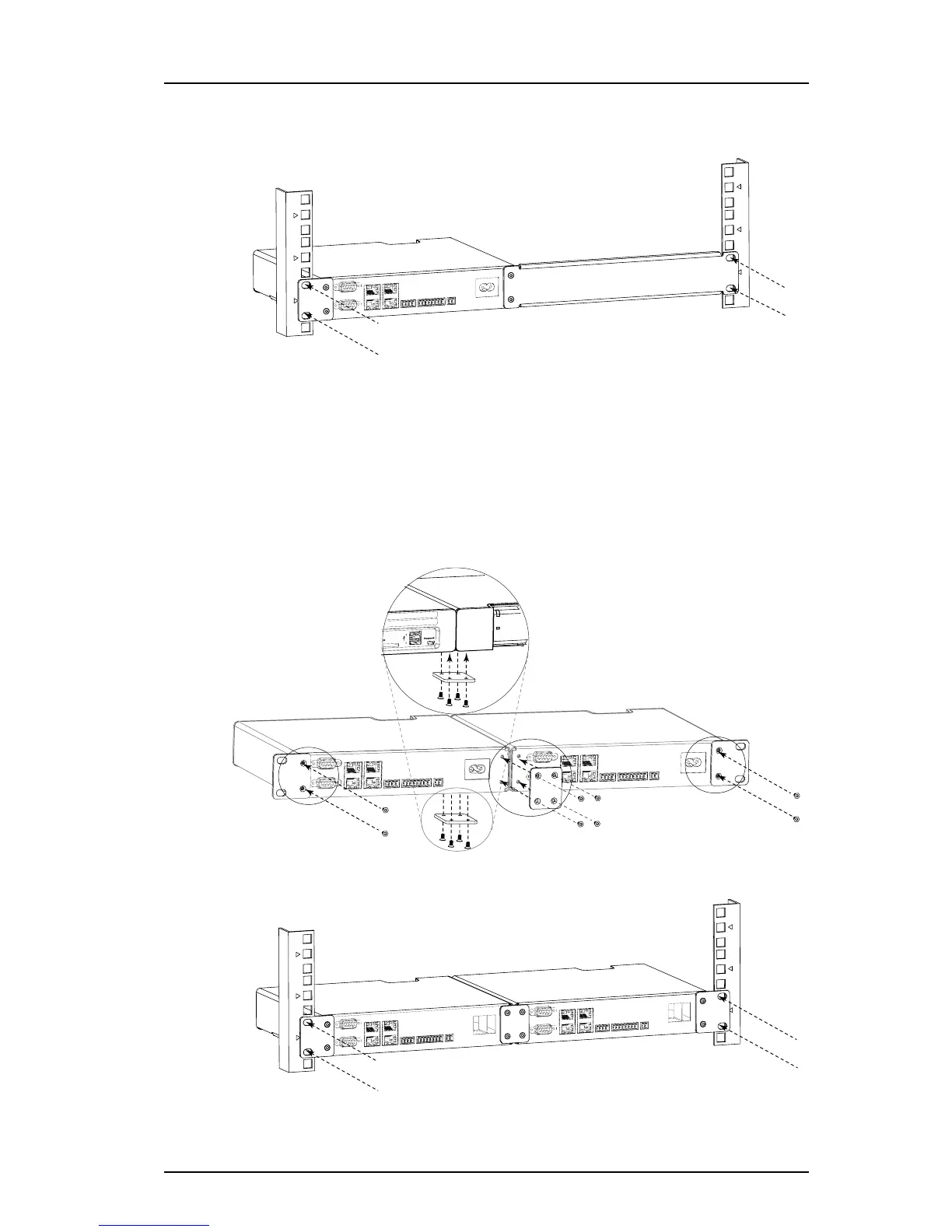
2 Fasten the assembly brackets in the rack, see below (screws not included)
Figure 7. Rear mounted single in rack
Rear mounted double
• Requires the reverse 19´´ rack kit
1 Use the supplied assembly brackets and mount the two modules together, both on
the rear side and on the bottom side, see figure below.
2 Use the two small reverse assembly brackets and fasten one on the right rear side
and the other on the left rear side.
3 Fasten the assembly brackets in the rack, see below (screws not included).
Figure 8. Rear mounted double in rack
Figure 7.
Figure 8.



 To Next Page