Doc ID: ADR111A _IM_01
Ref ID: ADR111A /IM/PC-SI
Rev No. : 04
Page No. : 51 of 127
ADR111A /
ADR211A
3.3.6 History Fault
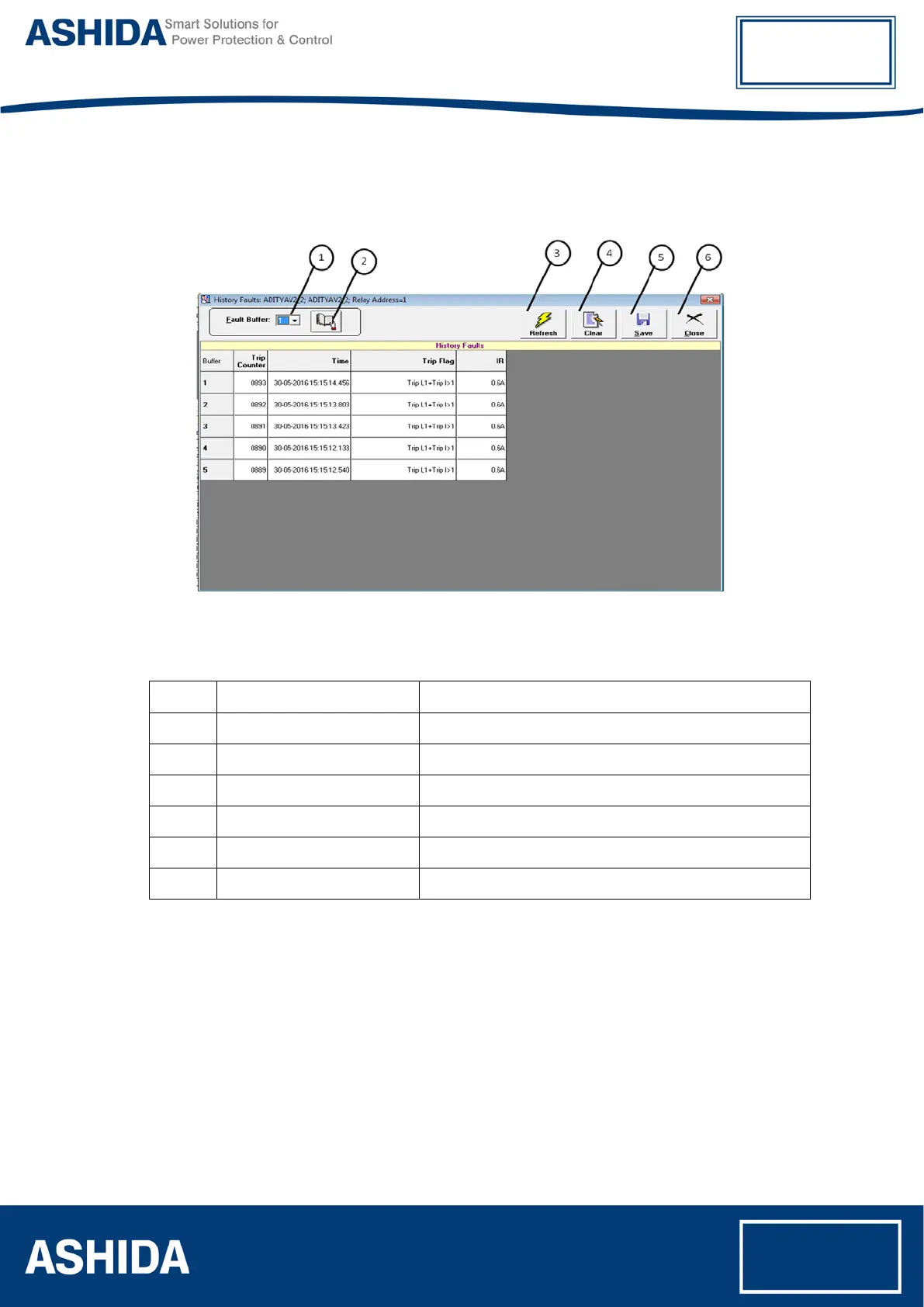
When the History fault is selected the following window is displayed
Figure 11: History Fault
The windows/Buttons functions are as follows
Sr. No Name Description
1 Fault Buffer To view the fault buffer number
2 Read Fault To read the fault selected in the fault buffer
3 Refresh To refresh all windows and parameters
4 Clear To clear the screen
5 Save To save the fault data in history fault
6 Close To close the History fault window



 To Next Page