8
INTRO Section
The intro is an opening section of the song. When the intro pattern
is finished, the system will automatically shift to the main section.
MAIN Section
The main is an important section of the song. It will play and repeat
infinitely until another section’s button is pressed.
FILL–IN Section
Auto fill in function automatically adds a fill to your performance.
When the fill–in pattern is finished, accompaniment will shift to the
related main section (A, B).
ENDING Section
Ending is used for the ending of the song. When the ending
pattern is finished, accompaniment automatically stops.
Note:
1. Hold down the [FILL A]/[FILL B] button when the style is
playing. The selected fill–in pattern repeats continuously until
button is released.
2. When style stops, press the [FILL A]/[FILL B] button to
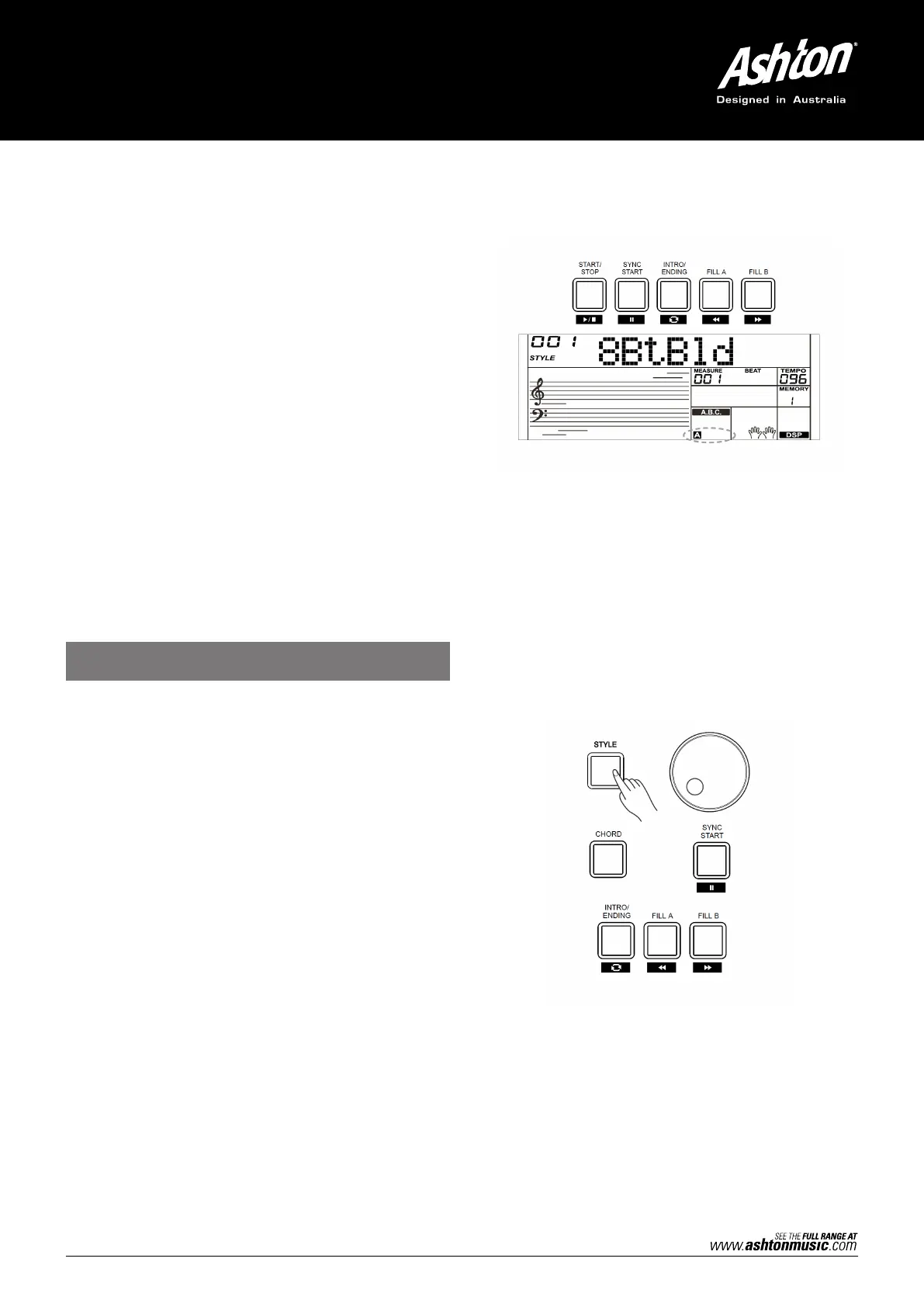
select a MAIN section. “A or B” will display on the LCD.
1. Press the [STYLE] button.
2. Use the data dial or [+/YES]/[–/NO] button to select a style.
3. Press the [CHORD] button to enter A.B.C. (Auto Bass
Chord) mode.
4. Press the [SYNC START] button.
5. Press the [FILL A] button. Select the Main A section.
6. Press the [INTRO/ENDING] button. Now the “A” will display on
the LCD, and the style is ready to play.
7. As soon as you play a chord with your left hand, the auto
accompaniment starts. When the playback of the intro is
finished, it automatically leads into Main A section.
8. Press the [FILL B] button. A fill–in plays, automatically followed
by the Main B section.
9. Press the [INTRO/ENDING] button again, to enter the Ending
Section. When the ending is finished, the auto
PLAYING DIFFERENT
ACCOMPANIMENT SECTIONS


 To Next Page