6
The dual function allows two different voices to be layered
together, creating a much richer sound. Turn the function on,
you can select a second voice for the dual voice “VOICE R2”.
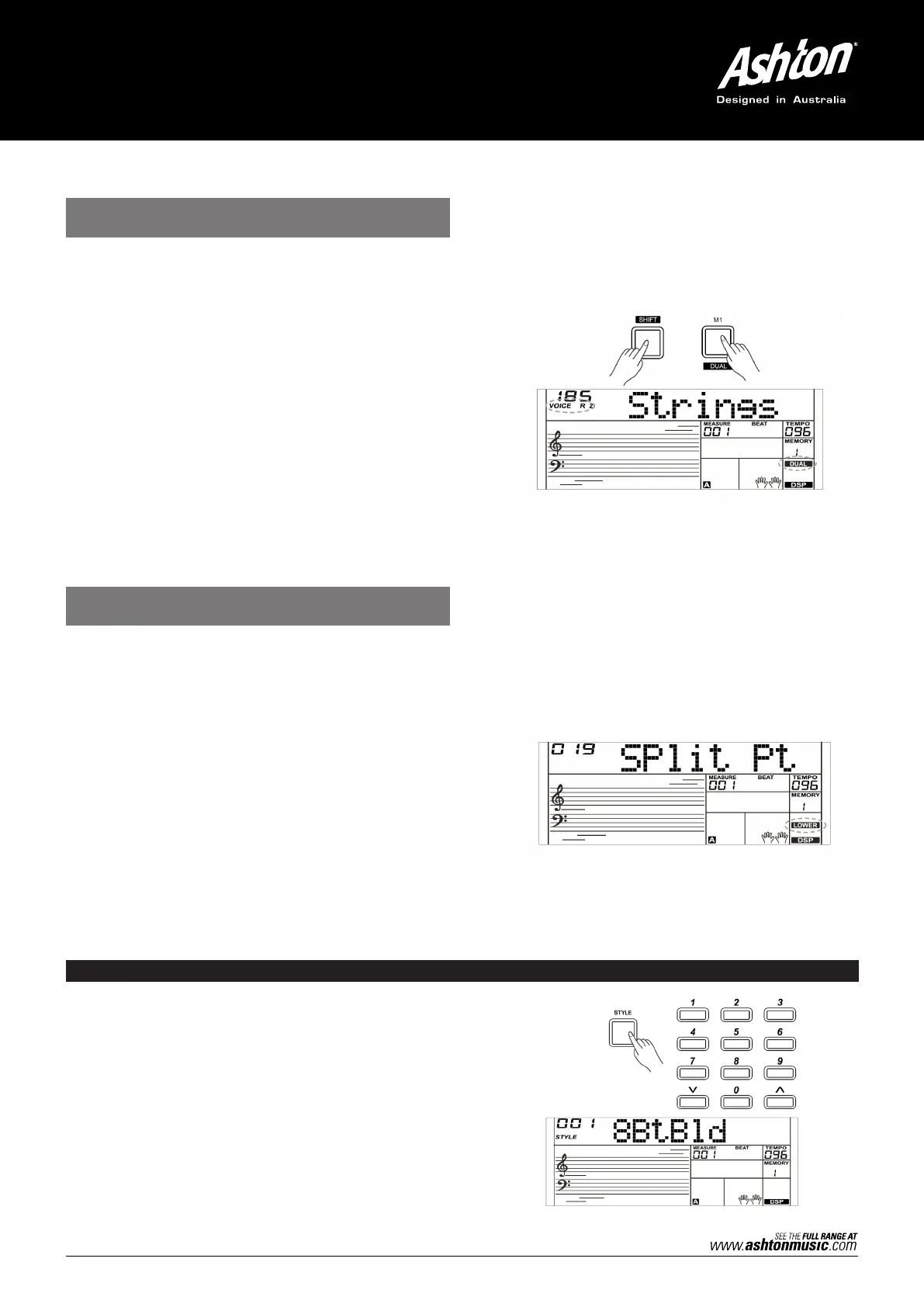
1. In idle mode, press and hold the [SHIFT] button and then
press the [DUAL] button to turn dual function on. The LCD
displays the current voice name and number, “VOICE R 2” and
“DUAL” will light up. You can use the data dial, the numeric
buttons or [+/YES]/ [–/NO] button to select the dual voice
you want to play. The default Voice R2 is: String Ensembles.
2. Play the keyboard, and then you will hear two different voices
layered together. It seems like two different instruments are
playing at the same time.
3. When dual function is on, press and hold the [SHIFT] button
and then press the [DUAL] button to turn dual function off.
Note:
When the keyboard is split, only the right hand area will have the
dual voice.
The lower function splits the keyboard into the left and the right hand
areas, each with a different voice. The left hand voice is the lower
voice “VOICE L” . The default split point is F#3 (19), however, you can
set the split point to any key as required. (Refer to Split Point for
more details).
1.
In idle mode, press and hold the [SHIFT] button and then press
the [LOWER] button to turn the lower function on. The LCD will
display the left hand voice name and number, and the indicate
“VOICE L” and “LOWER”.
2.
You can use the data dial, the numeric buttons or the [+/YES]/
[–/NO] button to select the lower voice you want to play. The
default Voice L is: String Ensembles.
3.
Play the keyboard with both hands and you will hear two
different voices.
4.
When lower function is on, press and hold the [SHIFT] button
and then press the [LOWER] button, it will turn lower function off.
PLAYING STYLES
1. Press the [STYLE] button.
Enter the Style Mode. The LCD will display the current
default style name and number.
2. Select a Style.
Use the data dial, the numeric buttons or the [+/YES]/
[–/NO] button to select the style you want to play.
3. Play the Style.
Press the [START/STOP] button to directly start a
rhythm. Alternatively, you can press the [SYNC START]
button, then press a key to start the rhythm.
PLAYING DIFFERENT VOICES WITH
BOTH HANDS–LOWER
PLAYING TWO VOICES
SIMULTANEOUSLY–DUAL



 To Next Page