17
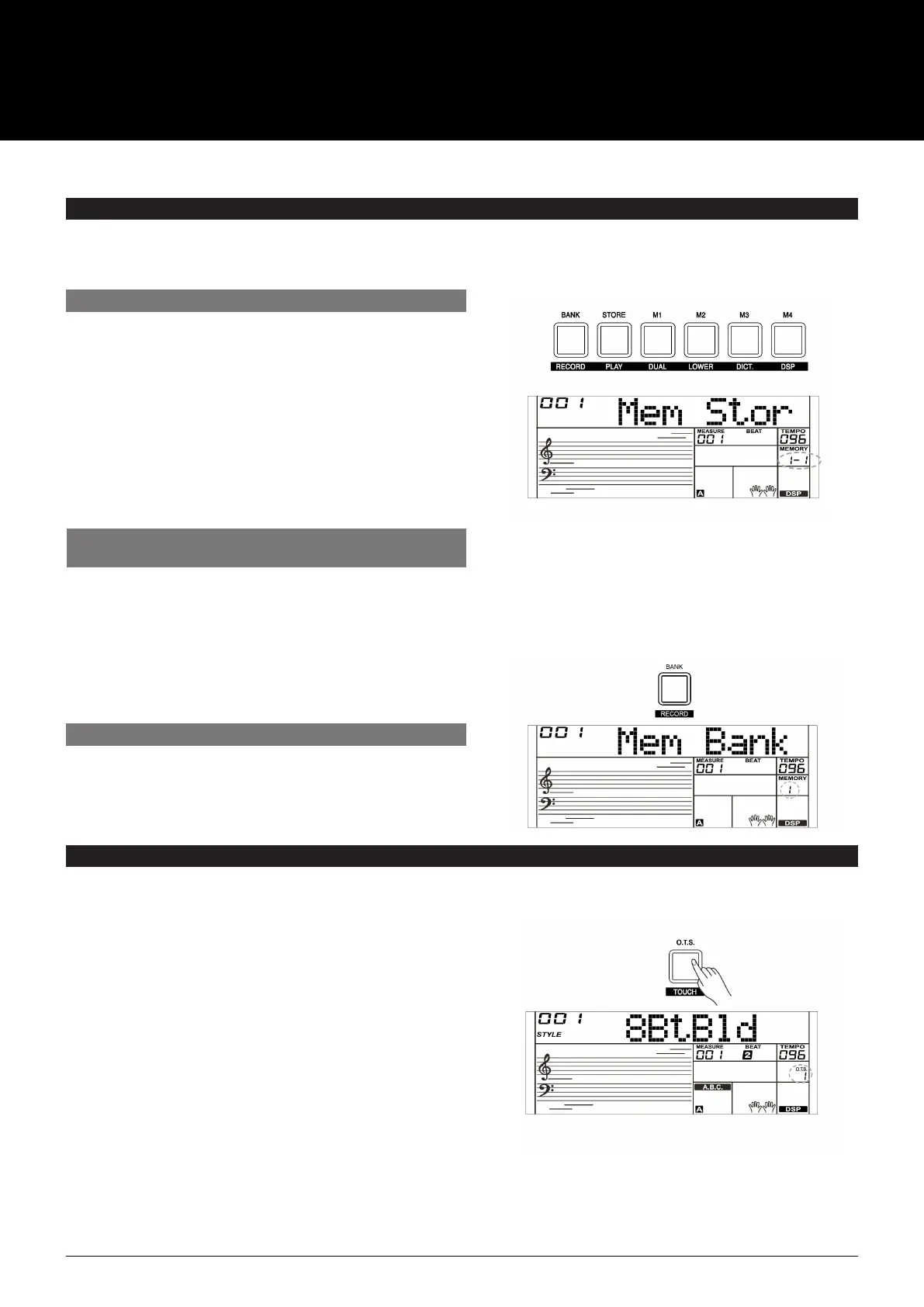
1. There are 8 memory banks, and each bank has 4
memories (M1–M4).
2. Hold down the [STORE] button, then press one of the
memory buttons [M1]–[M4]. Note that new settings will
replace the previous memory data.
3. Parameters that can be saved to the registration memory
are: Voice: main voice, dual, lower, DSP, mixer.
Accompaniment: style, tempo, accompaniment on/off.
Function: touch, some parameters in the function menu.
1. Press the [BANK] button, The LCD will display “00X Mem Bank”.
2. Press the [BANK] button repeatedly to select a bank from
1 to 8.
1. Press the [O.T.S.] button to turn on the One Touch Setting
for current style. The LCD will display “O.T.S. “. Press one of the
One Touch Setting buttons [M1] – [M4]. Various panel settings
(such as voice, effect, etc.) that match the selected style can
be instantly recalled. Auto accompaniment is automatically
turned on during O.T.S. mode and the lower and dual
functions are disengaged.
2. Press the [O.T.S.] button again to turn off the One Touch
Setting. It will automatically switch to the registered memory.
The LCD will display “MEMORY”.
3. The One Touch Setting parameter list is: Voice (Volume, Pan,
Octave) Dual (Volume, Pan, Octave) Left Hand (Volume,
Pan, Octave)
Note:
The O.T.S. is automatically turned off when you enter the Song Mode.
Press one of the memory buttons: [M1]–[M4]. For example, if
you press [M2], the panel settings stored in the memory 2 of
bank 1 are recalled.
Note:
Registration data cannot be recalled when the One Touch
Setting function is on.
REGISTER MEMORY
REGISTERING THE PANEL SETTINGS
SELECTING A REGISTRATION BANK
The Registration Memory feature can make your performance easier and more efficient. It allows you to save virtually all panel
settings to a Registration Memory setting, and you can instantly recall them by pressing a single button.
RECALLING THE REGISTERED
PANEL SETTINGS
ONE TOUCH SETTING
When the One Touch Setting is switched on, you can instantly recall all auto accompaniment related settings including voices
selection and digital effects simply with a single touch of a button.
USER MANUAL
AK280
61 KEY ELECTRONIC KEYBOARD



 To Next Page