15
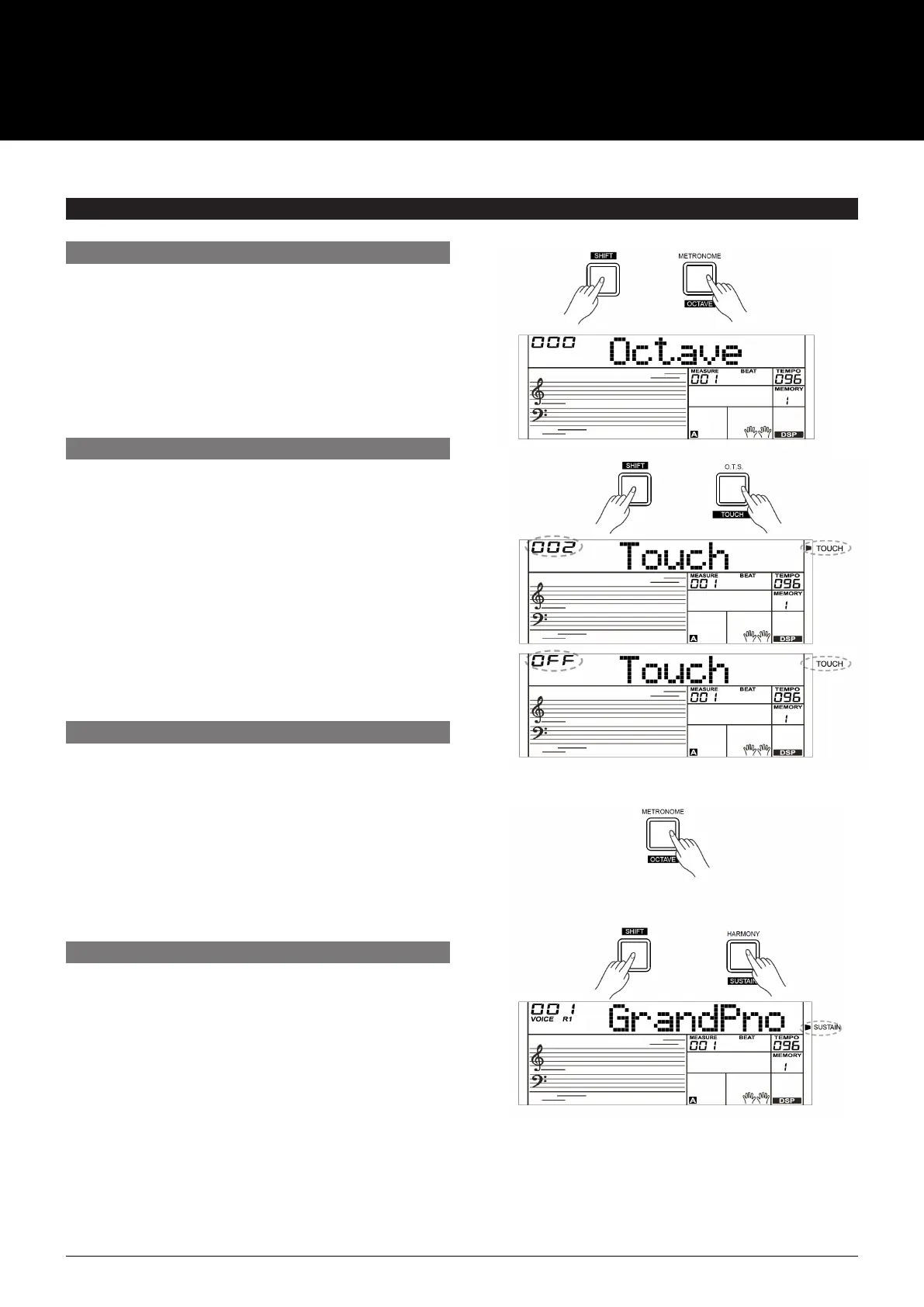
1. Press and hold the [SHIFT] button and then press the
[OCTAVE] button to select the Octave Function menu.
The LCD will display “xxx Octave”. Use [+/YES]/[–NO]
button or the data dial to change octave value. The
adjustable range is: –1– +1.
2. Press the [+/YES] and [–/NO] buttons simultaneously
to restore default setting: 0.
The touch function lets you dynamically and expressively
controls the level of the voice with your playing strength
just like playing an acoustic instrument.
1. Press and hold the [SHIFT] button and then press the
[TOUCH] button to Enter Touch menu. The LCD will
display “xxx Touch”.
2. Use [+/YES]/[–/NO] button or data dial to change the
touch response level. The default level of touch response
is 2.
3. If the value is set to OFF, there will be no touch response
to the keyboard.
The Metronome provides a steady beat to help you practice
at a preset tempo. Press the [METRONOME] button to
start the metronome. To stop the metronome, press the
[METRONOME] button again. (The metronome type can be
set in the Function Menu.)
Note:
The metronome will respond in the next beat if it is turned on
during style playback.
1.
Press and hold the [SHIFT] button and then press the
[SUSTAIN] button to start the Sustain Function. All notes
will sustain even after releasing the keys.
2.
To stop the sustain function, press and hold the [SHIFT]
button and then press the [SUSTAIN] button again.
Note:
To have a better Sustain effect, please use a Sustain pedal.
(Refer to Pedal Function for more details.)
EFFECT RELATED SETTINGS
OCTAVE
TOUCH
METRONOME
SUSTAIN
USER MANUAL
AK280
61 KEY ELECTRONIC KEYBOARD



 To Next Page