12
BEAT TYPE
PEDAL TYPE
EQ TYPE
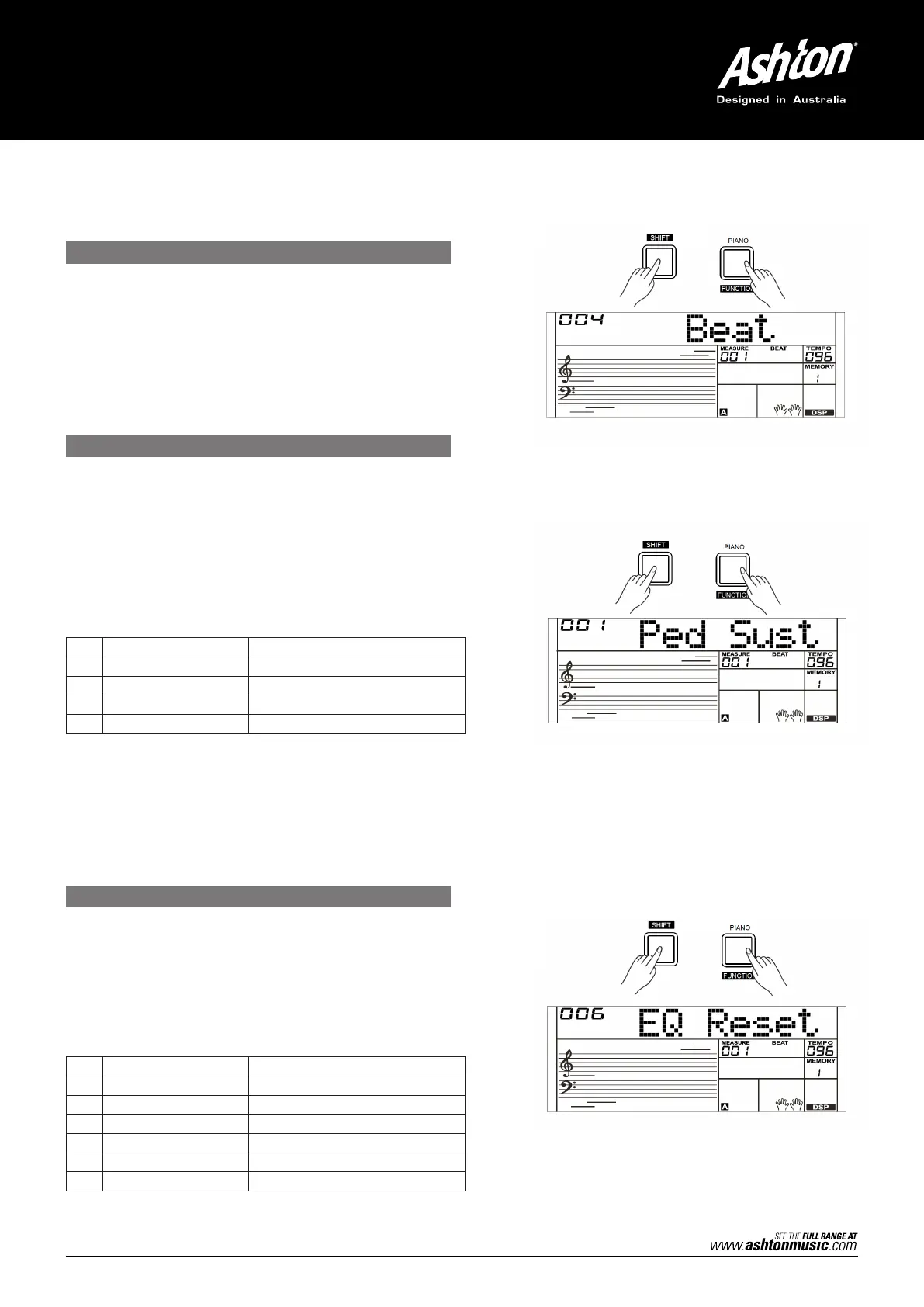
1. Press and hold the [SHIFT] button and then repeatedly
press the [FUNCTION] button to select the Beat Type menu.
The LCD will display “xxx Beat”. Use the [+/YES]/[–/NO]
button or the data dial to change the Beat Type. The range of
the beat type: 0, 2–9.
2. Press the [+/YES] and [–/NO] buttons simultaneously to set
the Beat Type to its default setting: 4.
Note:
1. The AK280 will automatically detect the pedal when
powered on.
2. Do not press the pedal when turning on the AK280 or it will
reverse the pedal operation.
1. Press and hold the [SHIFT] button and then repeatedly press
the [FUNCTION] button to select the Pedal Type menu. The
LCD will display “001 Ped Sust”. Use the [+/YES]/[–/NO]
button or the data dial to change the pedal type.
2. There are 4 types of pedal function available.
3. Press the [+/YES] and [–/NO] buttons simultaneously to set
the pedal type to its default setting: Sust.
Press and hold the [SHIFT] button and then repeatedly press
the [FUNCTION] button to select the EQ Type menu. The LCD will
display “006 EQ Reset”. Use the [+/YES]/[–/NO] button or the
data dial to change the EQ type.
There are 6 EQ types available.
NO. LCD PEDAL FUNCTION
1 Ped Sust Sustain Pedal
2
P
ed Soft Soft Pedal
3 Ped Mem Memory Switch Pedal
4 Ped St/S Start/Stop Pedal
NO. LCD EQ TYPE
1 EQ Pop Pop
2
EQ Rock
Rock
3 EQ Classical Classical
4 EQ Jazz Jazz
5 EQ Dance Dance
6 EQ Reset Reset


 To Next Page