9
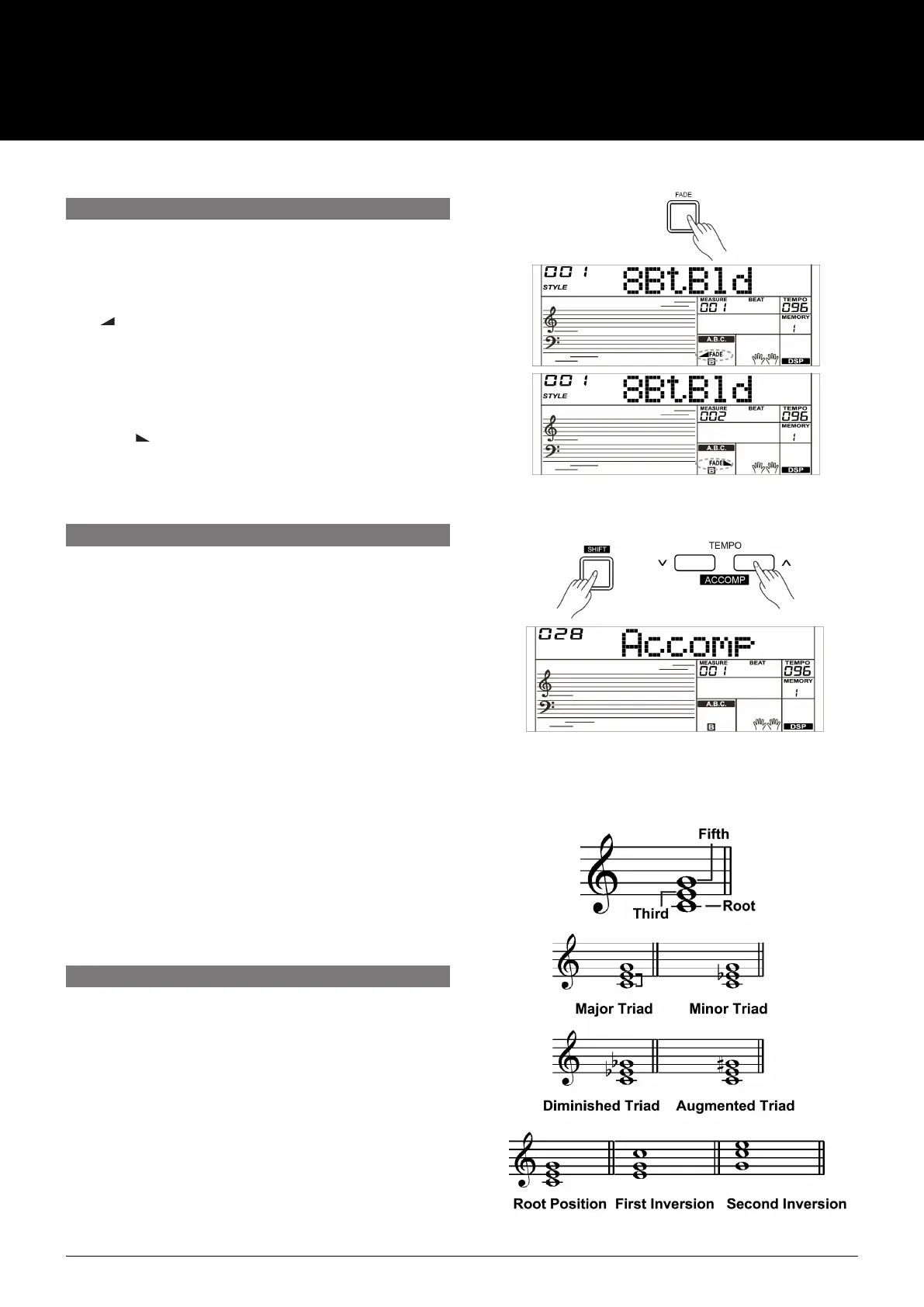
1. Fade In
Starting the style with Fade In produces a smooth
beginning (the volume increases from low to high). By
pressing the [FADE] button when the Style is stopped, the
“ FADE” icon will light up and start flashing with the
style playing.
2. Fade Out
Stopping the style with Fade Out produces a smooth
ending (the volume decreases from high to low.) By
pressing the [FADE] button while the Style is playing, the
“FADE ” i
con will light up and start flashing with the
style playing.
3. Fade In/Out Time
The default time is 10 seconds.
The function will adjust the accompaniment volume, so as to
keep an appropriate balance between the accompaniment
volume and the voice volume.
1. Press and hold the [SHIFT] button, then use the
[ACCOMP +]/[ACCOMP –] button to set accompaniment
volume. The adjustable range is: 0–32. The LCD will display
the current accompaniment volume level.
2. Press and hold the [SHIFT] button and then press the
[ACCOMP +]/[ACCOMP –] button for a while to quickly
adjust the volume value.
3. When the LCD displays the volume level, press and hold
[SHIFT] then, press the [ACCOMP +] + [ACCOMP –]
buttons simultaneously to turn the accompaniment volume
off. The LCD will display “OFF Accomp”. Keep the [SHIFT]
button pressed and then press the [ACCOMP +]/
[ACCOMP –] button again to turn the accompaniment
volume on.
Note:
It will automatically exit the setting if there is no operation in
5 seconds.
How the chords are played or indicated with your left hand (in
the auto accompaniment section of the keyboard) is referred to
as “fingering”.
There are 2 types of fingerings as described below.
Chord Basics
A chord, in music, is any harmonic set of three or more notes
that is heard simultaneously. The most frequently encountered
chords are triads. A triad is a set of three notes that can be
stacked in thirds. When stacked in thirds, the triad’s members,
from lowest pitched tone to highest, are called: the Root, the
Third, and the Fifth.
FADE
ACCOMPANIMENT VOLUME
CHORD FINGERING
USER MANUAL
AK280
61 KEY ELECTRONIC KEYBOARD



 To Next Page