20
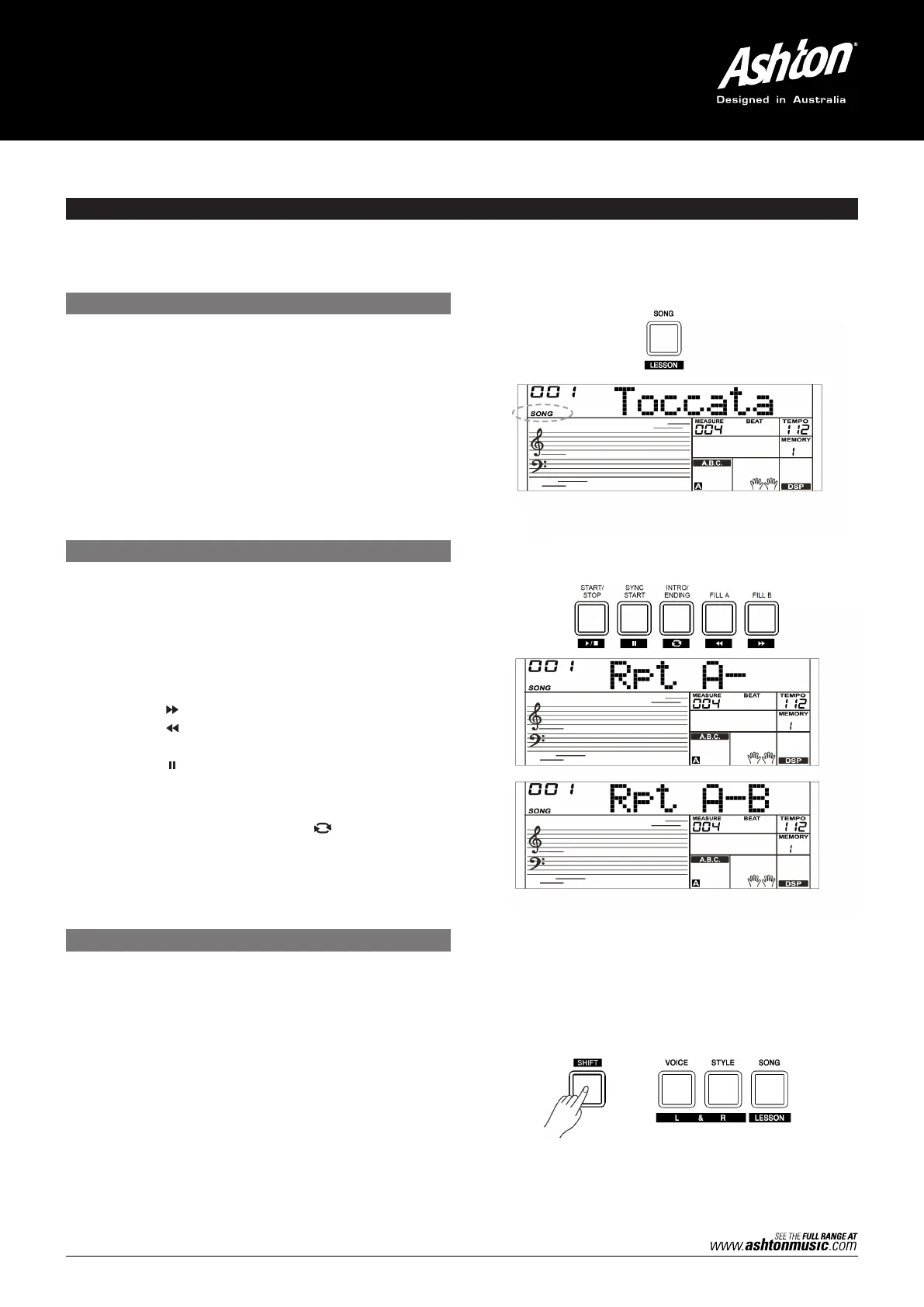
1. Press the [SONG] button to enter the Song Mode. All
songs will play in loop.
2. Use the [+] or [–] button to select a song.
3. During song playback, press the [SONG] or [START/
STOP] buttons to stop the playback. When the song
stops, press the [START/STOP] button, to play the
current song repeatedly.
4. When the song stops, press the [STYLE] or [VOICE]
button to exit Song Mode.
The control buttons in Lesson Mode are: [SHIFT] + [LESSON],
[SHIFT] + [L], [SHIFT] + [R] and [SHIFT] + [L] + [R].
1. Enter the Lesson Mode.
While the song stops, holding down the [SHIFT] button
and press the [LESSON] button.
2. Select the practice hand.
All songs can be practiced in three types: time training,
note training and performance mode. The grading
system will help you keep track of your progress.
Use the [SHIFT] + [L], [SHIFT] + [R] or [SHIFT] + [L] + [R] buttons
to select the lesson you want to practice. Alternatively, the
keyboard will automatically select the right hand practice for you.
1. Introductory Beat
Before the song starts playing, it has the introductory
beat; the measure starts from a negative value. It begins
to play the melody when the measure goes to 1.
2. REW, FF and PAUSE
When the song is playing:
Press the [ ] button to fast forward the song.
Press the [ ] button to rewind the song (based on
the measure).
Press the [ ] button to pause the playing song, Press it
again to continue playing.
3. Song Repeat
When playing the song, press the [ ] to set the
beginning for a loop section of the current song, then
press it again to set the loop ending. During loop playback,
press the same button to quit the loop and go back to
song playback.
SONG
LISTENING TO THE SONGS
LESSON MODE
SONG CONTROL
The AK280 has a variety of songs. Use the [+/YES]/[–/NO] button and the data dial to select a song. All songs can be
practiced in the Lesson Mode.



 To Next Page