21
Note:
1. The left–hand practice may vary for different type of songs.
If you choose a rhythm song, the left hand practices the
chord. If you choose a piano song, the left hand practices
the melody. Some MIDI songs may not have practice for
the left hand.
2. You cannot change the Practice Mode when the song is
playing. When you finish the song, it will grade your
practice automatically. However, no score will be given
if you stop halfway.
3. When the song is playing, the staff and the chord will be
displayed on the LCD, notifying you of the note position.
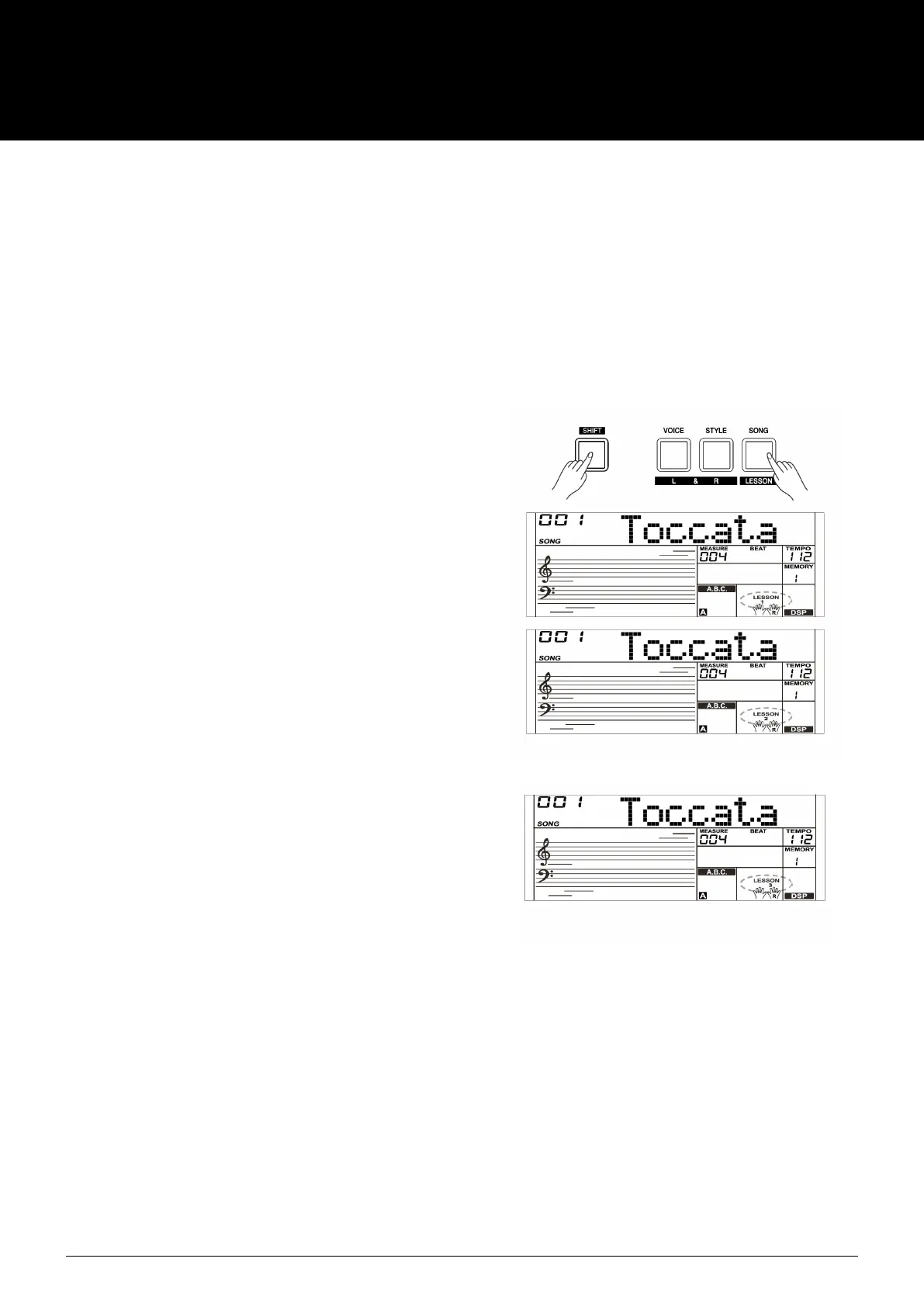
Lesson 1– Practice timing
While the song has stopped playing, hold down [SHIFT] button
and then press the [LESSON] button to enter the Lesson Mode.
The “LESSON 1”icon will display on the LCD. In Lesson 1 mode,
you need to play at the correct time value. As long as you play
any key at the right time, the correct note will sound.
Lesson 2– Practice note accuracy
Press the [SHIFT] + [LESSON] buttons again to enter the lesson
2 Mode. The “LESSON 2” icon will light up. In LESSON 2 mode,
you need to play the correct notes. The lesson will continue only
when you have played the note displayed on the LCD, otherwise
the song will stop and wait.
Lesson 3 – Performance
Press the [SHIFT] + [LESSON] button the third time to enter
the Lesson 3 Mode. Or you can repeatedly press the [LESSON]
button when the song stops playing. The “LESSON 3” icon will
light up. In LESSON 3 mode, it will score your practice by the
correction of the time value and notes.
Comment Function:
In LESSON 1, LESSON 2 and LESSON 3, your performance
will be graded as follows:
The 1 class: “Excellent!”
The 2 class: “Very Good!”
The 3 class: “Good!”
The 4 class: “Try Again!”
It will automatically play back the current song after
giving comments.
USER MANUAL
AK280
61 KEY ELECTRONIC KEYBOARD



 To Next Page