24
1. MIDI (short for Musical Instrument Digital Interface)
allows a wide variety of electronic musical instruments,
computers and other related devices to connect and
communicate with one another. MIDI carries event
messages that specify notation, pitch and velocity, control
signals for parameters such as volume, vibrato, audio
panning, and program change information to change the
voice selections.
2. The instrument can output the real–time playback
information via MIDI messages and control external MIDI
devices. The instrument can also accept incoming MIDI
messages and generate sound accordingly.
Note:
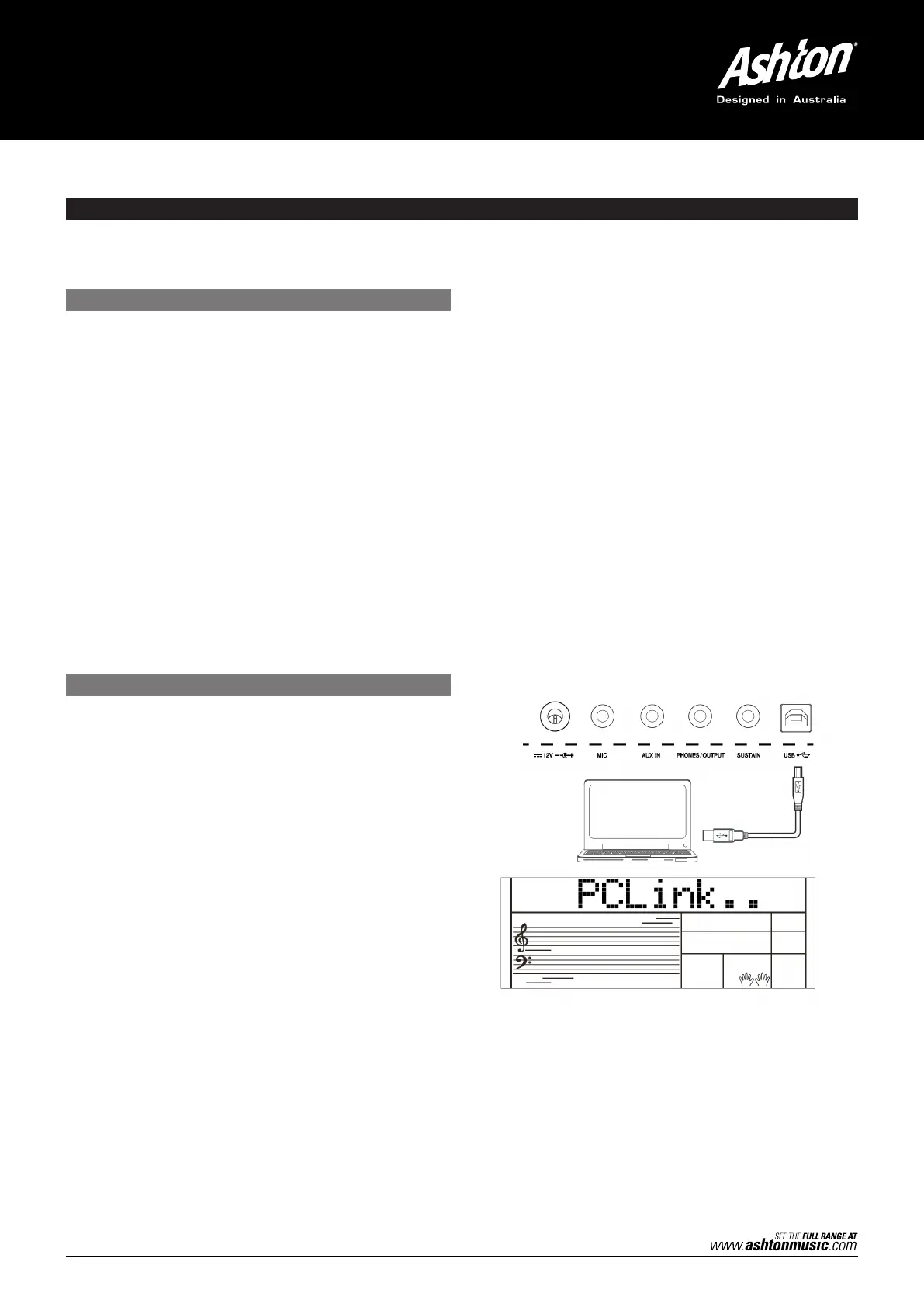
This instrument has a USB (DEVICE) terminal, which can be
connected to a PC as a MIDI input or MIDI output. This can
not be connected with another instrument, unless the
instrument has a USB host terminal.
1. Used as a tone generator
This instrument can receive MIDI data from a computer,
and execute MIDI controls to change channels, change
voices, add effects and make sound. Refer to the MIDI
Implementation Chart for more MIDI controls.
2.
Used as a MIDI Keyboard
When you play the keyboard, change the voices or turn
the DSP on/off, the instrument will send MIDI data to the
computer, which will be saved as records. (It only
records your keyboard performance when playing along
with accompaniment.) You can edit the recording on the
computer, such as changing the channels or voices, adding
DSP effects, then play back the recording with the
instrument or other sound sources (such as a sound card).
You can play the keyboard along with the playback. Refer to
MIDI Implementation Chart for more MIDI controls.
3. Select a MIDI Device
To use the USB port of the instrument, you need to set the
software on your computer. For example, set the Cakewalk
Pro Audio MIDI software under WINDOWS XP operating
system. Open the Cakewalk Pro Audio MIDI software.
Set the USB AUDIO DEVICE either as the MIDI Input port on
the left of the pop–up window, or as the MIDI Output port on
the right, then press “OK”. Alternatively, you can select the MIDI
device on the TOOLS MIDI DEVICES menu of Cakewalk. Make
the same settings when using other similar MIDI software.
MIDI
WHAT IS MIDI?
THE MAIN APPLICATION OF MIDI
With the MIDI functions you can expand your musical possibilities. This section will let you know what MIDI is, and what it can
do, as well as how you can use MIDI on the AK280.



 To Next Page